
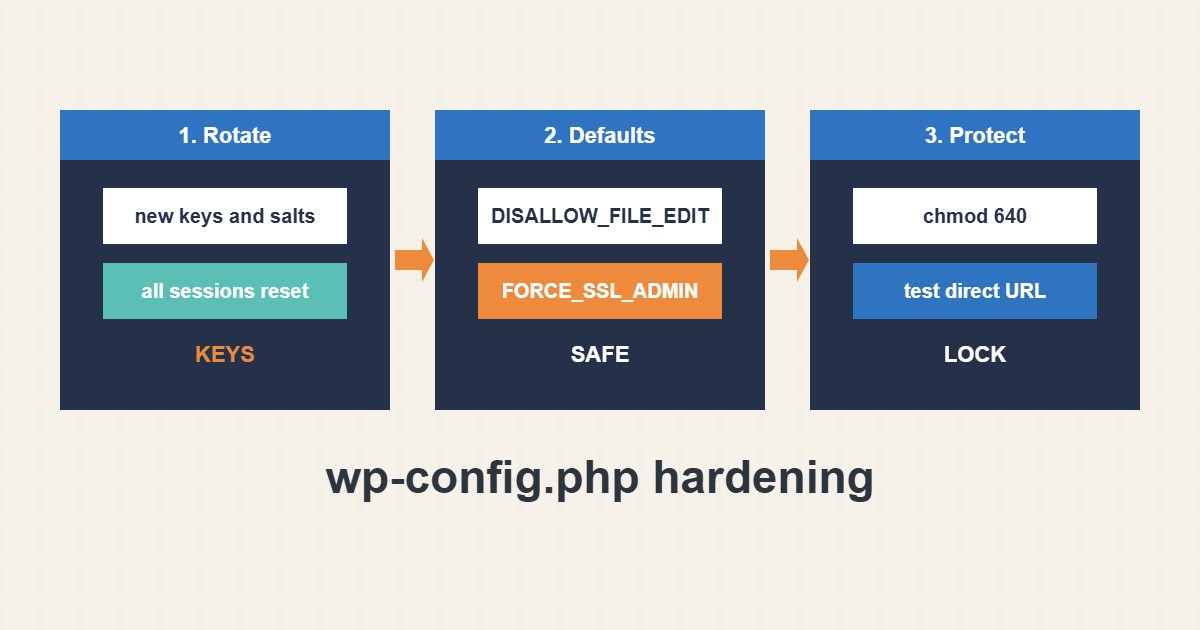
The wp-config.php file holds database credentials, secret keys and important switches, so it is the most sensitive file in a WordPress site. A few careful changes make it harder to abuse: fresh salts, safe defaults, strict permissions and a check that the web server never shows its source. Settings follow the WordPress documentation; I did not run them on your site, and you should keep a backup before editing.
1. Regenerate keys and salts
Keys and salts protect login cookies. Generate new values from the official generator and replace the old lines. All users will have to log in again, which is also useful after a suspected compromise:
// wp-config.php: keys and salts (generate NEW values, never reuse examples)
define('AUTH_KEY',         'put-unique-phrase-here');
define('SECURE_AUTH_KEY',  'put-unique-phrase-here');
define('LOGGED_IN_KEY',    'put-unique-phrase-here');
define('NONCE_KEY',        'put-unique-phrase-here');
// ...and the four matching _SALT lines
Never copy example values from articles, including this one.
2. Set safe defaults
Turn off the built-in file editor, force HTTPS for the admin area and keep debug output hidden on production:
define('DISALLOW_FILE_EDIT', true);
define('FORCE_SSL_ADMIN', true);
define('WP_DEBUG', false);
define('WP_DEBUG_DISPLAY', false);
define('AUTOMATIC_UPDATER_DISABLED', false);
If you need debugging, write to a log file instead of the screen; see the white screen guide. For HTTPS see the HSTS guide.
3. Tighten permissions
Only the owner and the web server should read the file. Also block direct access in the server config:
chmod 640 wp-config.php        # or 600 if the web server user owns it
ls -l wp-config.php
# Apache: block direct web access
<Files wp-config.php>
  Require all denied
</Files>
Adjust the mode to your hosting setup; some shared hosts need a different value.
4. Test it
Confirm the file is not served and no secrets appear in the page source:
curl -sI https://example.com/wp-config.php | head -n 1   # expect 403 or 404, never 200 with source
curl -s https://example.com/ | grep -c 'DB_PASSWORD'      # expect 0
Back up before changes; see the backup guide. If you are locked out afterwards, see the admin recovery guide.
5. Mistakes to avoid
These habits often lead to leaks:
Keeping the default placeholder keys      # sessions are easier to forge
WP_DEBUG_DISPLAY true on production     # leaks paths to visitors
wp-config.php readable by everyone      # 644 on shared servers is risky
Backup copy named wp-config.php.bak     # downloadable as plain text
Also use a separate database user with limited rights, as in the MySQL least-privilege guide.
6. Illustrative example, not a measurement
Imagine a small business site (made-up) that was cloned from an old copy, so its keys are the defaults and a backup file wp-config.php.bak sits in the web root. After regenerating salts, deleting the backup, setting permissions to 640 and checking that the direct URL returns 403, the main obvious leaks are closed.
7. Common mistakes
- Leaving default or shared keys.
- Showing debug errors to visitors.
- Loose permissions on wp-config.php.
- Leaving .bak or .old copies in the web root.
- Editing without a backup.
- Reusing the database password elsewhere.
8. Frequently asked questions
Will changing salts log everyone out? Yes, all sessions become invalid and users log in again.
Can wp-config.php live outside the web root? WordPress can load it from one level above; check your host supports it.
Is 600 or 640 better? Both can work; it depends on which user runs PHP.
Should I disable the file editor? Usually yes; it limits damage if an admin account is stolen.
9. Quick checklist
- Back up the file.
- Regenerate keys and salts.
- Disable the file editor.
- Hide debug output.
- Set strict permissions.
- Delete backup copies.
- Test the direct URL.
If you need help reviewing performance or maintaining a server, see the server management services.
More server and WordPress guides are collected in the article archive.
Official references
WordPress: Editing wp-config.php · WordPress: Hardening · WordPress.org: Secret key generator · WordPress: Debugging