
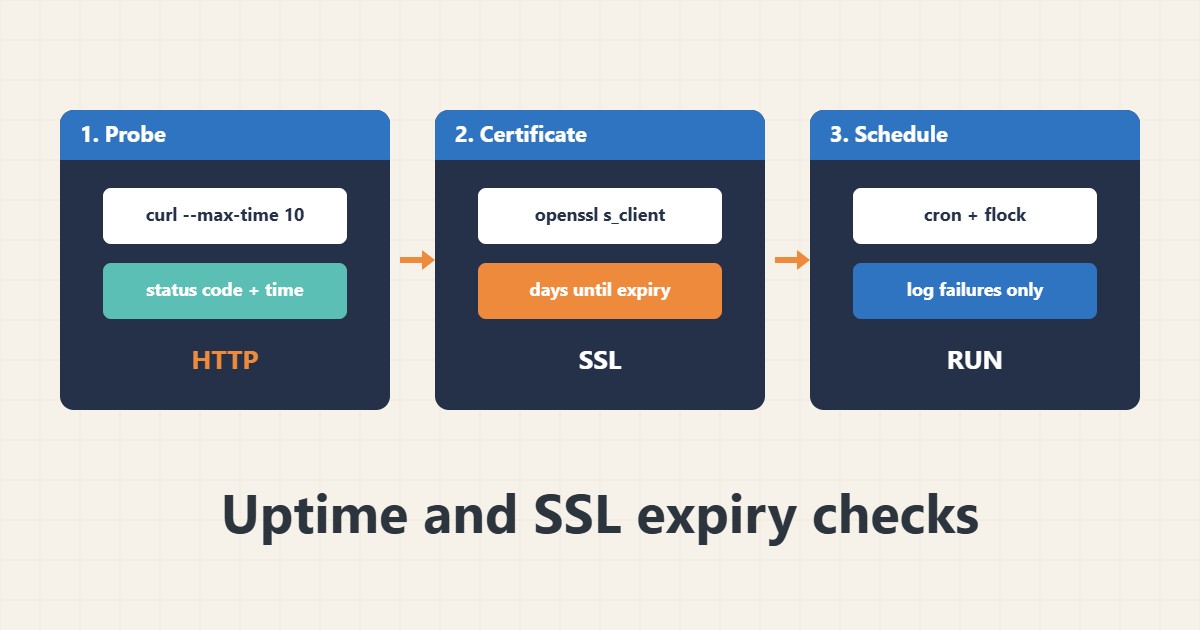
A site can be down or a certificate can expire without anyone noticing until a customer complains. A small script run by cron can check the HTTP status and the days left on the certificate and write a log line when something is wrong. This is not a replacement for a monitoring service, but it is a useful first layer. Commands follow the curl and OpenSSL documentation; I did not run them on your server, and checks from the same machine cannot see every outside problem.
1. Check the HTTP status and time
Always use a timeout and print the status code and total time:
curl -s -o /dev/null -w '%{http_code} %{time_total}s\n' --max-time 10 https://example.com/A 200 does not prove the page is correct, but it catches outages and slow responses. For deeper header checks see the curl debugging guide in the archive.
2. Check the certificate expiry
Read the end date from the certificate the server actually presents and compute the days left:
echo | openssl s_client -connect example.com:443 -servername example.com 2>/dev/null |
  openssl x509 -noout -enddate -issuer
# Days left
EXP=$(echo | openssl s_client -connect example.com:443 -servername example.com 2>/dev/null | openssl x509 -noout -enddate | cut -d= -f2)
echo $(( ( $(date -d "$EXP" +%s) - $(date +%s) ) / 86400 )) days left
Renewals should be automatic; see the Certbot guide. If the date is wrong, check the time on the server; see the clock drift and NTP guide.
3. Put it in a script and log failures
Write a line to a log only when something is wrong, so the log stays short:
#!/usr/bin/env bash
# /usr/local/bin/check-site.sh (example)
URL="https://example.com/"; HOST="example.com"; MIN_DAYS=14
code=$(curl -s -o /dev/null -w '%{http_code}' --max-time 10 "$URL")
[ "$code" = "200" ] || echo "$(date -Is) HTTP $code for $URL" >> /var/log/site-check.log
exp=$(echo | openssl s_client -connect $HOST:443 -servername $HOST 2>/dev/null | openssl x509 -noout -enddate | cut -d= -f2)
days=$(( ( $(date -d "$exp" +%s) - $(date +%s) ) / 86400 ))
[ "$days" -ge "$MIN_DAYS" ] || echo "$(date -Is) cert expires in $days days for $HOST" >> /var/log/site-check.log
Adjust the URL, host and warning days for your site.
4. Schedule it without overlap
Run it from cron with a lock so slow checks do not pile up:
chmod 750 /usr/local/bin/check-site.sh
# crontab -e   (every 5 minutes, one run at a time)
*/5 * * * * flock -n /var/lock/check-site.lock /usr/local/bin/check-site.sh
tail -n 20 /var/log/site-check.log
For other scheduling options see the systemd timers guide, and rotate the log; see the logrotate guide.
5. Mistakes to avoid
These mistakes make checks unreliable:
Checking only from the same server      # misses outside network or DNS problems
No timeout on curl                      # the check itself hangs
Alerts on every single failure          # one blip sends a false alarm
Forgetting the certificate date         # the site breaks on expiry day
Check from a second location too, and add alerts only after repeated failures.
6. Illustrative example, not a measurement
Imagine a small company site (made-up) with a certificate that renews automatically. One month the renewal fails silently. The daily check logs “cert expires in 13 days”, so the admin fixes the renewal with time to spare instead of finding out when visitors see a browser warning.
7. Common mistakes
- Checking only from the same server.
- No curl timeout.
- Alerting on a single blip.
- Ignoring certificate dates.
- No lock on the cron job.
- Never reading the log.
8. Frequently asked questions
Is this enough for monitoring? It is a basic layer; use a monitoring service for alerts from outside.
Why use -servername? So the right certificate is returned on shared IPs.
How often should it run? Uptime every few minutes; certificate checks daily.
Does a 200 mean everything works? No; it only means the server answered with success.
9. Quick checklist
- Use curl with a timeout.
- Check the status code.
- Check days to expiry.
- Log only problems.
- Run with flock.
- Rotate the log.
- Check from another location.
If you need help reviewing performance or maintaining a server, see the server management services.
More server and WordPress guides are collected in the article archive.
Official references
curl man page · OpenSSL: s_client · OpenSSL: x509 · flock(1)