
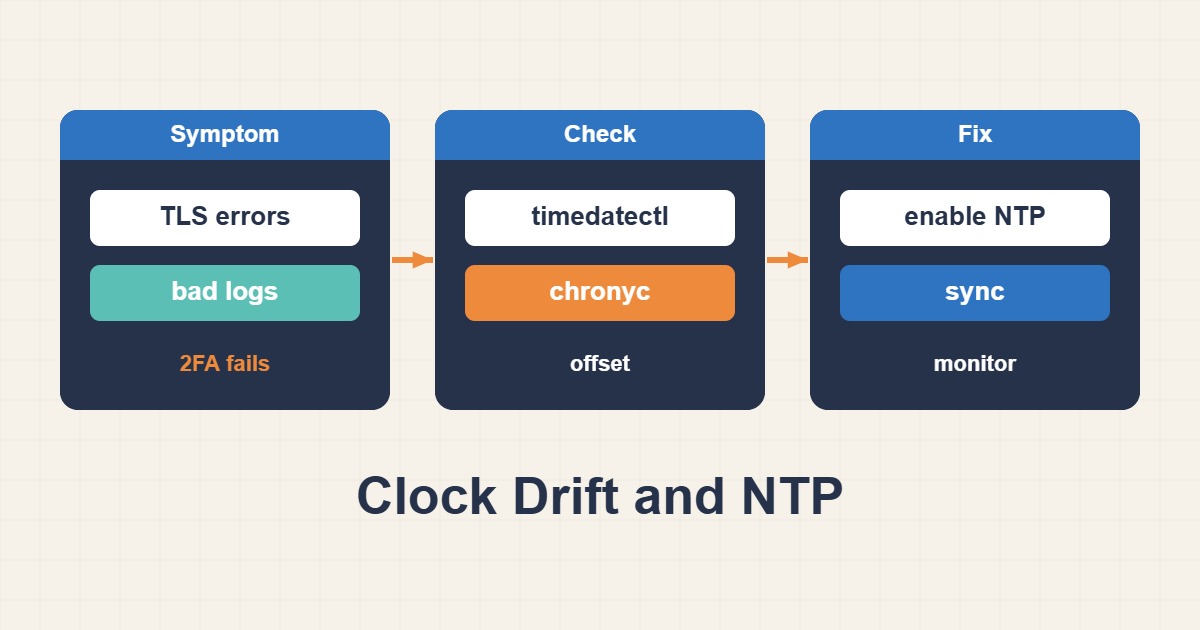
Incorrect server time can break TLS, authentication, signed requests, logs, and scheduled jobs. Manually changing the clock without understanding the synchronization service may only hide the issue or reorder events.
Record clock and synchronization state
Capture local time, UTC, timezone, RTC, NTP state, and the observed offset before changing anything.
timedatectl status
timedatectl timesync-status
date -u
hwclock --show
Identify the active time client
Do not run competing NTP clients. Determine whether systemd-timesyncd, chronyd, or ntpd owns synchronization.
systemctl status systemd-timesyncd chronyd ntp --no-pager
ps aux | grep -E "timesyncd|chronyd|ntpd"
Test DNS and network reachability
The NTP hostname must resolve and outbound UDP 123 must be allowed. Restricted networks may require an approved internal source.
resolvectl query time.cloudflare.com
resolvectl status
journalctl -u systemd-timesyncd --since "30 min ago"
Configure trusted time sources
Set a primary and fallback source in timesyncd.conf, restart the service, and verify the new status.
sudoedit /etc/systemd/timesyncd.conf
# [Time]
# NTP=time.cloudflare.com
# FallbackNTP=pool.ntp.org
sudo systemctl restart systemd-timesyncd
timedatectl set-ntp true
Monitor services after correction
After synchronization, inspect certificate, token, mail-queue, and scheduler errors. Plan large time steps carefully on stateful systems.
timedatectl timesync-status
journalctl --since "10 min ago" -p warning
Practical checklist
- Record timezone and RTC state.
- Keep only one NTP client active.
- Check DNS and outbound UDP 123.
- Use trusted time sources.
- Retest sensitive services after synchronization.
Frequently asked questions
Should RTC use local time?
Usually no. Keeping RTC in UTC avoids timezone and daylight-saving complications.
Why is NTP active but not synchronized?
DNS, firewall rules, the remote time source, or network delay may prevent a valid response.
Is date -s a permanent fix?
No. It changes the clock once but does not correct drift or a broken synchronization client.
Related guides
Official documentation
{labels[4]}: {DATE}
Conclusion
Back up before deleting or changing data, confirm the cause from metrics and logs, and test the smallest reversible change in staging first.