
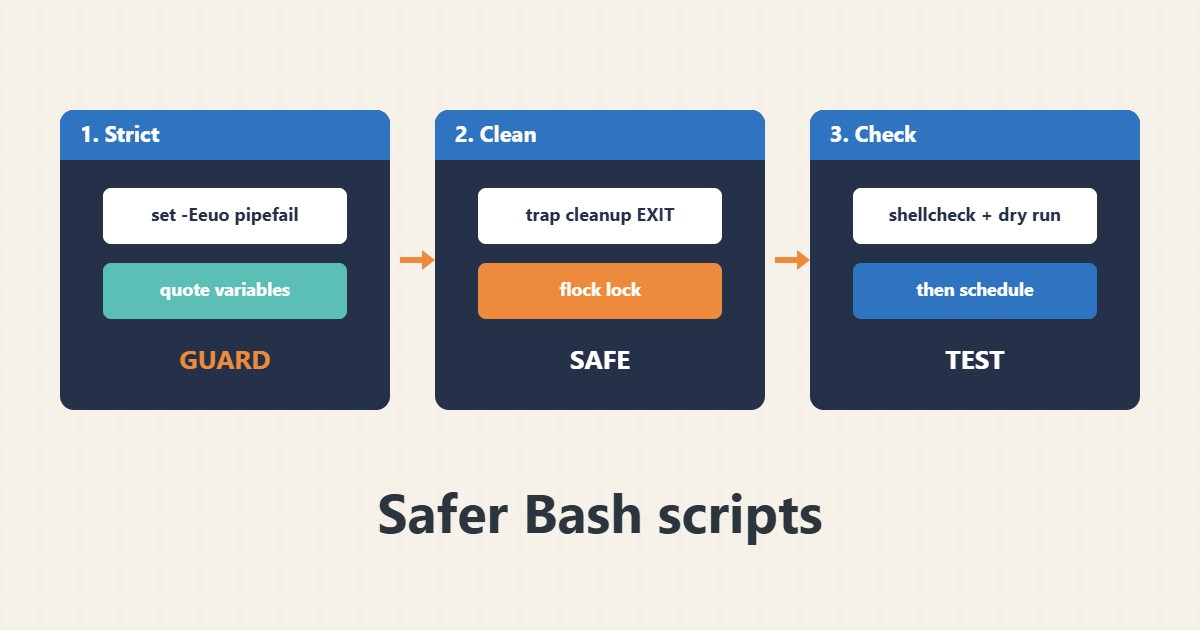
Many server problems begin with a small shell script: an unset variable that turns a delete into something much larger, a failed step that is ignored, or two cron runs that overlap. A few habits make scripts far safer: strict mode, quoting, cleanup with trap, a lock and a dry run. This guide shows a small safe template. Commands follow the Bash and ShellCheck documentation; I did not run them on your server.
1. Start with strict mode
Strict mode stops the script on errors, unset variables and failures in the middle of a pipe:
#!/usr/bin/env bash
set -Eeuo pipefail
IFS=$'\n\t'
# -e stop on error, -u fail on unset variables, pipefail fail if any pipe stage fails
It does not catch everything, but it removes many silent failures.
2. Clean up and prevent overlap
Use a temporary directory, remove it on exit and take a lock so that two runs cannot overlap:
WORKDIR=$(mktemp -d)
cleanup() { rm -rf -- "$WORKDIR"; }
trap cleanup EXIT
trap 'echo "failed at line $LINENO" >&2' ERR
exec 9>/var/lock/myjob.lock
flock -n 9 || { echo 'already running' >&2; exit 0; }
This pairs well with cron or a timer; see the systemd timers guide and the rsync backup guide for a dry-run habit.
3. Quote, validate and log
Quote every variable, check input and log what happened:
file="$1"                                  # always quote variables
[ -r "$file" ] || { echo "cannot read: $file" >&2; exit 2; }
rsync -a --dry-run -- "$SRC/" "$DEST/"        # dry run before the real run
log() { printf '%s %s\n' "$(date -Is)" "$*" >> /var/log/myjob.log; }
Log files should be rotated; see the logrotate guide.
4. Check before running
Test the syntax, run ShellCheck and trace the script on test data before it touches production:
bash -n myjob.sh               # syntax check
shellcheck myjob.sh           # finds quoting and logic mistakes
bash -x myjob.sh              # trace what runs
./myjob.sh; echo "exit code: $?"
Run risky scripts first against a copy, with a backup ready.
5. Mistakes to avoid
These patterns cause the worst accidents:
rm -rf $DIR/*                   # if DIR is empty this becomes rm -rf /*
cd "$DIR" && rm -rf *         # safer, but still verify DIR first
Unquoted $file                 # breaks on spaces and wildcards
No lock in cron                # two runs overlap and corrupt data
Prefer explicit paths, validate that a variable is not empty before deleting, and avoid running routine scripts as root; see the sudoers guide.
6. Illustrative example, not a measurement
Imagine a cleanup script (made-up) that deletes old files in $BACKUP_DIR/old. If the variable is unset, the path becomes /old and, in the worst case, the command targets the wrong place. With set -u the script stops immediately, and with a check that the variable is not empty the mistake never reaches the delete command.
7. Common mistakes
- Using unquoted variables.
- Deleting with unchecked variables.
- No lock for scheduled scripts.
- Ignoring exit codes.
- Skipping dry runs.
- Running everything as root.
8. Frequently asked questions
Does set -e catch every error? No; some contexts such as conditions are exempt, so test the script.
Why use trap? To clean up temporary files even when the script fails.
What is shellcheck? A tool that points out common mistakes in shell scripts.
Should I use Bash for big programs? For long logic, a language with better testing may be safer.
9. Quick checklist
- Use strict mode.
- Quote variables.
- Validate input.
- Use trap for cleanup.
- Add a lock.
- Do a dry run.
- Run shellcheck.
If you need help reviewing performance or maintaining a server, see the server management services.
More server and WordPress guides are collected in the article archive.
Official references
Bash manual: The set builtin · Bash manual: trap · ShellCheck wiki · flock(1)