
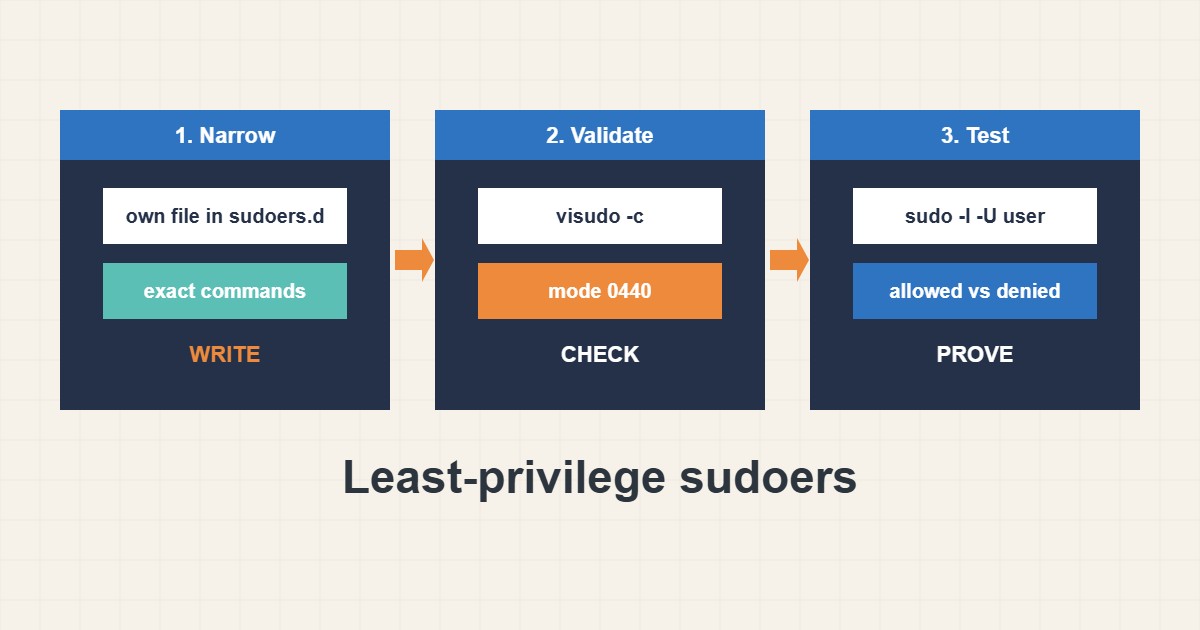
A broken sudoers file can lock you out of administration, and an over-generous one hands out root. The safe middle is simple: edit only with visudo, put each rule in its own file under /etc/sudoers.d, and allow exact commands rather than “everything”. This guide shows how to write such a rule for a deploy user, validate it, test it, and avoid the common traps such as wildcards and editors that can spawn a shell.
1. Why not ALL=(ALL) ALL for everyone
Giving a service account full sudo means any compromise of that account is a compromise of the whole server. Least privilege means the account can run the few commands its job requires and nothing else. A deployment user usually only needs to reload the web server or restart one service.
2. Write a narrow rule in a separate file
Use visudo, never a plain editor, because it checks syntax before saving. A file in /etc/sudoers.d/ keeps your rule separate from the distribution’s main file and is easy to remove later:
sudo visudo -f /etc/sudoers.d/deploy

# /etc/sudoers.d/deploy
Cmnd_Alias WEB_RELOAD = /bin/systemctl reload nginx, /bin/systemctl restart php8.2-fpm
deploy ALL=(root) NOPASSWD: WEB_RELOAD
Use full paths to the binaries, since sudo matches the path. Group commands with a Cmnd_Alias to keep the rule readable.
3. Validate before you disconnect
Check the syntax and permissions of the new file. Files in sudoers.d should be mode 0440 and owned by root. Keep one root session open until the test passes, so a mistake cannot lock you out:
sudo visudo -c
sudo visudo -cf /etc/sudoers.d/deploy
sudo ls -l /etc/sudoers.d/
sudo chmod 0440 /etc/sudoers.d/deploy
4. Test what is allowed and what is denied
List the user’s rights, then confirm that an allowed command works and a forbidden one is refused. The -n flag makes sudo fail instead of waiting for a password:
sudo -l -U deploy
sudo -u deploy sudo -n systemctl reload nginx && echo allowed
sudo -u deploy sudo -n systemctl stop nginx || echo denied-as-expected
sudo grep deploy /var/log/auth.log | tail -n 5
The authentication log shows each use, which helps with audits.
5. Traps that break least privilege
Wildcards in arguments can be abused, because a pattern like systemctl * nginx also allows other actions. Editors, pagers and many tools can open a shell, so allowing them is almost the same as full root:
deploy ALL=(ALL) NOPASSWD: ALL            # too broad
deploy ALL=(root) NOPASSWD: /usr/bin/vim *   # shell escape from the editor
Prefer fixed arguments, use sudoedit for file edits, and avoid NOPASSWD unless an automated job truly needs it. Pair this with network restrictions as described in the firewall guide.
6. Illustrative example, not a measurement
Suppose a deploy account (made-up setup) pushes code and must reload Nginx. Instead of full sudo, one file allows only systemctl reload nginx and a PHP-FPM restart. A test shows reload works while stop is denied. If the account’s key is ever stolen, the attacker cannot read /etc/shadow or install software through sudo.
7. Common mistakes
- Editing /etc/sudoers with a normal editor.
- Allowing ALL commands for a service account.
- Using wildcards in command arguments.
- Allowing editors or pagers through sudo.
- Wrong file mode on files in sudoers.d.
- Logging out before testing the rule.
8. Frequently asked questions
Why use /etc/sudoers.d? Each rule lives in its own file, so you can add and remove it without touching the main file.
What does visudo -c do? It checks the syntax of the sudoers files without changing anything.
Is NOPASSWD safe? Only for narrow commands needed by automation. Avoid it for broad rights.
How do I let a user edit one file? Use sudoedit with the exact path instead of allowing an editor.
9. Quick checklist
- Create the rule with visudo -f in sudoers.d.
- Use full command paths.
- Avoid wildcards and ALL.
- Run visudo -c.
- Set mode 0440.
- Test allowed and denied commands.
- Keep a root session open until done.
If you need help reviewing performance or maintaining a server, see the server management services.
More server and WordPress guides are collected in the article archive.
Official references
sudo.ws: sudoers manual · sudo.ws: visudo manual · Debian manpages: sudo(8) · Debian Wiki: sudo