
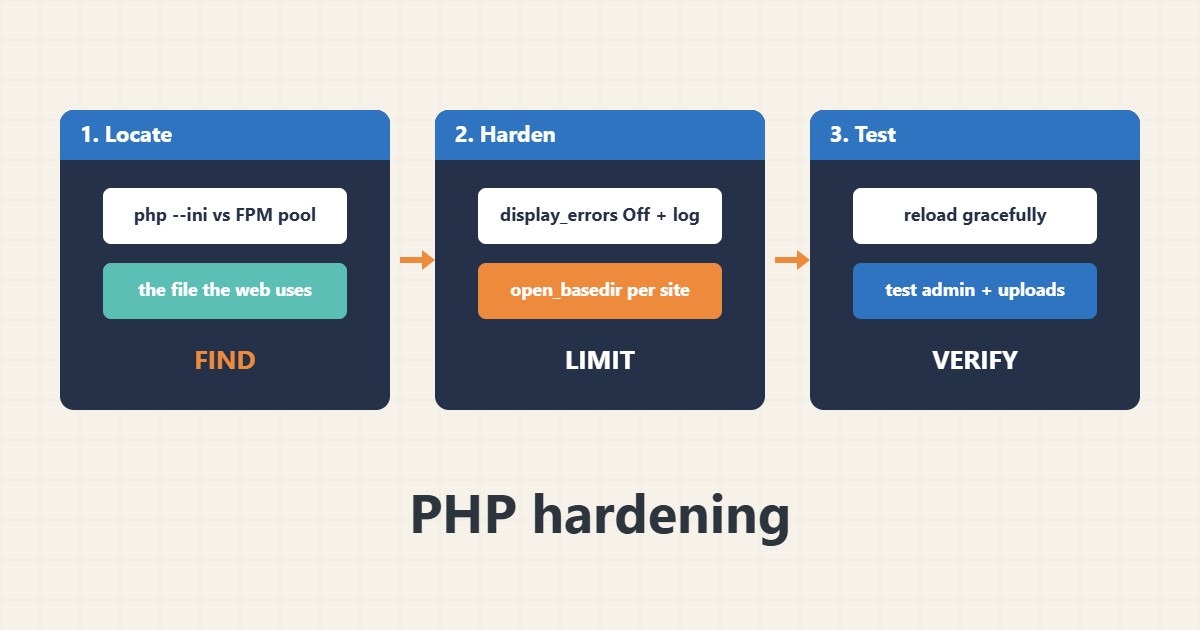
PHP settings decide how much damage a vulnerable plugin or script can do. Hiding errors from visitors, limiting which folders a site can read and restricting dangerous functions all reduce the impact of a compromise. The classic mistake is editing the wrong php.ini: the command line and the web server often use different files. This guide shows the settings that matter and how to test them. Directives follow the PHP manual; I did not run these on your server, and shared hosting usually exposes only some of them through the control panel.
1. Find which configuration the website uses
The command-line PHP can differ from the PHP that serves your site:
php --ini                                   # CLI config files (web PHP may differ!)
php -i | grep -E 'display_errors|expose_php|open_basedir|disable_functions'
# Web PHP: create a temporary file that calls phpinfo(), view it once, then DELETE it
If you use PHP-FPM, see the PHP-FPM guide; on cPanel see the PHP version guide. Delete any temporary phpinfo file immediately after use.
2. Errors, logging and basic flags
Never show errors to visitors on a live site; write them to a log instead. Turn off options that leak or weaken security and secure session cookies:
; php.ini or a pool/user ini (example values, test before using on live)
display_errors = Off
log_errors = On
error_log = /var/log/php/error.log
expose_php = Off
allow_url_include = Off
session.cookie_httponly = 1
session.cookie_secure = 1
session.use_strict_mode = 1
Rotate the log; see the logrotate guide. For WordPress debug settings see the wp-config hardening guide.
3. Limit what each site can touch
open_basedir restricts which folders a site’s PHP can open, and disable_functions can remove shell-execution functions. Use per-site pool settings, not one shared rule:
; PHP-FPM pool file for one site: limit what that site's PHP can touch
php_admin_value[open_basedir] = /var/www/example/:/tmp/
php_admin_value[upload_tmp_dir] = /var/www/example/tmp
php_admin_value[disable_functions] = exec,passthru,shell_exec,system,proc_open,popen
; Some plugins need these functions. Test the admin area, uploads and backups first.
Combine this with a separate user per site; see the users and groups guide.
4. Test and reload
Check the syntax, reload gracefully and test the site, the admin area, uploads and scheduled jobs:
sudo php-fpm8.2 -t                  # check pool syntax (name varies by version)
sudo systemctl reload php8.2-fpm
tail -n 30 /var/log/php/error.log
curl -s -o /dev/null -w '%{http_code}\n' https://example.com/
If something breaks, read the log and undo the last setting. Back up first; see the backup guide.
5. Mistakes to avoid
These mistakes undo the hardening:
display_errors = On on production         # leaks paths and queries to visitors
disable_functions copied blindly           # breaks backups, cron and some plugins
One open_basedir shared by all sites       # no isolation between sites
Editing the wrong php.ini (CLI vs FPM)     # nothing changes on the website
Change one setting at a time so you know which one caused a problem.
6. Illustrative example, not a measurement
Imagine a server (made-up) with two WordPress sites sharing one PHP configuration. A vulnerable plugin on the first site lets an attacker read files from the second. After giving each site its own pool with open_basedir and its own user, the same plugin flaw can read only the first site’s folders.
7. Common mistakes
- Showing errors to visitors.
- Copying disable_functions without testing.
- Editing the wrong php.ini.
- Sharing one open_basedir across sites.
- Leaving phpinfo files on the server.
- Changing many settings at once.
8. Frequently asked questions
Will open_basedir break WordPress? It can if paths are missing; include the site folder and a temp folder, then test.
Is disable_functions enough? No; it is one layer, together with updates and permissions.
Why do CLI and web differ? They use separate configuration files.
Can I do this on shared hosting? Only the options your panel exposes.
9. Quick checklist
- Find the web PHP config.
- Hide errors, log them.
- Secure session cookies.
- Use per-site pools.
- Set open_basedir.
- Restrict functions carefully.
- Test and reload.
If you need help reviewing performance or maintaining a server, see the server management services.
More server and WordPress guides are collected in the article archive.
Official references
PHP: Core php.ini directives · PHP: List of php.ini directives · PHP: Session security · PHP: Security