
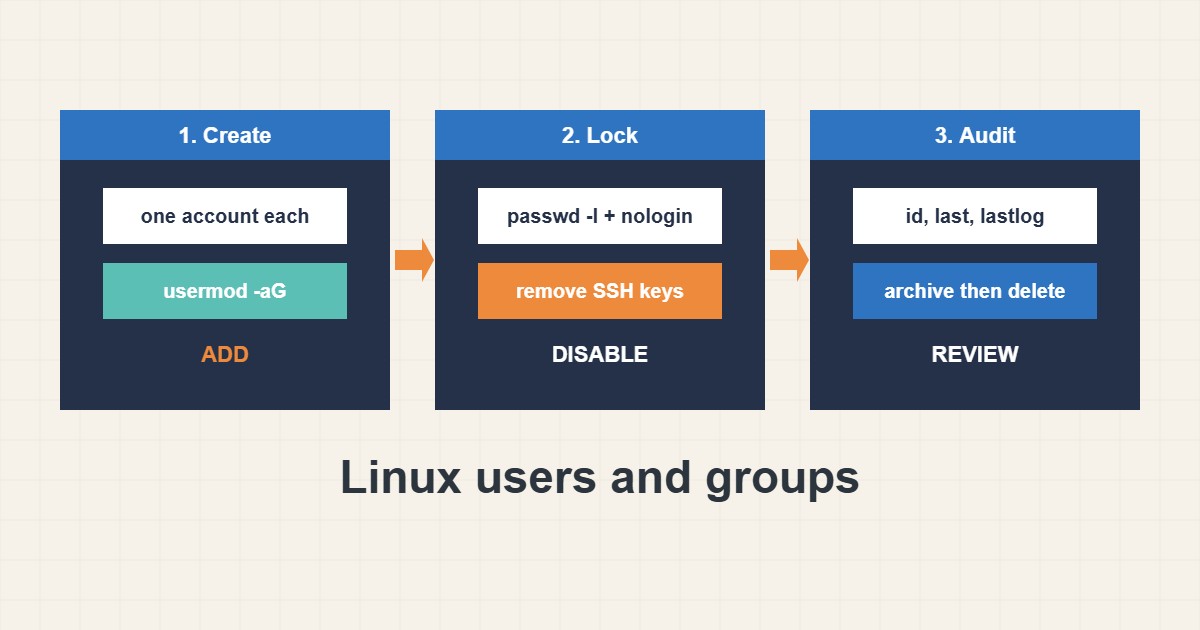
Account mistakes are quiet and dangerous: a user dropped from the sudo group, a leftover account of a former colleague or a 777 permission added in a hurry. This guide shows safe habits for creating users, managing group membership, locking and finally removing accounts. Commands follow the Linux manuals; I did not run them on your server, and distributions differ slightly.
1. Create users with a purpose
Give each person or service its own account and a clear name. Use a shell only when the account needs one:
sudo adduser deploy                      # Debian/Ubuntu interactive
sudo useradd -m -s /bin/bash -G www-data deploy   # RHEL/Debian generic
id deploy
getent passwd deploy
Shared logins make auditing impossible. For limited admin rights use sudoers rules as in the sudoers guide.
2. Manage groups with -aG
Group membership gives access to files. Remember the -a flag, otherwise usermod replaces all groups:
sudo usermod -aG www-data deploy      # -a is essential: append, not replace
sudo gpasswd -d deploy www-data       # remove from a group
groups deploy
The user must log in again for new groups to apply. Prefer group-based access to shared folders over wider permissions.
3. Lock first, delete later
When someone leaves, lock the account and keep the data until you are sure nothing depends on it. Then check recent activity:
sudo passwd -l olduser                # lock the password
sudo usermod -s /usr/sbin/nologin olduser
sudo chage -E 0 olduser               # expire the account
lastlog | head; last -n 10
Remove SSH keys from authorized_keys too. After a review period, archive the home directory and delete the account.
4. Mistakes to avoid
These commands are small but costly:
sudo usermod -G www-data deploy       # without -a: removes all other groups (including sudo)
sudo userdel -r olduser               # deletes the home directory permanently
chmod 777 /var/www                    # fixes a permission error by removing security
Audit who can log in regularly, and combine this with brute-force protection as in the fail2ban guide.
5. Illustrative example, not a measurement
Imagine a server (made-up) where a former contractor’s account still has a valid SSH key. The admin locks the password, sets the shell to nologin, removes the key and checks lastlog, which shows no recent use. A month later the home folder is archived and the account is removed.
6. Common mistakes
- Using usermod -G without -a.
- Sharing one login between people.
- Deleting accounts before locking and reviewing.
- Leaving old SSH keys.
- Fixing permissions with 777.
- Never auditing accounts.
7. Frequently asked questions
What is the difference between adduser and useradd? adduser is an interactive helper on Debian-based systems. useradd is the low-level tool.
How do I see a user’s groups? Run id USER or groups USER.
Does locking a password block SSH keys? No. Remove keys or set the shell to nologin as well.
How do I list all login accounts? Check /etc/passwd for accounts with a real shell.
8. Quick checklist
- Create one account per person or service.
- Add groups with usermod -aG.
- Avoid 777 permissions.
- Lock leaving users first.
- Remove their SSH keys.
- Review lastlog.
- Archive and delete later.
If you need help reviewing performance or maintaining a server, see the server management services.
More server and WordPress guides are collected in the article archive.
Official references
useradd(8) manual · usermod(8) manual · id(1) manual · passwd(5) manual