
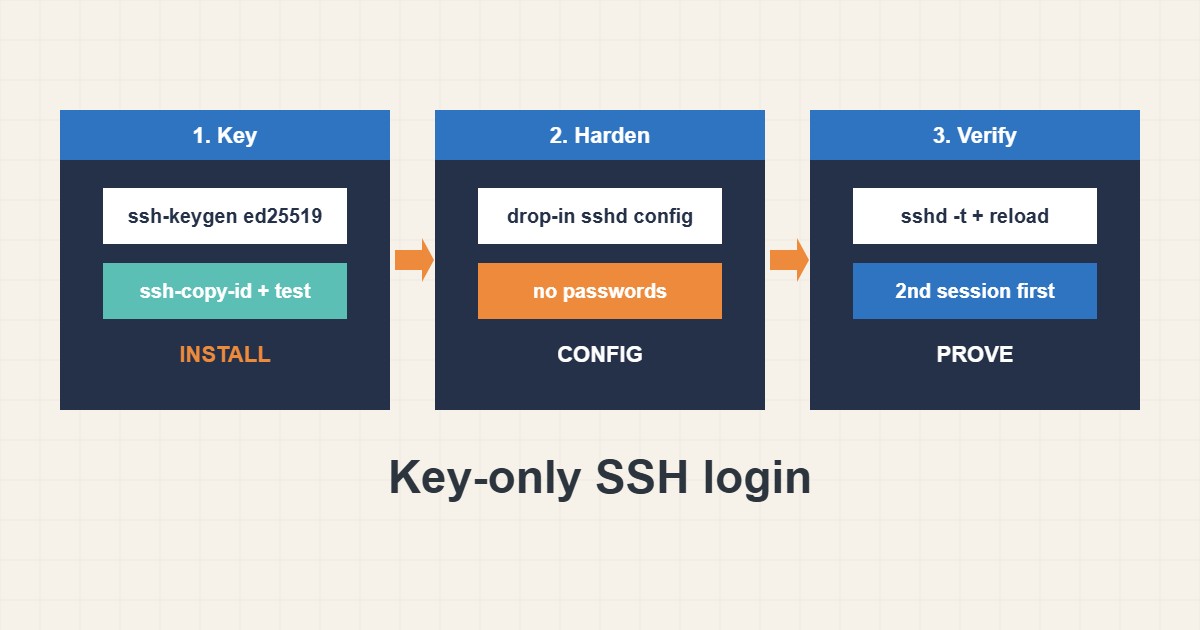
Password logins are the main target of SSH attacks. Key-only login removes that risk, but a careless change can lock you out of your own server. This guide shows the safe order: create and install a key, prove it works, change sshd in a drop-in file, test the syntax and verify with a second session before closing the first. Commands follow the OpenSSH manuals; I did not run them on your server, and service names differ by distribution.
1. Create and install a key first
Generate a modern key on your own computer, install the public part on the server and confirm that you can log in with it. Do not touch sshd settings before this works:
ssh-keygen -t ed25519 -C "laptop-2026"
ssh-copy-id -i ~/.ssh/id_ed25519.pub user@server
ssh -i ~/.ssh/id_ed25519 user@server     # test BEFORE changing sshd
Protect the private key with a passphrase and never copy it to servers. Client conveniences like host aliases are covered in the SSH config guide.
2. Change sshd in a drop-in file
Put your changes in a separate file in /etc/ssh/sshd_config.d/ so package updates do not overwrite them. Disable passwords and root login and limit who may log in:
# /etc/ssh/sshd_config.d/10-hardening.conf
PasswordAuthentication no
PubkeyAuthentication yes
PermitRootLogin no
MaxAuthTries 3
AllowUsers deploy admin
Make sure another user with sudo rights exists before you disable root login.
3. Test before you disconnect
Check the syntax, reload (not restart) and open a second session while the first stays open. Print the effective settings to confirm:
sudo sshd -t                            # syntax check, prints nothing when OK
sudo systemctl reload ssh              # 'sshd' on RHEL family
# keep your current session open, test a NEW one:
ssh user@server
sudo sshd -T | grep -E 'passwordauthentication|permitrootlogin'
If the new session fails, fix the file from the session that is still open.
4. Combine with other layers
Key-only login works well with a firewall rule that limits SSH sources (the firewall guide) and with temporary bans for repeated failures (the fail2ban guide). Review authorized_keys regularly and remove keys of lost laptops.
5. Mistakes that cause lockouts
The classic ones:
PasswordAuthentication no   # before any key works: instant lockout
PermitRootLogin no          # without another sudo user: no admin access
systemctl restart ssh       # while your only session is open and config untested
Always keep a recovery path such as a provider console.
6. Illustrative example, not a measurement
Imagine an admin (made-up) who installs an ed25519 key, tests it, then writes a drop-in file that disables passwords. sshd -t passes, a second terminal logs in with the key, and a password attempt from another machine is refused. Only then is the original session closed.
7. Common mistakes
- Disabling passwords before testing keys.
- Disabling root login with no other admin.
- Restarting instead of reloading.
- Closing the only session before testing.
- Editing the main file and losing changes on updates.
- Keeping keys of retired devices.
8. Frequently asked questions
Which key type should I use? ed25519 is a good modern default.
Why use a drop-in file? It survives package updates and keeps your changes in one place.
How do I recover from a lockout? Use the provider’s console or rescue mode and revert the file.
Should I change the SSH port? It reduces log noise but is not a security control by itself.
9. Quick checklist
- Generate an ed25519 key.
- Install and test it.
- Write the drop-in file.
- Run sshd -t.
- Reload the service.
- Test in a second session.
- Keep a recovery console.
If you need help reviewing performance or maintaining a server, see the server management services.
More server and WordPress guides are collected in the article archive.
Official references
OpenSSH: sshd_config manual · OpenSSH: ssh-keygen manual · OpenSSH: ssh-copy-id manual · OpenSSH manual pages