
If an important service sometimes dies, Windows can restart it by itself. A wrong setup either restarts endlessly on a permanent error or does nothing at all. This guide gives the right method and how to verify it.
1. Current state
sc.exe qfailure MyService
Get-Service MyService | Format-List Name,Status,StartType
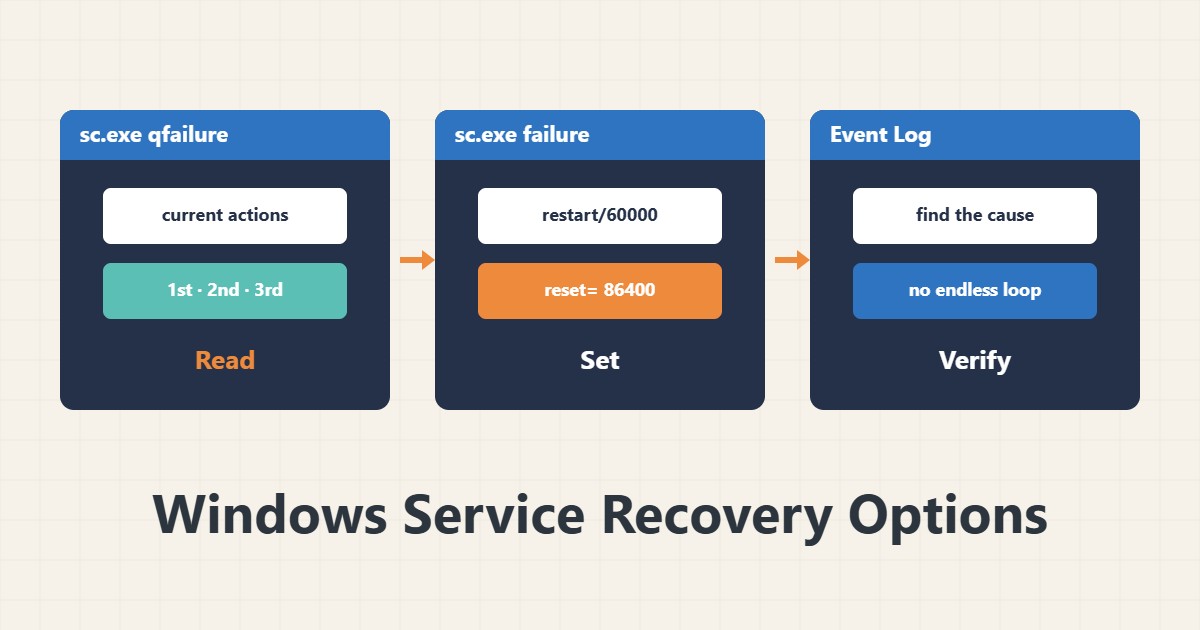
qfailure shows the current actions for first, second and later failures. In the GUI: Services, right-click the service, Properties and the Recovery tab; tab names vary by version.
2. Configure with sc.exe
sc.exe failure MyService reset= 86400 actions= restart/60000/restart/120000/""/0This means: after the first failure restart one minute later; after the second restart two minutes later; take no action for the third. reset= 86400 zeroes the failure counter after a day without errors. In sc.exe the space after = is required.
3. Run a custom program
Instead of a restart you can run a program, for example a script that logs or sends an alert. Keep the script simple and independent of the service itself. The option Enable actions for stops with errors makes an error exit trigger the action too; it is needed for ordinary errors.
4. Avoid an endless loop
If the service dies immediately every time, continuous restarts only burn resources. Make the third action “take no action” or a reboot (only if truly needed and planned), and always read the cause in the Event Log. For notification you can pair it with Task Scheduler or performance counters.
5. Test
In a test environment kill the service with taskkill /F /PID and see that the action runs. Do not do this on a production server without coordination. For IIS, Application Pool recycling has its own mechanism.
6. Illustrative example, not a measurement
Suppose a service died every few weeks for no clear reason and stayed down until morning. With a restart after one minute enabled and the cause recorded in the Event Log, there was no more overnight outage. This scenario is an invented illustration, not a measurement.
7. Common mistakes
- Immediate endless restart on a permanent error.
- No space after = in sc.exe.
- Not checking the cause in the Event Log.
- Testing by killing the service on a production server.
8. Frequently asked questions
What does reset do? It zeroes the failure counter after a period without errors.
Can I set a reboot? You can, but only with a clear reason; constant reboots are dangerous.
What about dependent services? Check dependencies separately so the start order is right.
9. Quick checklist
- sc.exe qfailure was read.
- Delays and reset were set.
- The third action does not create a loop.
- The cause was checked in the Event Log.
- It was tested in a test environment.
If you need help reviewing performance or maintaining a server, see the server management services.
More server and WordPress guides are collected in the article archive.