
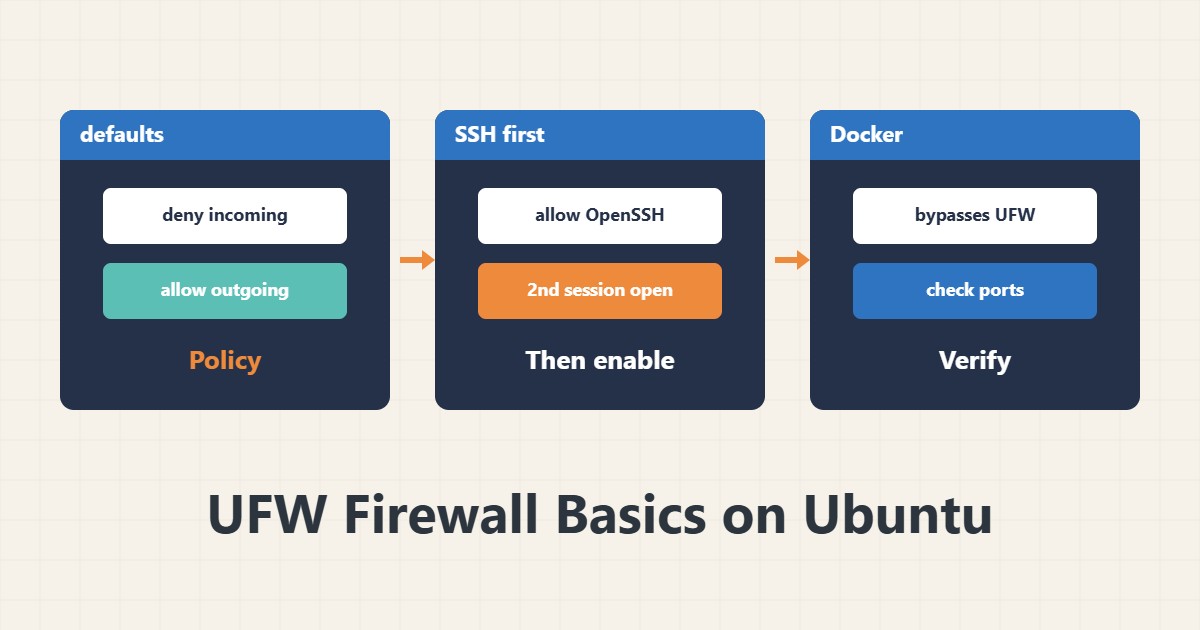
UFW is a simple front end for the Ubuntu firewall. Its strength is simplicity, but one simple mistake can lock you out of the server. This guide shows the safe order of steps.
1. Status and default policy
sudo ufw status verbose
sudo ufw default deny incoming
sudo ufw default allow outgoing
The safe policy is incoming closed and outgoing open. UFW is not active yet, and these commands only record the policy.
2. SSH first, then enable
sudo ufw allow OpenSSH
sudo ufw enable
If you changed the SSH port, allow that port instead, for example ufw allow 2222/tcp. Keep a second SSH session open before enabling so you can fix a mistake.
3. Open services
sudo ufw allow 80,443/tcp
sudo ufw allow from 203.0.113.10 to any port 22 proto tcp
sudo ufw limit ssh
The second rule allows SSH only from one address. The limit command temporarily rejects very frequent connections. The address 203.0.113.10 is a documentation example.
4. List and delete rules
sudo ufw status numbered
sudo ufw delete 3
After each deletion the numbers change, so list the rules again. For clarity, add a comment to each rule.
5. A warning about Docker
Ports published by Docker usually bypass UFW rules because Docker adds its own rules. UFW alone therefore does not protect containers. For more hardening see the nftables guide and Fail2ban.
6. Illustrative example, not a measurement
Suppose a server was freshly installed. First OpenSSH was allowed, then ports 80 and 443, and finally UFW was enabled. The result was that only three services were visible from outside. This scenario is an invented illustration, not a measurement.
7. Common mistakes
- Enabling UFW before allowing SSH.
- Closing the current SSH session before testing.
- Deleting a rule by guessing its number.
- Assuming UFW blocks Docker ports.
8. Frequently asked questions
Is UFW a separate firewall? No; it is a front end for the kernel firewall.
Does it stay active after a reboot? Yes, if it was enabled.
How do I see all rules? With ufw status verbose or numbered.
9. Quick checklist
- The default policy was set.
- SSH was allowed before enabling.
- A second session was open.
- Numbered rules were reviewed.
- Docker behaviour was considered.
If you need help reviewing performance or maintaining a server, see the server management services.
More server and WordPress guides are collected in the article archive.
Official references
Ubuntu Community Help: UFW · ufw manual page · Docker: packet filtering and firewalls