
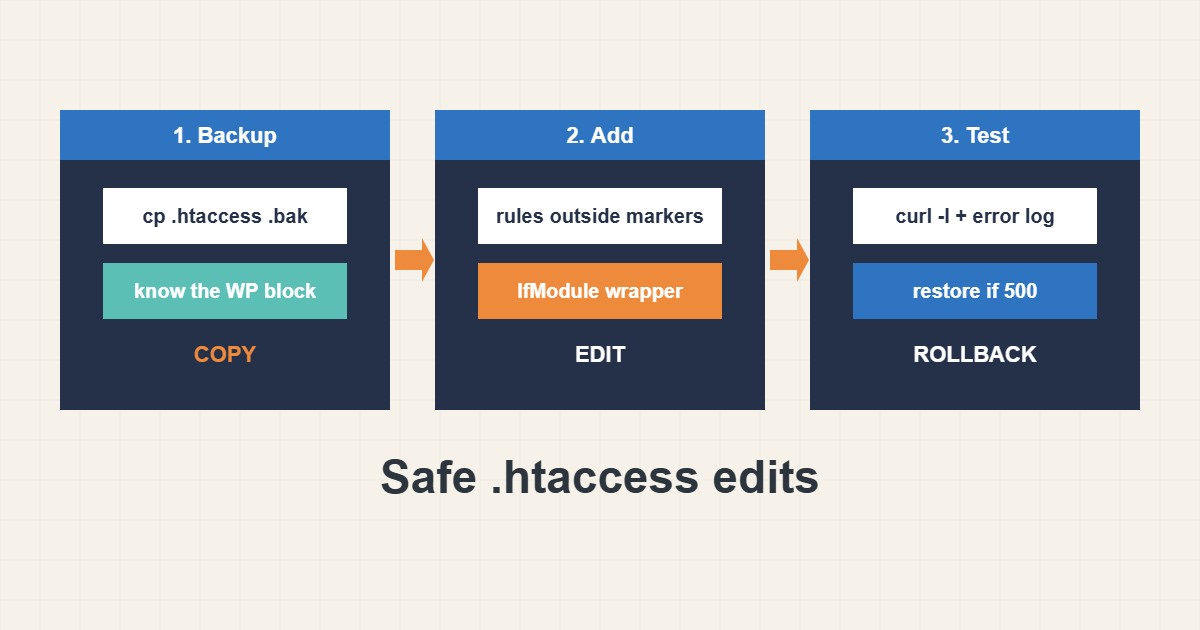
One wrong character in .htaccess can turn a working WordPress site into a 500 error, because Apache reads the file on every request. The file is also very useful for redirects, headers and blocking sensitive files. This guide shows a safe routine: back up first, keep your rules outside the WordPress block, add a few harmless security rules, test with curl and roll back in seconds. Directives come from the Apache documentation; I did not test them on your server, and some may be unsupported on your hosting.
1. Back up and know the default block
Always copy the file before touching it. WordPress manages the block between its markers and may rewrite it, so never put your own lines inside:
# Keep a copy first
cp .htaccess .htaccess.bak-$(date +%F)

# Typical WordPress block (do not remove)
# BEGIN WordPress
<IfModule mod_rewrite.c>
RewriteEngine On
RewriteBase /
RewriteRule ^index\.php$ - [L]
RewriteCond %{REQUEST_FILENAME} !-f
RewriteCond %{REQUEST_FILENAME} !-d
RewriteRule . /index.php [L]
</IfModule>
# END WordPress
Keep the copy next to the original so a rollback is a single command.
2. Put custom rules outside the markers
Add your own rules above or below the WordPress block. Start with small, low-risk additions such as headers, no directory listing and denying direct access to a sensitive file:
# Your own rules go OUTSIDE the WordPress markers
<IfModule mod_headers.c>
  Header always set X-Content-Type-Options "nosniff"
  Header always set Referrer-Policy "strict-origin-when-cross-origin"
</IfModule>

# Block directory listing
Options -Indexes

# Protect a sensitive file
<Files wp-config.php>
  Require all denied
</Files>
Wrap module-specific directives in IfModule so a missing module does not cause a 500 error. For redirect details, see the redirects guide.
3. Test after every change
Check the homepage, a deep page, the admin login and the file you tried to protect. Read the error log if anything looks wrong, and roll back immediately if the site fails:
curl -sI https://example.com/ | head -n 12
curl -sI https://example.com/wp-config.php | head -n 3
tail -n 20 ~/logs/example.com-error_log 2>/dev/null
# If the site shows 500 right after an edit, restore the backup copy
mv .htaccess.bak-2026-10-26 .htaccess
Make one change at a time, so you always know which line caused a problem.
4. Mistakes that cause 500 errors and loops
These patterns are the usual culprits:
RewriteRule ^(.*)$ https://example.com/$1 [R=301,L]    # redirect loop if applied twice
php_value memory_limit 256M                         # 500 error on PHP-FPM / CGI setups
AllowOverride None   # (server side) makes every .htaccess rule be ignored
On hosting with PHP-FPM, PHP settings belong in .user.ini or the control panel instead; see the PHP guide. Also avoid duplicate redirect rules when a plugin or CDN already redirects.
5. Keep it small and documented
Comment each custom block with its purpose and date. Remove old rules you no longer need, and do not paste large rule sets from random sources. A short, understood file is easier to debug than a long one.
6. Illustrative example, not a measurement
Imagine a site (made-up) that returns 500 right after someone pastes a php_value line into .htaccess. The error log mentions an invalid command. Restoring the backup copy brings the site back at once, and the setting is then moved to the proper PHP configuration for that host.
7. Common mistakes
- Editing without a backup.
- Putting custom lines inside the WordPress markers.
- Using php_value on PHP-FPM hosting.
- Stacking duplicate redirects.
- Pasting large rule sets without understanding them.
- Not testing the admin and deep pages.
8. Frequently asked questions
Why do I get a 500 error after editing? Usually a syntax error or a directive your server does not support. Check the error log and restore the backup.
Can WordPress overwrite my rules? It rewrites only the block between its markers, so keep your rules outside.
Does Nginx read .htaccess? No. .htaccess is for Apache and compatible servers.
How do I find out which module is missing? The error log names the unknown directive or module.
9. Quick checklist
- Copy .htaccess first.
- Keep custom rules outside the markers.
- Wrap module directives in IfModule.
- Change one thing at a time.
- Test home, deep page and admin.
- Read the error log on failure.
- Restore the backup if needed.
If you need help reviewing performance or maintaining a server, see the server management services.
More server and WordPress guides are collected in the article archive.
Official references
Apache: .htaccess howto · Apache: mod_rewrite · Apache: mod_headers · WordPress: Apache HTTP Server