
Linux software RAID is managed with mdadm. When a disk fails, the array usually keeps working but in a degraded state, and one more failure means data loss. So you must notice the state early. RAID is not a backup and does not replace one.
1. Read the status
cat /proc/mdstat
sudo mdadm --detail /dev/md0
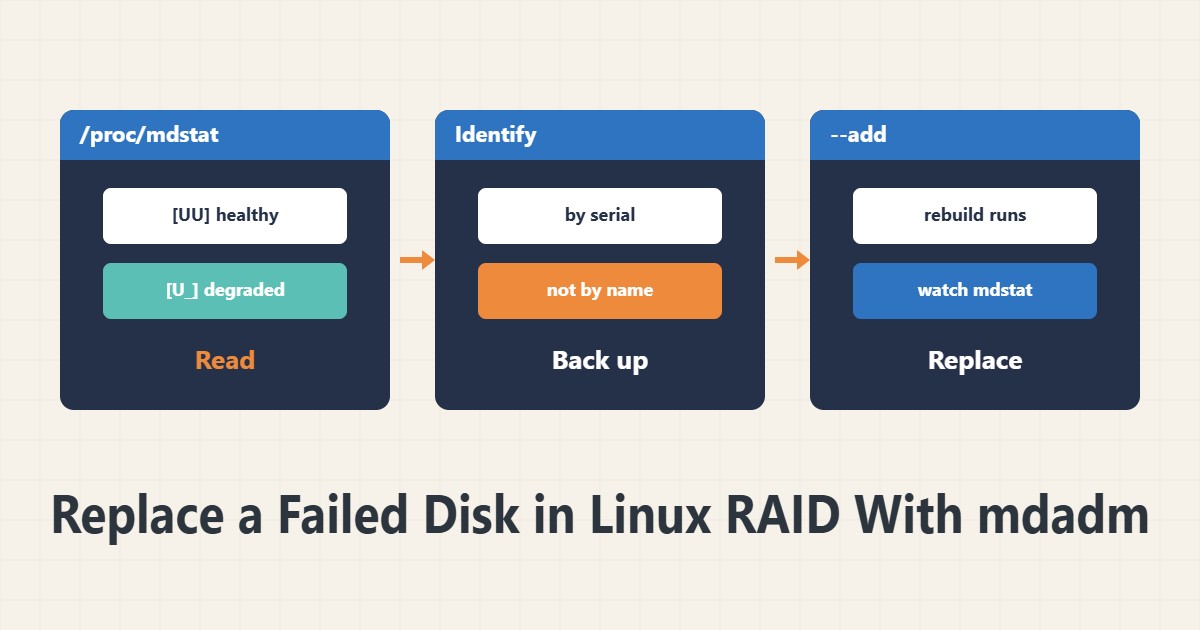
In mdstat, [UU] means both members are healthy. [U_] means one member has dropped and the array is degraded. The detail command shows the state, members and the failed disk in full.
2. Before doing anything
Back up the data first, because rebuilding puts heavy load on the healthy disk. Check the remaining disk with smartctl. Identify the failed disk by serial number, not only by device name, so you do not pull the wrong one.
3. Remove the failed disk
sudo mdadm --manage /dev/md0 --fail /dev/sdb1
sudo mdadm --manage /dev/md0 --remove /dev/sdb1
If the system already marked the disk failed, remove alone is enough. The device names in this example are samples. Before running, read the real names in the detail output.
4. Add the new disk
sudo mdadm --manage /dev/md0 --add /dev/sdc1
cat /proc/mdstat
The new disk needs a partition of the same size or larger. The rebuild starts and its progress shows in mdstat. Until it finishes the array is vulnerable, so do not put heavy load on the healthy disk.
5. Failure notification
So you do not learn about a failure late, put a MAILADDR line in mdadm.conf and test the alert. Also check the mount setup in the fstab guide so the array mounts correctly after the swap.
6. Illustrative example, not a measurement
Suppose an alert email arrived and mdstat showed the [U_] pattern. After a backup and confirming the second disk was healthy, the failed disk was identified by serial number and replaced. The rebuild took several hours and the array returned to [UU]. This scenario is an invented illustration, not a measurement.
7. Common mistakes
- Assuming RAID replaces backups.
- Pulling a disk by guessing the device name.
- Starting a rebuild without checking the second disk.
- Having no failure notification.
8. Frequently asked questions
Does a degraded array mean data is lost? No, but one more failure is dangerous.
How long does a rebuild take? It depends on disk size and load; hours are normal.
Can I use the server during a rebuild? Yes, at lower speed and higher risk.
9. Quick checklist
- A backup was taken.
- mdstat and detail were read.
- The disk was identified by serial.
- The replacement disk was added.
- The MAILADDR alert was tested.
If you need help reviewing performance or maintaining a server, see the server management services.
More server and WordPress guides are collected in the article archive.
Official references
mdadm manual page · Linux kernel: md driver · Linux RAID wiki