
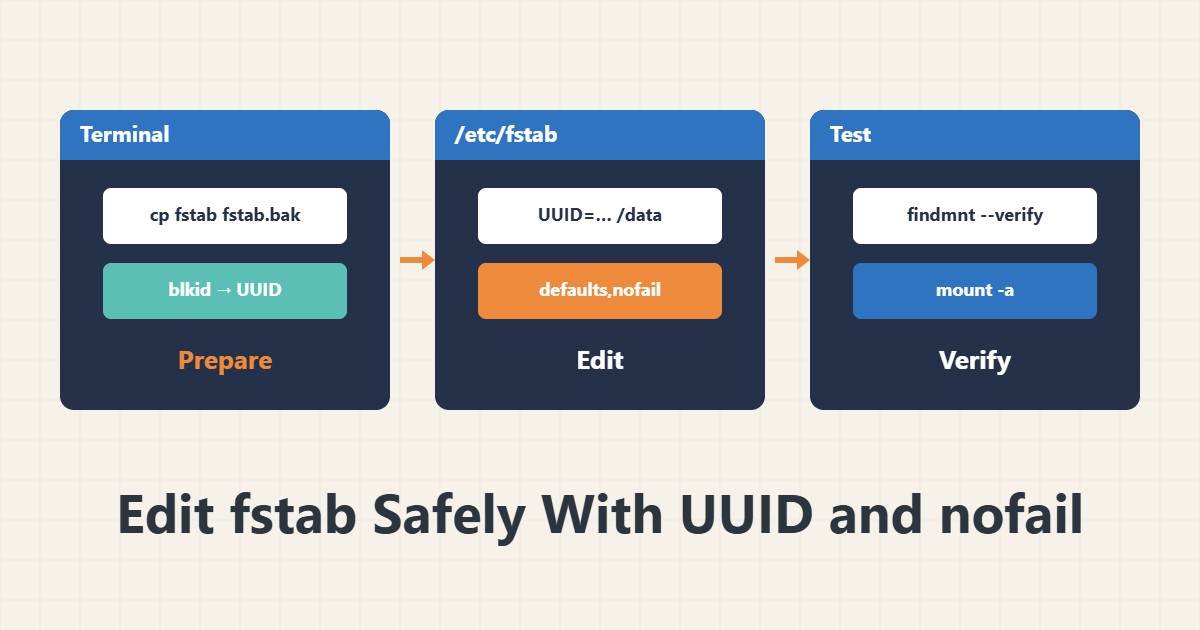
One wrong line in /etc/fstab can drop a server into emergency mode, exactly when you have no console. This guide gives a routine that tests every change before the reboot.
1. Back it up first
sudo cp -a /etc/fstab /etc/fstab.bakThat one line is your quick way back. Without it, a broken edit must be rebuilt from memory.
2. Use UUIDs, not device names
lsblk -f
sudo blkid
Names like /dev/sdb1 can change when disk order changes, while the UUID stays the same. A sample line:
UUID=xxxx-xxxx /data ext4 defaults,nofail 0 2Replace xxxx-xxxx with the value blkid printed.
3. nofail for non-critical disks
Without nofail, a missing data disk makes boot wait and then drop to emergency mode. For disks other than the root filesystem add nofail, and optionally x-systemd.device-timeout=10s so the wait stays short. Never put nofail on the root filesystem or /boot.
4. Test before you reboot
sudo findmnt --verify
sudo mount -a
sudo systemctl daemon-reload
The first command reports structural errors; the second really mounts every entry. If neither complains, a reboot is much safer.
5. If boot is stuck
In emergency mode or from your provider’s console, remount root writable (mount -o remount,rw /), restore the backup file and reboot. For services that depend on a mount, see writing a systemd unit, and use a safe rsync copy before moving data.
6. Illustrative example, not a measurement
Suppose a second disk was mounted at /data by UUID, and after a disk swap the server sat in emergency mode because nofail was missing. With nofail the same server boots and only /data is empty. This scenario is an invented illustration, not a measurement.
7. Common mistakes
- Using /dev/sdX for non-root disks.
- Rebooting without running mount -a.
- Putting nofail on root or /boot.
- Skipping the fstab backup.
8. Frequently asked questions
What is the last number on an fstab line? The fsck order: 1 for root, usually 2 for others, and 0 for filesystems that skip fsck.
Is nofail safe? It keeps boot moving, but an application that depends on the path may write to the root disk instead; check for that.
Does mount -a remount everything? It mounts only the entries that are not mounted yet.
9. Quick checklist
- fstab was backed up.
- UUID read with blkid.
- nofail set on non-critical disks.
- findmnt –verify and mount -a ran clean.
- A console recovery path is ready.
If you need help reviewing performance or maintaining a server, see the server management services.
More server and WordPress guides are collected in the article archive.