
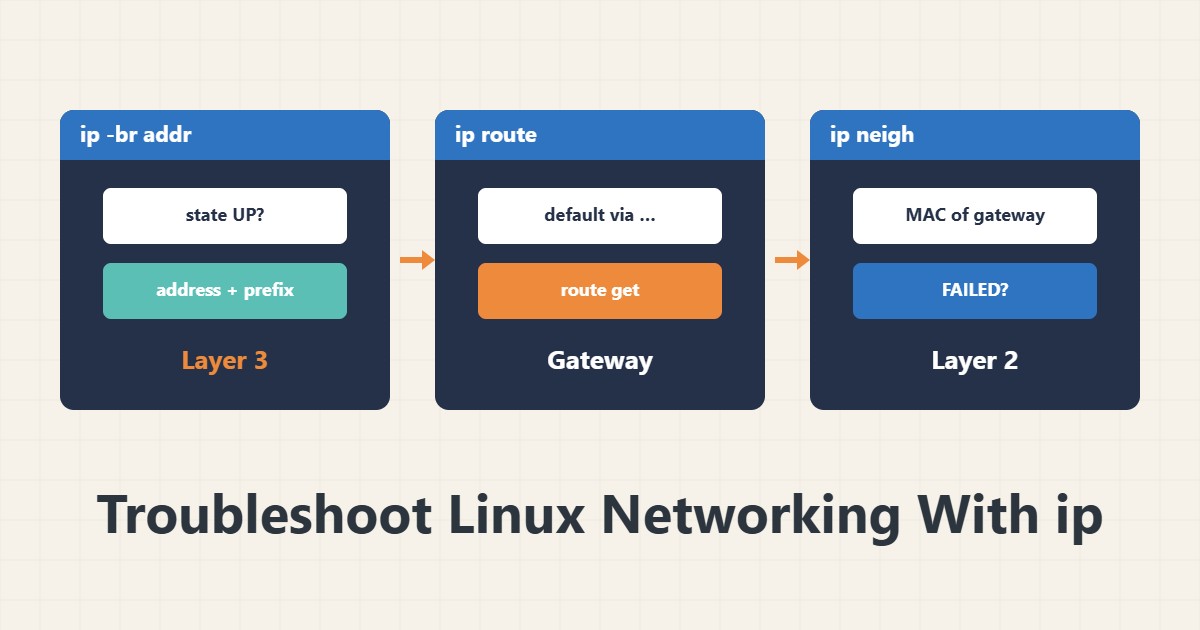
When a Linux server cannot reach the internet or another server, check three things first: the address, the default route and reachability of the direct neighbour. The ip command shows all of them and replaces the old ifconfig and route. Work from the lower layer upward.
1. Interfaces and addresses
ip -br addr
ip -br link
The -br option gives brief output. In the state column, UP means the interface is up and DOWN means off or unplugged. Check that the right address sits on the right interface and the network prefix (such as /24) is what you expect.
2. The default route
ip route
ip route get 1.1.1.1
The default via line shows the gateway address. If there is no default line, the server has no way out of the local network. The ip route get command shows which interface and gateway are used for a given destination.
3. The direct neighbour
ip neigh showThis table shows the MAC addresses of neighbours. If the gateway shows FAILED or INCOMPLETE, the problem is at layer two: cable, VLAN or switch. If it is REACHABLE, the local path is healthy and you should look higher.
4. Temporary changes
sudo ip addr add 192.0.2.10/24 dev eth0
sudo ip route add default via 192.0.2.1
These changes disappear after a restart and are good for testing. The 192.0.2.x addresses are documentation examples. On a remote server, make sure a route change does not cut the path back to your own session.
5. The next step
If the local layer is healthy, check the outside path with mtr and the name with dig. To see packets, use tcpdump.
6. Illustrative example, not a measurement
Suppose a server could not reach the internet. ip route had no default line, and after adding a default route, ping to the outside answered. The permanent setting was then recorded in the network configuration file. This scenario is an invented illustration, not a measurement.
7. Common mistakes
- Using the old ifconfig and route and not reading ip output.
- Changing the route on a remote server with no way back.
- Assuming a temporary change is permanent.
- Ignoring a FAILED state in ip neigh.
8. Frequently asked questions
How does ip differ from ifconfig? ip is newer and also covers routes and neighbours.
Is ip addr add permanent? No; record it in the network configuration.
What does FAILED in ip neigh mean? The neighbour MAC address was not found.
9. Quick checklist
- The interface is UP.
- Address and prefix are correct.
- A default route exists.
- The gateway neighbour is healthy in ip neigh.
- The permanent change was recorded.
If you need help reviewing performance or maintaining a server, see the server management services.
More server and WordPress guides are collected in the article archive.
Official references
ip manual page · ip-route manual page · ip-neighbour manual page