
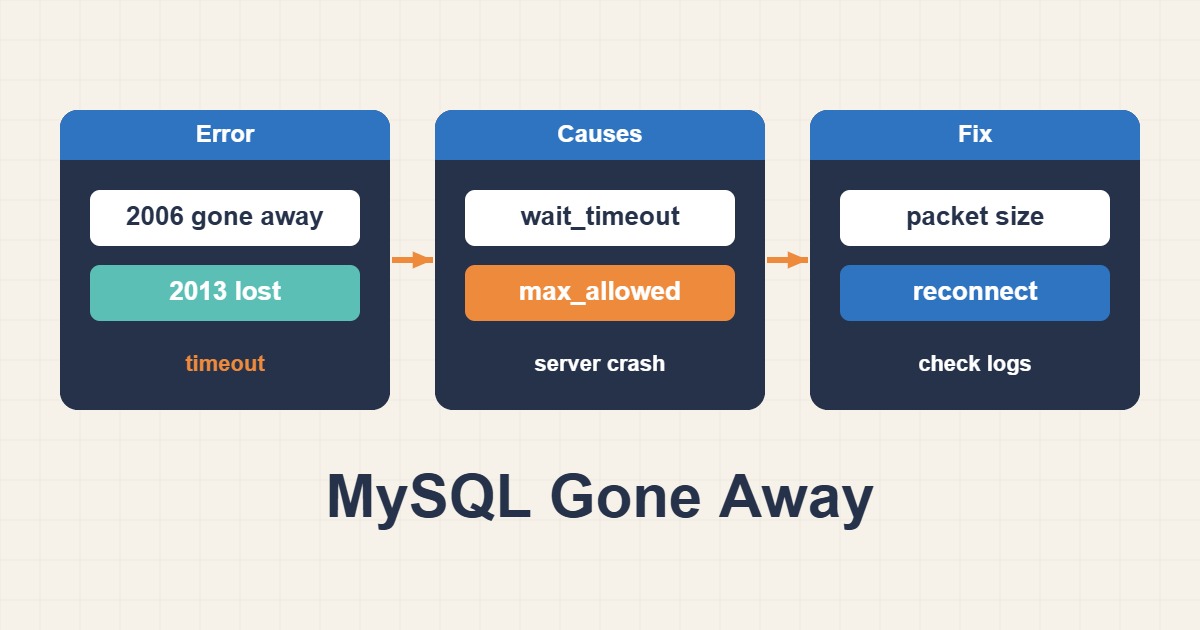
Short answer
“MySQL server has gone away” and “Lost connection” mean the client connection closed before work completed. Common causes include idle timeouts, oversized packets, a server restart or crash, and network devices expiring idle sessions. Do not raise every limit at once; correlate the application timestamp with MySQL and kernel evidence first.
Record when and where the connection closed
Match the application timestamp with the error log and server uptime. A recently reset Uptime points to restart or crash rather than an idle client.
SHOW GLOBAL STATUS LIKE 'Uptime';
SHOW GLOBAL STATUS LIKE 'Aborted_%';
SHOW VARIABLES LIKE 'wait_timeout';
SHOW VARIABLES LIKE 'max_allowed_packet';
Separate oversized packets and queries
Large dumps, BLOB values, or multi-row inserts can exceed max_allowed_packet. Confirm both the server and client setting.
SELECT @@global.max_allowed_packet, @@session.max_allowed_packet;
mysql --max_allowed_packet=128M -e "SELECT 1"
Inspect idle connections and pools
A pool may reuse a connection closed by MySQL or a network device. Configure validation, bounded lifetime, and controlled reconnect behavior.
SHOW PROCESSLIST;
SHOW GLOBAL STATUS LIKE 'Threads_connected';
Check for crash, OOM, or restart
Service and kernel logs reveal whether mysqld stopped because of OOM, an administrator action, or a process failure.
journalctl -u mysql --since "30 min ago"
journalctl -k | grep -i "oom\|killed process\|mysql"
Test the network path
Firewalls, NAT, and database proxies can expire idle TCP sessions sooner than MySQL. Document each timeout before changing keepalive.
ss -tanp | grep 3306
mysqladmin ping -h 127.0.0.1
Practical checklist
- Correlate application and database timestamps.
- Check Uptime and restart evidence.
- Compare client and server packet limits.
- Review pool lifetime and idle validation.
- Monitor memory and aborted connections after change.
Frequently asked questions
Should max_allowed_packet be set very high?
Use the smallest value that supports valid payloads; a huge limit may hide poor batching and increase memory risk.
Why does the first query after idle fail?
The pool may reuse a TCP session already closed by wait_timeout or an intermediary.
Is automatic reconnect safe?
It is simpler for reads; transactions and writes require clear commit state and idempotency.
How to verify the fix
Test a small query, the real import or BLOB operation, and an idle connection separately. Uptime must remain stable, Aborted_clients should not climb rapidly, and the application should complete two normal load cycles without the error.
Risks and rollback
Back up server and client configuration. Change one timeout or packet value at a time. Roll back by restoring the previous value, using a planned restart where required, and confirming Uptime and application health.
Anonymized field scenario
A large import failed only on BLOB rows while normal queries remained healthy. Client and server packet limits differed. Aligning a bounded value and splitting batches completed the import without raising every timeout.
Related guides
Official documentation
{L[8]}: {DATE}
Conclusion
Confirm the cause from logs and metrics, change one variable, and measure again under representative load.