
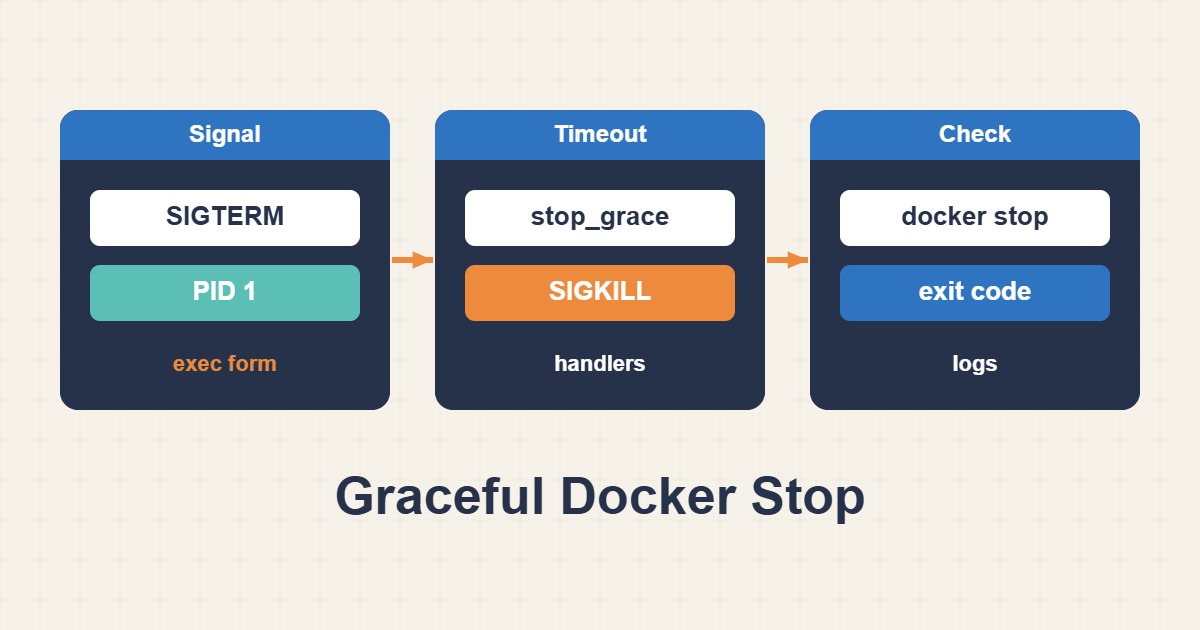
Passing a healthcheck before deployment does not prove that an application shuts down safely. It must stop accepting new work, finish or checkpoint in-flight work and close resources. This guide follows Docker’s stop signal through the process tree and tests data integrity, rather than treating a larger timeout as a guarantee.
Scope and default behavior
Run stop tests in staging or an approved maintenance window: docker stop interrupts service. Replace r89-api and the illustrative image with a test workload. This is application shutdown guidance, not permission to stop a production database without its recovery runbook.
Docker initially signals the container’s main process with SIGTERM unless a custom stop signal is configured. If the process does not exit within the grace period, Docker sends SIGKILL. The usual daemon defaults are ten seconds for Linux and thirty for Windows, but container settings and explicit timeout options can change them.
1. Inspect the main process and timing
Record the startup command, stop signal, restart policy and stop events. Correlate application log timestamps with stop, kill and die events. Minimal or distroless images may not contain sh or ps; docker top on the host can still expose the process tree.
Exit code 137 commonly corresponds to SIGKILL, but does not establish a stop-timeout cause: an OOM event or external kill may also be involved. Correlate OOMKilled, kernel logs and Docker events. Full inspect output can expose sensitive environment variables, so select only the fields needed for diagnosis.
docker inspect --format 'StopSignal={{.Config.StopSignal}} Restart={{.HostConfig.RestartPolicy.Name}}' r89-api
docker top r89-api
docker logs --since 10m --tail 200 r89-api
docker events --since 10m --until "$(date -Iseconds)" --filter container=r89-api
2. Deliver the signal to the application
Use an exec-form Dockerfile entrypoint, such as ENTRYPOINT ["node", "server.js"], so an unmanaged shell does not hide the application. If a startup script is required, end it with exec or implement explicit signal forwarding and supervision. Changing CMD alone does not repair a problematic existing ENTRYPOINT.
Compose init: true adds a small init that forwards signals and reaps child processes, but it cannot invent application cleanup logic. The application still needs a SIGTERM handler that stops new work, drains connections and finishes or checkpoints existing work within its own bounded deadline.
3. Size the deadline from actual work
The Compose snippet is an illustrative configuration fragment, not a complete project. Thirty seconds is not a universal recommendation: measure request, transaction and job durations and account for load-balancer deadlines. Application cleanup should finish before the container deadline, with an explicit retry policy for unfinished work.
Validate the configuration and apply it through a planned deployment; merely restarting an existing container does not necessarily apply changed creation settings. Match custom stop signals to the image’s documented behavior. SIGKILL cannot be caught for cleanup, while an unlimited wait can stall a deployment indefinitely.
# Compose fragment: use your real, tested application image.
services:
  api:
    image: registry.example.com/team/api:tested-tag
    init: true
    stop_signal: SIGTERM
    stop_grace_period: 30s

# Validate the merged project before a planned deployment.
# docker compose config --quiet
Acceptance test and rollback
In a test environment, start a short request and a controlled long-running job, then stop the container. Logs should show shutdown initiation and cleanup completion. Verify final data state, queue acknowledgements and the ability to start the service again; quiet logs alone do not prove integrity.
If shutdown logic or timing regresses, restore the previous configuration and image through the same deployment procedure instead of continually extending the timeout. Monitor shutdown duration, unfinished work and forced kills. Avoid repeated stop experiments against production data without backup and a recovery runbook.
# Test environment only: this stops the named service.
docker stop --timeout 30 r89-api
docker inspect --format 'Status={{.State.Status}} Exit={{.State.ExitCode}} OOMKilled={{.State.OOMKilled}}' r89-api
Related reading
- Docker Healthchecks: Running Is Not the Same as Healthy
- Troubleshoot Docker DNS and Service-to-Service Networking
- Prevent Docker Log Disk Exhaustion with Rotation