
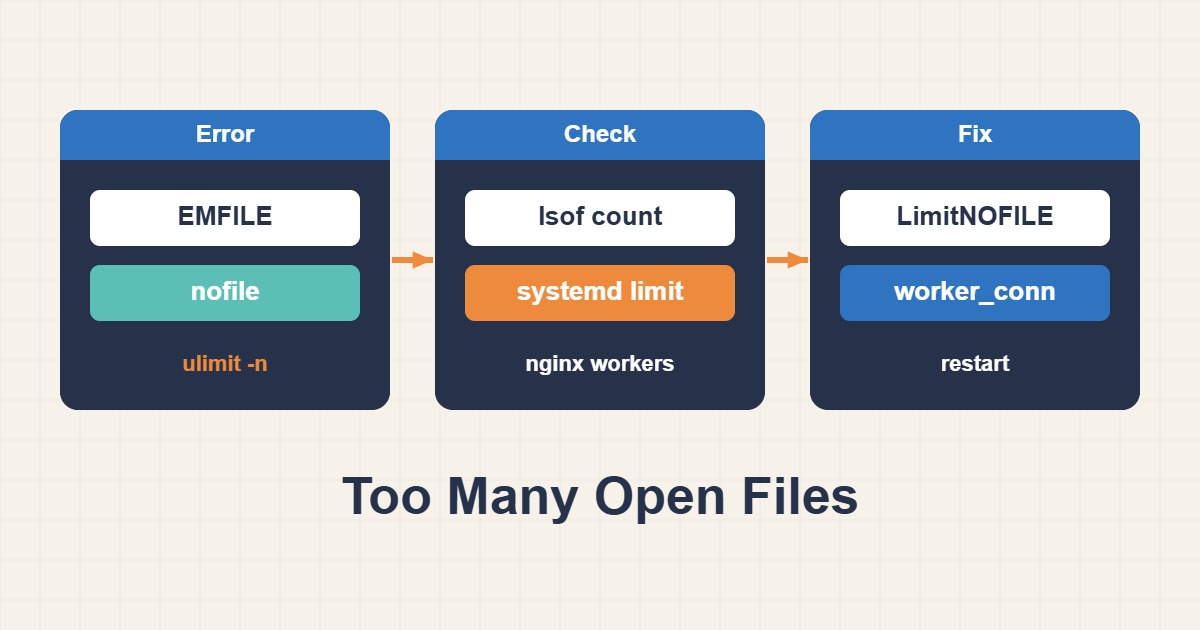
“Too many open files” means a process or the whole system reached a file-descriptor limit. Descriptors include sockets, pipes, and network connections—not only files—so first identify the limit scope and whether usage is leaking.
Compare the process limit with actual usage
Find the service PID, inspect its soft and hard limits, and count its open descriptors.
pid=$(systemctl show -p MainPID --value myapp.service)
cat /proc/$pid/limits | grep 'open files'
ls /proc/$pid/fd | wc -l
lsof -p $pid | head
Identify the descriptor type that grows
Sockets, deleted files, pipes, and logs point to different causes. Capture several snapshots over time instead of relying on one count.
lsof -p $pid | awk '{print $5}' | sort | uniq -c | sort -nr
lsof +L1 | head
ss -s
Change a systemd service limit correctly
Use a systemd drop-in. Changing ulimit in an interactive shell does not alter a running service. Reload units and perform a controlled restart.
sudo systemctl edit myapp.service
# [Service]
# LimitNOFILE=65536
sudo systemctl daemon-reload
sudo systemctl restart myapp.service
systemctl show myapp.service -p LimitNOFILE
Check the system-wide ceiling only when needed
If the kernel reports VFS file-max exhaustion, inspect file-nr and fs.file-max. Raising the global ceiling is not a substitute for fixing a leak.
cat /proc/sys/fs/file-nr
sysctl fs.file-max
journalctl -k | grep -i 'file-max\|file handle'
Fix leaks and monitor descriptors
Close files and sockets on both success and error paths. Review pool sizes, keepalive behavior, and log rotation, then export descriptor usage as a metric.
File-descriptor checklist
- Determine process-level or system-wide scope.
- Measure descriptor growth over time.
- Classify open files, sockets, and pipes.
- Raise LimitNOFILE only for the required service.
- Monitor errors and latency after restart.
Frequently asked questions
Is raising LimitNOFILE enough?
Not when usage leaks; it only delays the next exhaustion event.
Why does SSH ulimit differ from the service?
A systemd service inherits limits from its unit and manager, not your login shell.
Is restarting the service safe?
Check dependencies, failover capacity, and connection draining, then use a planned change window.
Related guides
Official documentation
{review}: {D}
Conclusion
Identify the cause from metrics and logs first, apply the smallest safe change, and measure the result again.