
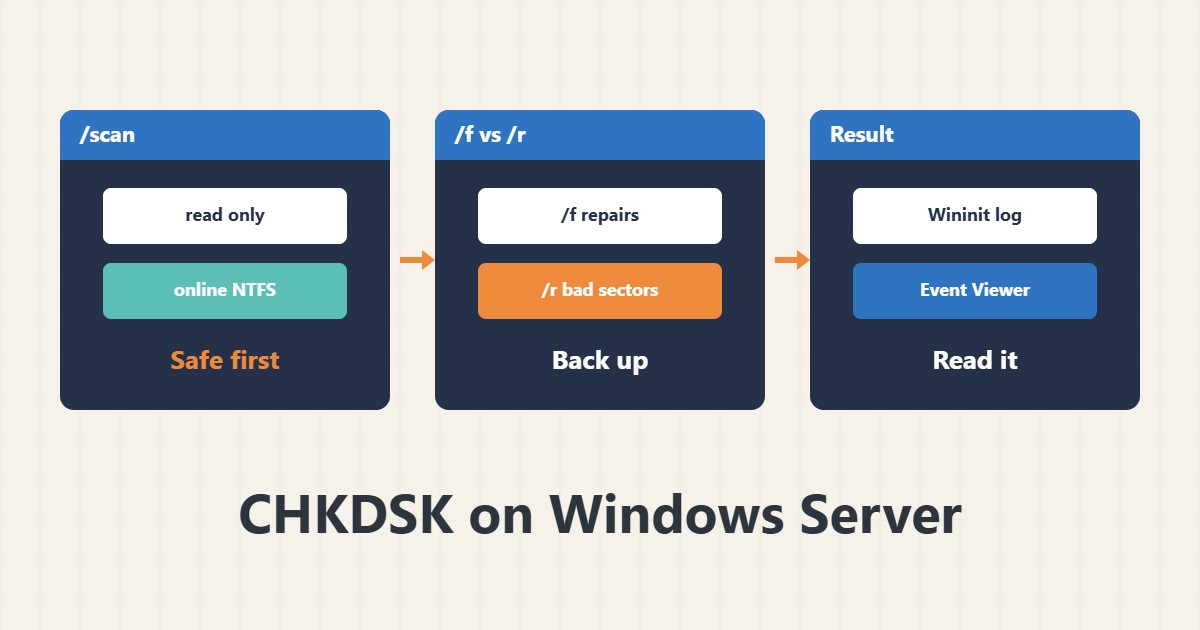
CHKDSK checks and repairs NTFS file system errors, but not every option is harmless. The /r option on a failing disk can take a long time and put data at risk. This guide gives the safe order.
1. Scan without changes
chkdsk D:
chkdsk D: /scan
A plain run only reads and repairs nothing. The /scan option runs an online scan on NTFS and does not need the drive offline. Run these first.
2. What /f and /r mean
The /f option repairs file system errors and locks the drive. If the drive is in use, it is scheduled for the next restart. The /r option also searches for bad sectors and can take hours on a large disk.
3. The PowerShell equivalent
Repair-Volume -DriveLetter D -Scan
Repair-Volume -DriveLetter D -OfflineScanAndFix
These commands do the same job with structured output. OfflineScanAndFix takes the volume offline temporarily, so run it in a maintenance window.
4. Disk health first
If the physical disk is failing, CHKDSK will not fix the problem. Before /r, take a backup and check disk health with smartctl or the controller tools. Repeated runs on a dying disk can damage it faster.
5. Read the result
The result is recorded in Event Viewer, in the Application log with source Wininit or Chkdsk. Read it before the next step. For other events see Windows service recovery.
6. Illustrative example, not a measurement
Suppose a data drive showed errors after a sudden power loss. An online scan revealed a file system error. After a backup, /f was run in a maintenance window and the error was fixed. This scenario is an invented illustration, not a measurement.
7. Common mistakes
- Running /r on a failing disk without a backup.
- Assuming CHKDSK repairs hardware.
- Running /f at peak load.
- Ignoring the result log.
8. Frequently asked questions
How does /scan differ from /f? /scan is online and low risk; /f repairs and locks.
Does it work on ReFS? ReFS is usually self-healing; use Repair-Volume.
Why does it ask for a restart? Because the system drive is locked.
9. Quick checklist
- /scan was run.
- A backup was taken.
- Disk health was checked.
- /f ran in a maintenance window.
- The result log was read.
If you need help reviewing performance or maintaining a server, see the server management services.
More server and WordPress guides are collected in the article archive.
Official references
Microsoft Learn: chkdsk · Microsoft Learn: Repair-Volume · Microsoft Learn: Volume Shadow Copy Service