
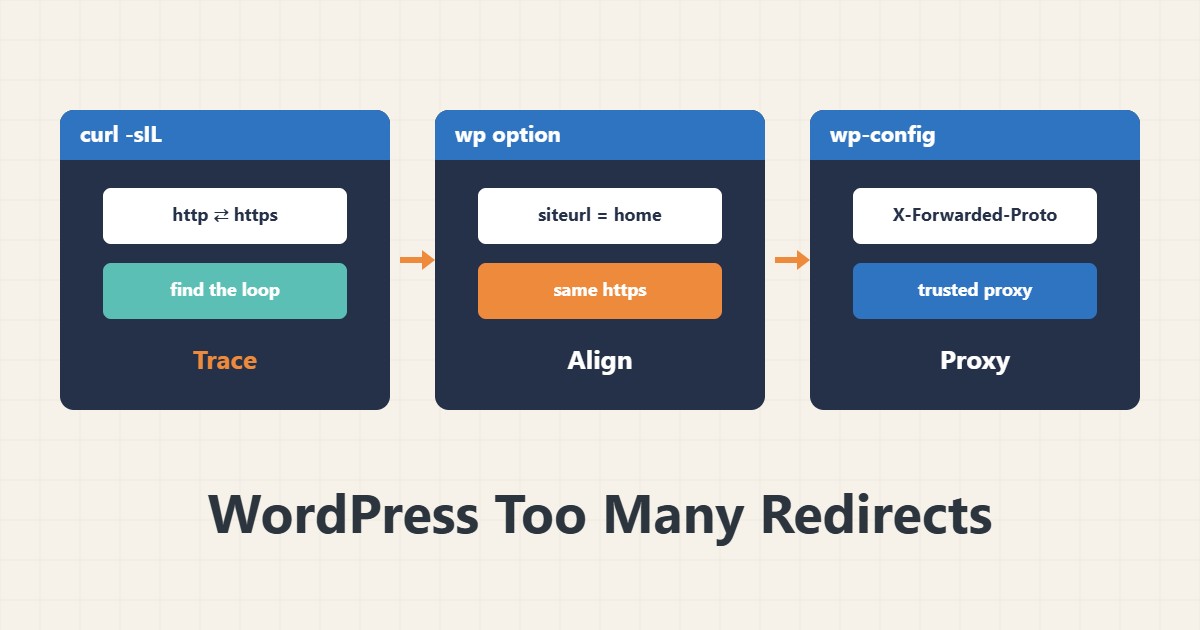
The browser message “redirected you too many times” means two rules cancel each other out: for example WordPress wants HTTPS while a proxy or server sends it back to HTTP. The fix is not randomly toggling plugins; you must see the chain.
1. See the redirect chain
curl -sIL --max-redirs 8 https://example.com/ | grep -iE '^HTTP|^location'If the addresses bounce between two states (for example http and https, or www and non-www), you have found the two rules in conflict. A browser may have cached old redirects, so curl is more reliable.
2. siteurl and home
wp option get siteurl
wp option get home
Both should be the final, identical address (with the same https and the same www). You can correct with wp option update home 'https://example.com'. If you want a backup before running it, see WP-CLI. You can also define WP_HOME and WP_SITEURL explicitly in wp-config.php.
3. Behind a proxy or CDN
if ( isset( $_SERVER['HTTP_X_FORWARDED_PROTO'] ) && 'https' === $_SERVER['HTTP_X_FORWARDED_PROTO'] ) {
    $_SERVER['HTTPS'] = 'on';
}
If TLS ends at the proxy and the origin receives HTTP, WordPress thinks it is not HTTPS and redirects again. Add this snippet only if you are sure the header comes from a trusted proxy. For Cloudflare Flexible mode, also check the SSL setting.
4. Duplicate rules
A redirect can exist at the same time in .htaccess, an SSL plugin, the server configuration and the CDN. Keep one. To test plugins, disable them one by one (not all at once on a live site).
5. After the fix
Clear cookies and browser cache and confirm again with curl. Document fixed settings in wp-config.php.
6. Illustrative example, not a measurement
Suppose curl bounced between http and https. wp option get home showed an http address while siteurl used https. Aligning both broke the loop. This scenario is an invented illustration, not a measurement.
7. Common mistakes
- Disabling all plugins on a live site.
- Trusting a browser that cached the redirect.
- Adding a third redirect rule without removing the earlier one.
- Trusting X-Forwarded-Proto without a trusted proxy.
8. Frequently asked questions
Why does only wp-admin loop? FORCE_SSL_ADMIN or plugins may affect only the admin.
Does deleting cookies help? Sometimes; the root cause is usually the URL settings or the proxy.
How does WP_HOME differ from siteurl? Both fix the address in wp-config and override the database value.
9. Quick checklist
- The redirect chain was seen with curl.
- siteurl and home are identical.
- Proxy/CDN and protocol header were checked.
- Only one redirect layer remains.
- Cache and cookies were cleared and retested.
If you need help reviewing performance or maintaining a server, see the server management services.
More server and WordPress guides are collected in the article archive.
Official references
WordPress: editing wp-config.php · WP-CLI: wp option · curl manual