
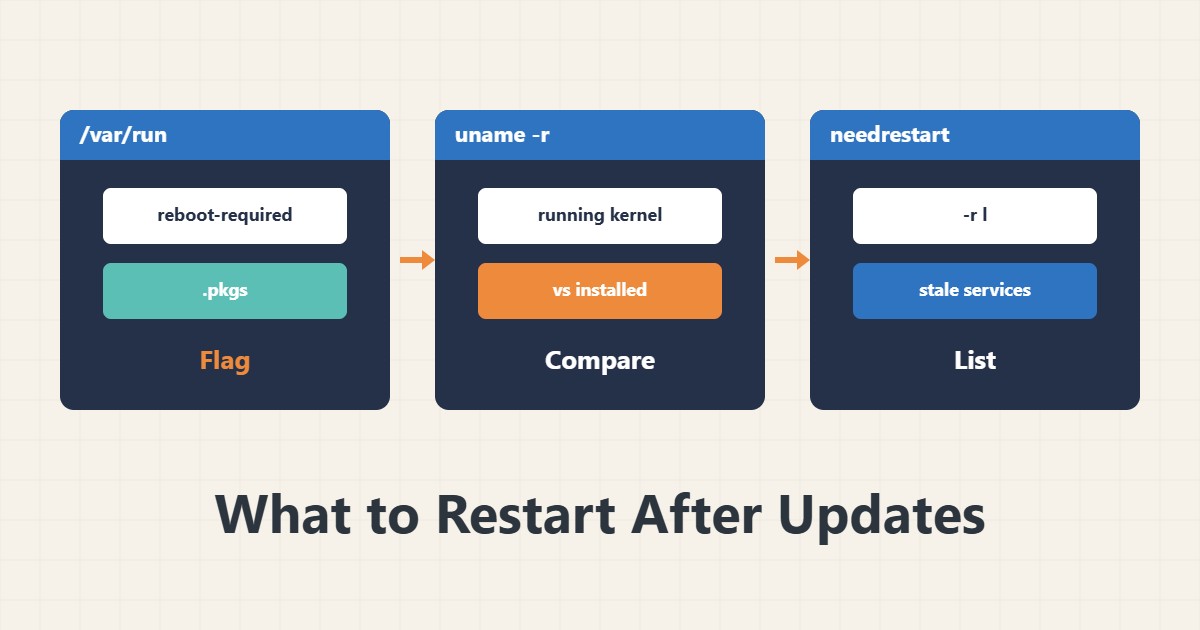
Updating packages does not always mean the new version is in use; processes that started earlier still hold the old library in memory. This guide shows how to find them and plan the reboot properly.
1. The reboot-required file
ls /var/run/reboot-required*
cat /var/run/reboot-required.pkgs
On Ubuntu and Debian, if a package install needs a reboot (usually the kernel), this file is created. The second file names the package that caused it.
2. Running versus installed kernel
uname -r
dpkg -l 'linux-image-*' | grep ^ii
If the installed kernel is newer than uname -r, you are on the old kernel until a reboot. Do the reboot in a maintenance window.
3. Find stale services
sudo apt install needrestart
sudo needrestart -r l
Mode -r l only lists and restarts nothing. The output shows which services still use removed or outdated libraries.
4. Restart services
You can restart a specific service with systemd, or let needrestart run in automatic mode (-r a). On a live server, list mode and manual restarts are safer, because restarting a database or web server causes a brief outage.
5. Plan the reboot
Before rebooting, make sure fstab is correct (editing fstab safely) and that you have a tested backup. After the reboot check service status and uptime monitoring.
6. Illustrative example, not a measurement
Suppose after an openssl upgrade needrestart listed that the web server and ssh still used the old library. Restarting just those two services in a short window was enough, and no reboot was needed. This scenario is an invented illustration, not a measurement.
7. Common mistakes
- Assuming apt upgrade means everything is new.
- Rebooting at once without a backup or window.
- Auto-restarting sensitive services without checking.
- Ignoring reboot-required for months.
8. Frequently asked questions
Must I always reboot? No; for libraries a service restart is enough, but a kernel update needs a reboot.
What is live patching? A way to apply some kernel fixes without a reboot, which needs a separate service.
Is needrestart on every distribution? It is common on Debian and Ubuntu; others have similar tools.
9. Quick checklist
- reboot-required was checked.
- Running and installed kernels were compared.
- needrestart -r l ran.
- Stale services were restarted.
- The reboot is planned in a window with a backup.
If you need help reviewing performance or maintaining a server, see the server management services.
More server and WordPress guides are collected in the article archive.