
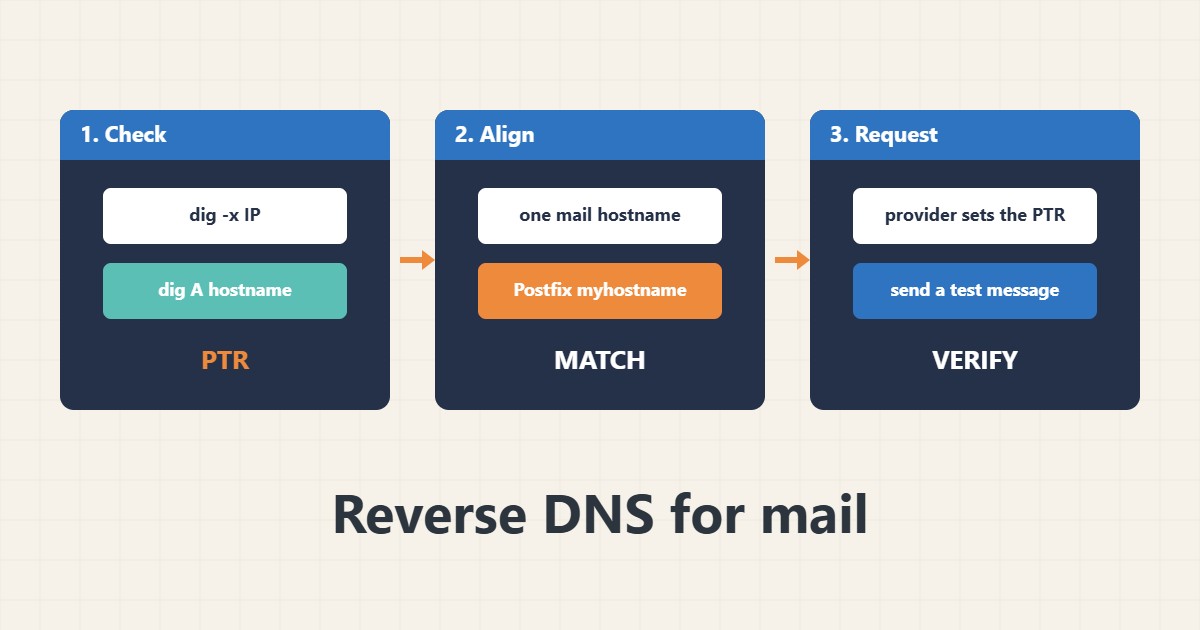
Many receiving mail servers check that the IP address that connects has a reverse DNS (PTR) record, and that the name in that record points back to the same IP. If the PTR is missing or generic, your mail may be rejected or marked as spam even with correct SPF and DKIM. The PTR is controlled by whoever owns the IP address, usually your hosting provider, not by your domain’s DNS panel. Commands follow the BIND, Postfix and RFC documentation; I did not run them against your server.
1. Check the PTR and the forward record
Look up the reverse name of your server’s public IP, then confirm that the name resolves back to the same IP:
IP=203.0.113.10                         # your server's public IPv4 (example)
dig +short -x $IP                       # reverse (PTR) lookup
HOST=$(dig +short -x $IP | head -n 1 | sed 's/\.$//')
dig +short A $HOST                      # forward lookup of that name; should return $IP
If either step fails, receivers may distrust the server. See the dig guide for reading DNS answers.
2. Choose one hostname and use it everywhere
Pick a hostname such as mail.example.com that has an A record for the IP, set it as the server’s mail name and use it as the PTR target:
# Postfix: the greeting name should match the PTR/A pair
postconf myhostname
hostname -f
# /etc/postfix/main.cf
myhostname = mail.example.com
If DNS on the server itself misbehaves, see the systemd-resolved guide.
3. Ask the IP owner to set the PTR
Open your VPS or hosting panel, or ask support to set the reverse DNS of the IP to your chosen hostname. Changing your own domain’s zone does not create a PTR. Wait for caches, then repeat the first check.
4. Test delivery and the other records
Send a test message to an outside mailbox, read the log and view the received headers. Check SPF, DKIM and DMARC as well:
echo 'test' | mail -s 'rdns test' you@your-mail-provider.example
grep -E 'status=(sent|deferred|bounced)' /var/log/mail.log | tail -n 10
# In the received message, open the headers and check Authentication-Results and Received lines
dig +short TXT example.com | grep -i spf
dig +short TXT _dmarc.example.com
dig +short MX example.comFor filtering on the receiving side see the cPanel spam filter guide.
5. Mistakes to avoid
These problems keep mail in the spam folder:
PTR = generic provider name (ip-203-0-113-10.provider.example)   # often scored as spam
PTR and A record pointing to different names                    # fails forward-confirmed rDNS
Setting the PTR in your own DNS zone                            # the IP owner controls it
Changing myhostname without updating the PTR                    # mismatch again
After any IP change, recheck PTR before sending bulk mail.
6. Illustrative example, not a measurement
Imagine a small company (made-up) that moved its mail to a new VPS. Messages to some providers land in spam. The check shows the PTR is the provider’s generic name, while the mail server introduces itself as mail.example.com. After the provider sets the PTR to mail.example.com and the A record points to the same IP, the same messages are accepted normally.
7. Common mistakes
- Leaving the generic provider PTR.
- Mismatched PTR and A records.
- Editing your own zone expecting a PTR.
- Changing the hostname without the PTR.
- Not testing with an outside mailbox.
- Ignoring SPF, DKIM and DMARC.
8. Frequently asked questions
Who sets the PTR? The owner of the IP address, usually your provider.
What is forward-confirmed reverse DNS? The PTR name resolves back to the same IP.
Does a correct PTR fix everything? No; SPF, DKIM, DMARC and reputation also matter.
Do I need PTR for a website? No, mainly for mail servers.
9. Quick checklist
- Check the PTR with dig.
- Check the A record.
- Pick one mail hostname.
- Set Postfix myhostname.
- Ask the provider to set PTR.
- Send a test message.
- Recheck SPF, DKIM, DMARC.
If you need help reviewing performance or maintaining a server, see the server management services.
More server and WordPress guides are collected in the article archive.
Official references
RFC 1912: Common DNS operational errors · Postfix: myhostname · RFC 5321: SMTP · BIND 9: dig