
WordPress Site Health sometimes reports that the REST API gave an error or a loopback failed. That means the server cannot make a request to its own address. It affects cron jobs, updates and some plugins. This guide shows the precise way to find the cause.
1. Reproduce it from the server
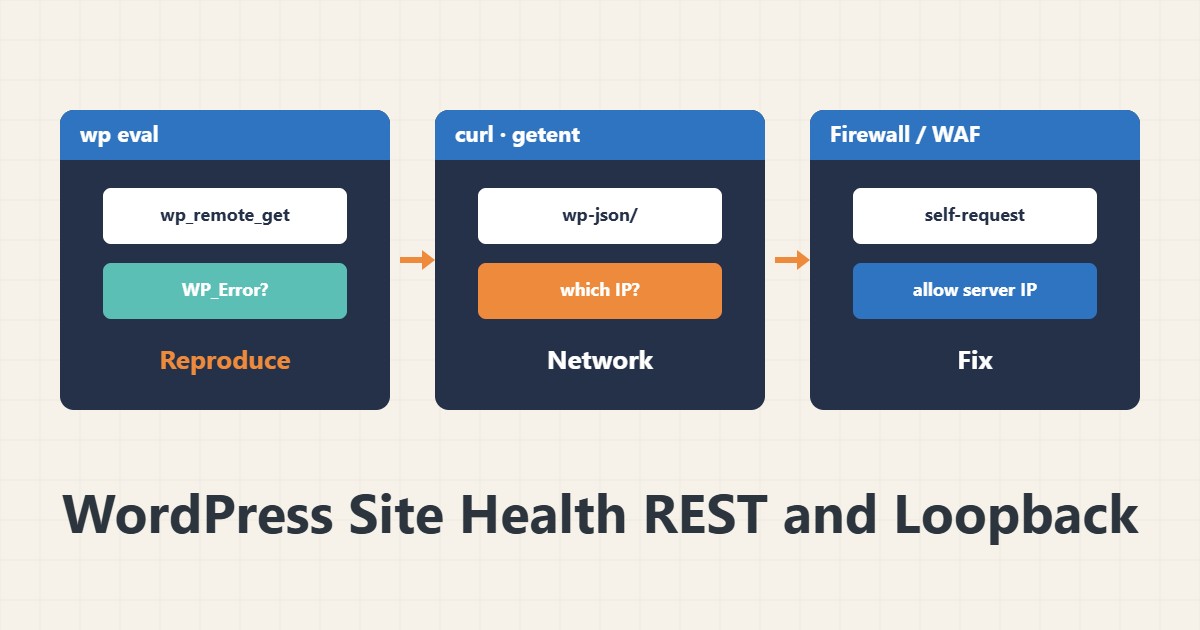
wp eval 'var_dump( wp_remote_get( home_url( "/wp-json/" ) ) );'If the output is a WP_Error you see the exact message (such as cURL error 28 timeout or 60 certificate problem); if it is an array, read the response code. This is the same request Site Health makes.
2. curl from inside the server
curl -sI https://example.com/wp-json/ | head -n 5
getent hosts example.com
If curl fails too, the problem is not WordPress but the network or web server. With getent see which IP the domain resolves to from inside; sometimes it is the public IP, and the firewall does not allow connecting back to itself.
3. Common causes
- A firewall or NAT policy that blocks the server from reaching its own public IP.
- Basic Auth or IP restriction on the whole site or on wp-json.
- A security plugin that closes REST for anonymous users.
- Cloudflare or a WAF challenging server requests.
- An invalid certificate or incomplete chain.
4. Solutions
For internal DNS trouble, an entry in /etc/hosts pointing the domain to 127.0.0.1 makes the request local (only if the web server is on the same machine). Otherwise allow the IP in the firewall. WP-Cron depends on the same loopback. For certificate issues see the TLS section in TLS configuration.
5. Confirm
Run Site Health again and use wp cron event run --due-now to confirm cron jobs run.
6. Illustrative example, not a measurement
Suppose Site Health reported a loopback error. wp eval showed cURL error 28 and getent returned the public IP, which the firewall refused for internal traffic. Adding a hosts entry fixed it. This scenario is an invented illustration, not a measurement.
7. Common mistakes
- Disabling the REST API instead of finding the cause.
- Ignoring the warning and losing cron jobs.
- Testing only from your own browser (a different network).
- Editing /etc/hosts without knowing the web server is on the same machine.
8. Frequently asked questions
What is a loopback? A request from the server to its own public address.
It opens in my browser, so why the warning? The server-to-itself path differs from your browser’s path.
Should I turn off the REST API? No; the block editor and many plugins need it.
9. Quick checklist
- wp_remote_get was run from the server.
- curl was tested from the server.
- Internal DNS was checked.
- Firewall/WAF and Basic Auth were reviewed.
- Site Health and cron were reconfirmed.
If you need help reviewing performance or maintaining a server, see the server management services.
More server and WordPress guides are collected in the article archive.
Official references
WordPress: wp_remote_get() · WordPress REST API handbook · WordPress: Site Health