
When a service on Windows Server is unreachable from outside, the first question is whether it listens on the right port at all. netstat is old and gives raw output. PowerShell commands give the same data in a filterable, sortable form.
1. List listening ports
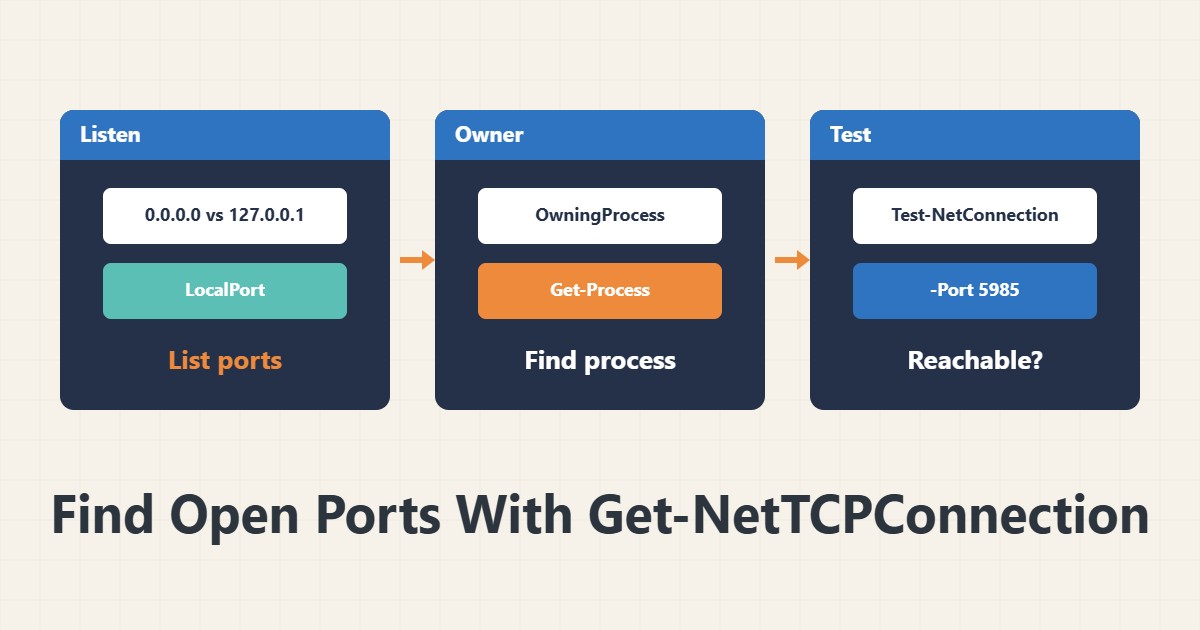
Get-NetTCPConnection -State Listen | Sort-Object LocalPort | Format-Table LocalAddress, LocalPort, OwningProcessThis shows TCP ports in the Listen state. The address 0.0.0.0 means all interfaces and 127.0.0.1 means the server itself only. If a service listens only on 127.0.0.1, it is not visible from outside.
2. Find the process
Get-Process -Id (Get-NetTCPConnection -LocalPort 443 -State Listen).OwningProcessThe process ID comes from the OwningProcess column and Get-Process shows its name. For services running under svchost, check the service name with Get-CimInstance Win32_Service.
3. Established connections
Get-NetTCPConnection -State Established -RemotePort 443 | Group-Object RemoteAddress | Sort-Object Count -DescendingThis shows how many connections exist to each destination address. An unusual number of connections to one address can indicate an application problem or an attack.
4. Test a connection to another server
Test-NetConnection server01 -Port 5985The TcpTestSucceeded result tells you whether the port is reachable from this server. If it fails, check the firewall or whether the target service is listening. See Windows Firewall with PowerShell for the firewall and WinRM for remoting.
5. The netstat equivalent
The command netstat -ano gives the same information, but PowerShell returns objects that are easier to filter. Use PowerShell in scripts and keep netstat for a quick look.
6. Illustrative example, not a measurement
Suppose a web panel on port 8080 would not open from outside. Get-NetTCPConnection showed the process listening only on 127.0.0.1. After changing the listen address in the application settings and opening the port in the firewall, access worked. This scenario is an invented illustration, not a measurement.
7. Common mistakes
- Running PowerShell without enough privileges.
- Assuming Listen means reachable from outside.
- Ignoring a 127.0.0.1 listen address.
- Testing a port from the server itself and concluding for the whole network.
8. Frequently asked questions
Does Get-NetTCPConnection show UDP? No; use Get-NetUDPEndpoint for UDP.
Why is the process name svchost? Because several services run under it.
Is Test-NetConnection TCP only? For port tests, yes.
9. Quick checklist
- Listening ports were listed.
- The listen address was checked.
- The owning process was found.
- A test from another server was run.
- The firewall was reviewed.
If you need help reviewing performance or maintaining a server, see the server management services.
More server and WordPress guides are collected in the article archive.
Official references
Microsoft Learn: Get-NetTCPConnection · Microsoft Learn: Test-NetConnection · Microsoft Learn: Get-Process