
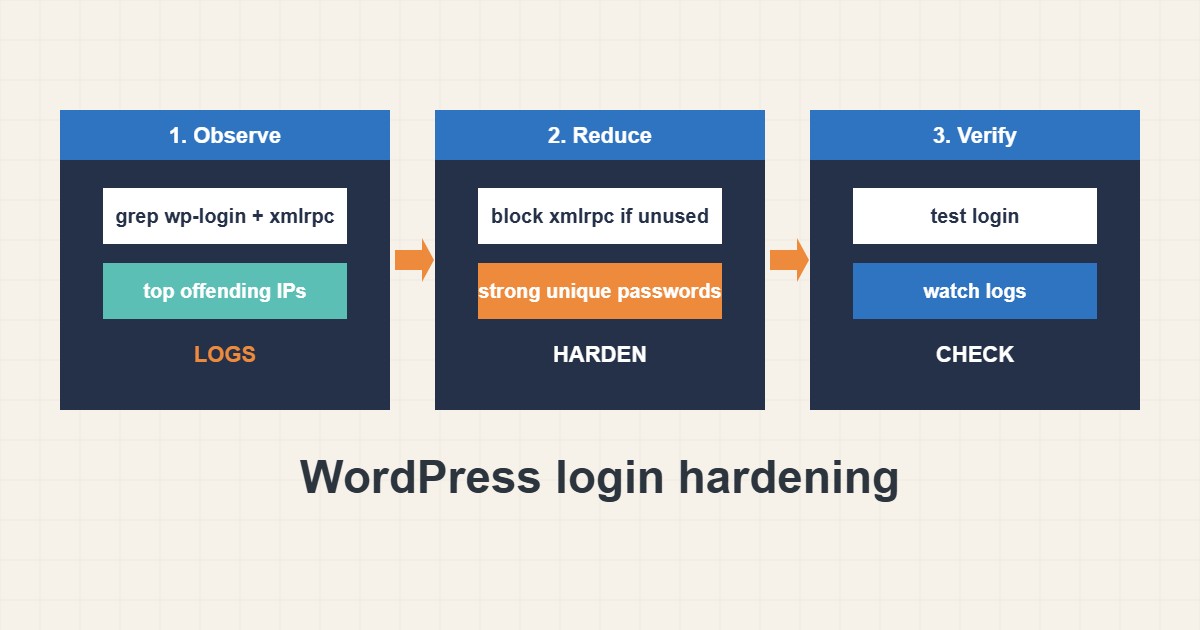
Almost every WordPress site receives automatic login guesses against wp-login.php and xmlrpc.php. Most fail, but weak passwords and forgotten admin accounts are what make the few that succeed possible. This guide shows how to see the attacks in your logs, decide whether xmlrpc.php is needed, and shrink the risk with strong passwords and fewer privileged users. Commands follow the WordPress and WP-CLI documentation; I did not run them on your site, and blocking xmlrpc.php can break Jetpack or the mobile app.
1. See what is hitting you
Look at the access log before you change anything. Count login posts and find the addresses that call xmlrpc.php most often:
# Does xmlrpc.php answer? (405/403 = blocked, 200 with XML = enabled)
curl -s -o /dev/null -w "%{http_code}\n" https://example.com/xmlrpc.php

# Count login attempts in the access log
grep -c 'POST /wp-login.php' /var/log/nginx/access.log
grep 'POST /xmlrpc.php' /var/log/nginx/access.log | awk '{print $1}' | sort | uniq -c | sort -rn | head
A few hundred failed attempts per day is common background noise. A sudden jump or very repetitive requests from one address deserves attention.
2. Decide about xmlrpc.php
Modern WordPress mostly uses the REST API. xmlrpc.php is needed only by some services, such as Jetpack or old mobile and publishing tools. If you do not use them, block it at the web server instead of relying on a plugin:
# Apache .htaccess: block xmlrpc.php (only if you do not use Jetpack or the mobile app)
<Files xmlrpc.php>
  Require all denied
</Files>

# Nginx equivalent
location = /xmlrpc.php { deny all; }
Test the site afterwards, and keep a note of what you changed in case something stops working.
3. Passwords, usernames and administrators
Brute force only works against guessable credentials:
Username: admin  /  Password: admin123      # first guesses attackers try
xmlrpc.php enabled + weak password            # allows many guesses per request (system.multicall)
Public author archives: /?author=1            # reveals real login names
Use long unique passwords from a password manager, avoid the username admin, enable two-factor login if your setup offers it and review who really needs the administrator role:
# WP-CLI checks
wp user list --fields=ID,user_login,roles
wp user list --role=administrator --fields=ID,user_login
wp plugin list --status=active
wp option get default_role
Remove unused accounts and downgrade roles when you can. The wider admin checklist is in the monthly maintenance guide on this site.
4. Rate limiting and blocking
Rate limits slow repeated attempts. A tool like fail2ban can block addresses that repeat failures; see the fail2ban guide for a safe setup. A CDN or firewall rule can also challenge suspicious logins. Always keep a way back in for yourself, such as an allowed IP or a second admin path.
5. Verify and keep watching
After changes, test the login, confirm xmlrpc.php returns the expected blocked status and watch the logs for a few days. Keep WordPress, plugins and themes updated, because stolen passwords are only one route; vulnerable plugins are another. Keep backups, as described in the rsync backup guide.
6. Illustrative example, not a measurement
Imagine a small site (made-up) whose access log shows thousands of POST requests to xmlrpc.php from a few addresses. The owner does not use Jetpack, so xmlrpc.php is blocked at the web server and the admin account is renamed with a long unique password. A day later the same log shows only denied requests, and the normal login still works.
7. Common mistakes
- Using admin as the username.
- Reusing passwords from other sites.
- Leaving unused administrator accounts.
- Blocking xmlrpc.php while still using Jetpack.
- Relying only on a plugin and never reading logs.
- Locking yourself out without a second access path.
8. Frequently asked questions
Should I always disable xmlrpc.php? Only if nothing you use depends on it. Test after blocking.
Is changing the login URL enough? It reduces noise but does not replace strong passwords and updates.
How many administrators should I have? As few as possible, ideally one per person who truly needs it.
Do captchas help? They can reduce automated guesses, but strong passwords matter more.
9. Quick checklist
- Read the access log for login and xmlrpc hits.
- Decide whether xmlrpc.php is needed.
- Block it at the web server if not.
- Use long unique passwords.
- Review administrator accounts.
- Add rate limiting or fail2ban.
- Test login and watch the logs.
If you need help reviewing performance or maintaining a server, see the server management services.
More server and WordPress guides are collected in the article archive.
Official references
WordPress: Hardening WordPress · WordPress: Brute Force Attacks · WP-CLI: wp user · WordPress REST API: Users