
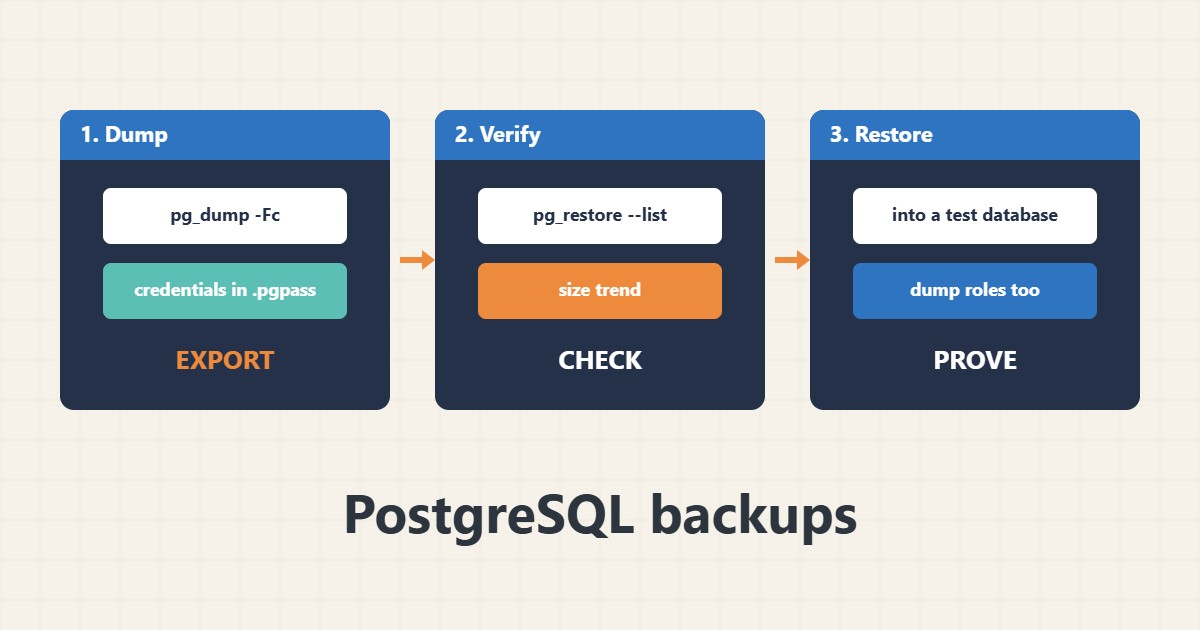
pg_dump makes a consistent logical backup of one PostgreSQL database while it is running. The details decide whether you can restore it: the format, the roles that are not included, where the password lives and whether you ever tested a restore. This guide shows a practical routine. Commands follow the PostgreSQL documentation; I did not run them on your server.
1. Dump in custom format
The custom format is compressed and lets you restore selected tables or restore in parallel. Keep the password in a protected .pgpass file:
# Custom format: compressed, selective restore, parallel restore
pg_dump -Fc -d appdb -f /backups/appdb-$(date +%F).dump
# Credentials: use ~/.pgpass (chmod 600), not the command line
# host:port:database:user:password   (one line per server)
The dump is consistent as of the moment it starts without blocking normal use.
2. List the archive and check it
Make sure the file can be read and contains what you expect, and watch the size trend:
pg_restore --list /backups/appdb-2026-10-31.dump | head -n 20
pg_restore --list /backups/appdb-2026-10-31.dump | wc -l
ls -lh /backups/ | tail -n 5
A sudden size drop is a warning. For the MySQL equivalent see the mysqldump guide.
3. Test a restore
Restore into a separate database and compare table counts or known rows:
createdb restore_test
pg_restore -d restore_test --no-owner -j 2 /backups/appdb-2026-10-31.dump
psql -d restore_test -c '\dt' | head
psql -d restore_test -c 'SELECT count(*) FROM users;'
Do this regularly. A backup you never restored is only an assumption.
4. Save roles and rotate files
Users and roles live outside a single database dump, so save them too. Rotate old files carefully:
# Roles and global objects are NOT inside a single-database dump
pg_dumpall --globals-only > /backups/globals-$(date +%F).sql
# Keep 7 dailies
find /backups -name 'appdb-*.dump' -mtime +7 -delete   # review before enabling deletion
Copy backups off the server; see the rsync backup guide. Schedule with a lock and logs; see the systemd timers guide.
5. Mistakes to avoid
These shortcuts defeat backups:
pg_dump appdb > dump.sql                  # plain format: no selective or parallel restore
Copying /var/lib/postgresql while running # not a consistent backup
Password on the command line               # visible in the process list
Backups only on the same server            # lost together with the server
Encrypt backups that hold personal data.
6. Illustrative example, not a measurement
Imagine an application database (made-up) of 3 GB. A nightly custom-format dump finishes in minutes, a monthly restore into a test database shows all tables and the expected user count, and the roles file allows rebuilding permissions on a new server.
7. Common mistakes
- Using plain format for large databases.
- Forgetting roles and global objects.
- Password on the command line.
- Never testing a restore.
- Keeping backups on the same server.
- Deleting old files without review.
8. Frequently asked questions
Does pg_dump lock the database? It does not block normal reads and writes, though it can conflict with some schema changes.
Custom or plain format? Custom for flexibility; plain if you need readable SQL.
How do I restore one table? Use pg_restore with -t.
Is a file copy enough? Not unless done with proper base backup tooling.
9. Quick checklist
- Dump in custom format.
- Use .pgpass.
- List the archive.
- Restore to a test database.
- Dump roles.
- Copy off the server.
- Rotate with care.
If you need help reviewing performance or maintaining a server, see the server management services.
More server and WordPress guides are collected in the article archive.
Official references
PostgreSQL: pg_dump · PostgreSQL: pg_restore · PostgreSQL: Backup and Restore · PostgreSQL: The Password File