
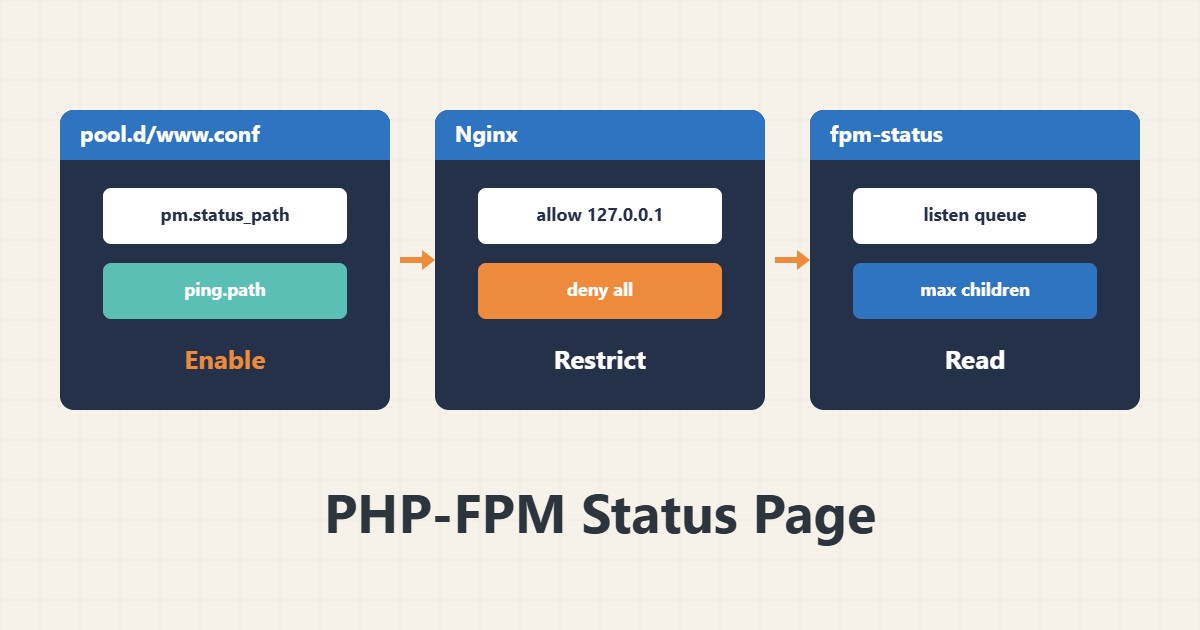
Setting pm.max_children without data is a guess. The PHP-FPM status page tells you how many processes are active, whether requests queue and whether the pool hit its ceiling. This guide enables it safely and interprets the output.
1. Enable it in the pool
; /etc/php/8.3/fpm/pool.d/www.conf (adjust the version to your server)
pm.status_path = /fpm-status
ping.path = /fpm-ping
ping.response = pong
After the change, reload the PHP-FPM service. Without access control this page leaks internal information.
2. Restricted access in Nginx
location = /fpm-status {
    allow 127.0.0.1;
    deny all;
    include fastcgi_params;
    fastcgi_param SCRIPT_FILENAME $fastcgi_script_name;
    fastcgi_pass unix:/run/php/php-fpm.sock;
}
Only the server itself (127.0.0.1) is allowed. Do not make the path public.
3. Read the output
curl -s http://127.0.0.1/fpm-statusThese fields matter: active processes and idle processes show the instantaneous load, listen queue counts requests waiting for a process, max children reached counts how often pm.max_children filled up, and slow requests counts requests slower than the slowlog threshold.
4. Decide
If max children reached keeps rising and listen queue is non-zero, the pool is too small; but before raising it, measure memory per process so the server does not reach OOM (memory and OOM). If the pool never fills, enlarging it does not help. Full tuning is in pool tuning.
5. Monitor
Record the output periodically or feed it to a monitoring tool. The ping path suits a simple healthcheck.
6. Illustrative example, not a measurement
Suppose at peak hour max children reached rose from 0 to a large number and listen queue was positive. After a cautious increase of pm.max_children based on free memory, the counter stopped climbing. This scenario is an invented illustration, not a measurement.
7. Common mistakes
- Leaving /fpm-status open to everyone.
- Raising max_children without measuring memory.
- Reading the output once in a quiet hour.
- Forgetting to reload after changing the pool.
8. Frequently asked questions
How do ping and status differ? ping only says it is alive; status gives full statistics.
What does ?full do? It also shows details of each process.
What about several pools? Each pool has its own status path.
9. Quick checklist
- status_path and ping are enabled.
- Access is restricted in Nginx.
- Reload was done.
- Output was read at peak hour.
- Pool changes were checked against memory.
If you need help reviewing performance or maintaining a server, see the server management services.
More server and WordPress guides are collected in the article archive.
Official references
PHP manual: FPM configuration · Nginx ngx_http_fastcgi_module