
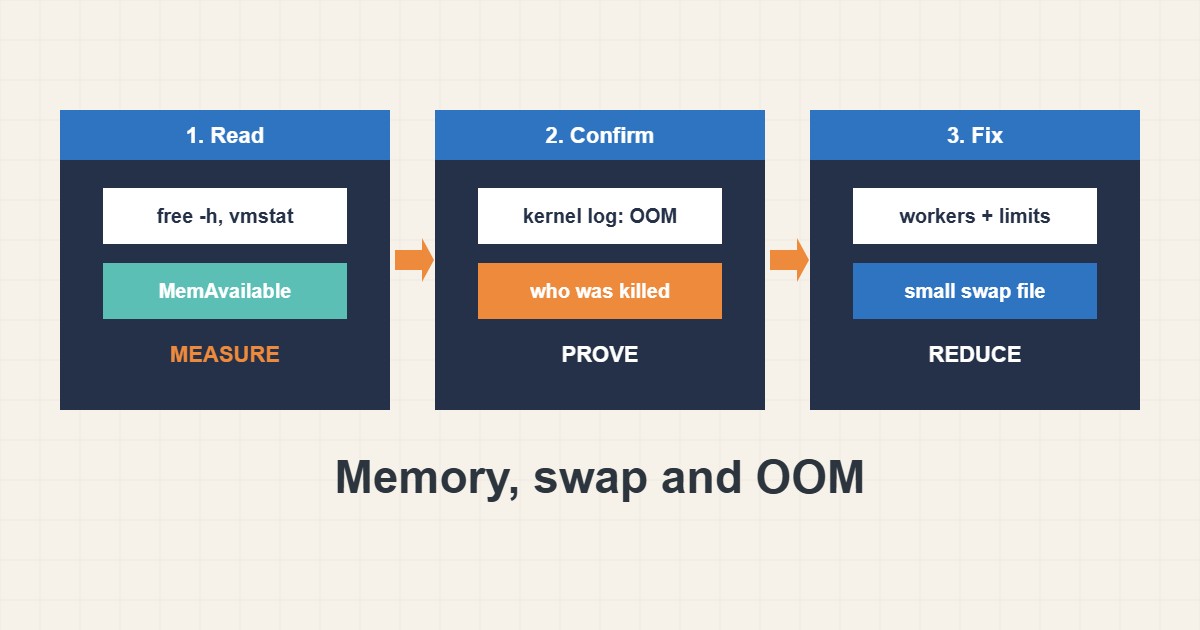
When a service disappears at random, the kernel may have killed it because memory ran out. This guide shows how to confirm an OOM kill from the logs, how to read memory numbers correctly, how to add a modest swap file as a safety net and which fixes treat the cause instead of the symptom. Commands follow the Linux documentation; I did not run them on your server, and swap on some VPS plans is restricted.
1. Read the memory numbers
Look at available memory, not just free memory, because Linux uses spare RAM for cache. Also check swap and the biggest processes:
free -h
swapon --show
vmstat 1 5
ps aux --sort=-%mem | head -n 8
cat /proc/meminfo | grep -E 'MemAvailable|SwapTotal|SwapFree'
If available memory is low while swap is busy, the server is under real pressure.
2. Confirm an OOM kill
The kernel logs the victim. Search for it, then see what that service reported:
journalctl -k | grep -i -E 'out of memory|killed process'
dmesg -T | grep -i 'killed process' | tail -n 5
systemctl status myapp --no-pager | head
Match the time with traffic or a scheduled job. Service logs can be read as in the journalctl guide.
3. Add a small swap file
Swap is a safety net, not extra speed. A modest file can prevent a kill during short peaks. Set a low swappiness so the kernel prefers RAM:
sudo fallocate -l 2G /swapfile
sudo chmod 600 /swapfile
sudo mkswap /swapfile
sudo swapon /swapfile
echo '/swapfile none swap sw 0 0' | sudo tee -a /etc/fstab

# gentler swapping
sudo sysctl vm.swappiness=10
Do this only if your provider allows swap and the disk has room.
4. Fix the cause
Reduce what uses memory: lower the PHP worker count as in the PHP-FPM tuning guide, limit database buffers, restart leaking jobs on a schedule or add RAM. Check for runaway cron jobs and large imports. A limit set in a systemd unit protects the rest of the server from one service.
5. Habits that backfire
These ideas look helpful but cause trouble:
sudo swapoff -a                    # on a loaded server, can freeze it
echo 3 > /proc/sys/vm/drop_caches   # does not fix a leak, hurts performance
vm.overcommit_memory=2 without testing  # may refuse normal allocations
Monitor memory over time so you see the trend before the next kill.
6. Illustrative example, not a measurement
Imagine a 2 GB VPS (made-up) where MySQL stops every few days. The kernel log shows an OOM kill just after a traffic peak, and PHP workers use most of the RAM. After lowering the worker limit and adding a 2 GB swap file, memory stays within bounds and the database stays up.
7. Common mistakes
- Judging memory by the free column only.
- Adding swap and ignoring the real cause.
- Disabling swap on a busy server.
- Dropping caches as a fix.
- Not reading the kernel log.
- Setting too many workers for the RAM.
8. Frequently asked questions
Is swap bad? No, in moderation it is a safety net. Heavy constant swapping means you need more RAM or less load.
What does swappiness do? It sets how eagerly the kernel moves memory to swap. Lower values prefer RAM.
How do I protect one service? Use MemoryMax in its systemd unit.
How much swap should I add? Often 1 to 2 GB for small servers, depending on your plan and disk.
9. Quick checklist
- Check free -h and vmstat.
- Search the kernel log for kills.
- Find the largest processes.
- Add a modest swap file if allowed.
- Tune workers and buffers.
- Set service memory limits.
- Monitor over time.
If you need help reviewing performance or maintaining a server, see the server management services.
More server and WordPress guides are collected in the article archive.
Official references
Linux kernel: Memory management concepts · swapon(8) manual · proc(5) manual · Linux kernel: vm sysctl