
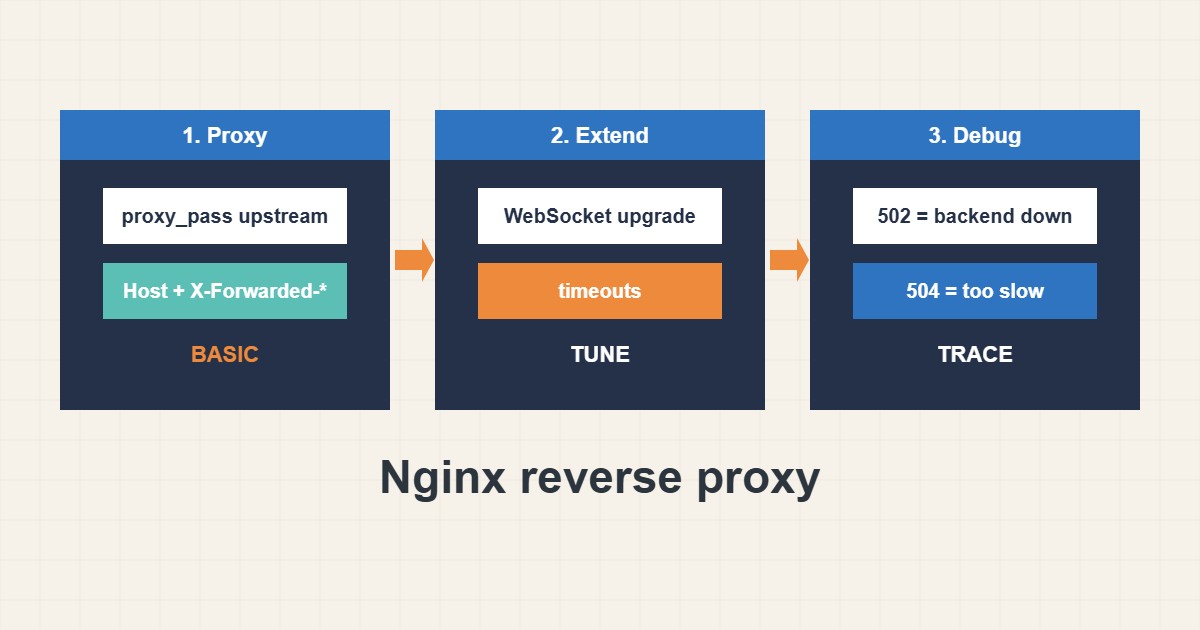
Putting Nginx in front of a Node, Python or Java application gives you TLS, compression and a stable public entry point. Most problems come from missing headers, wrong trailing slashes and short timeouts. This guide shows a clear reverse proxy configuration, WebSocket support and a short debugging routine for 502 and 504 errors. Commands follow the nginx documentation; I did not run them on your server.
1. A clean basic proxy
Define the upstream, forward the headers the application needs and use HTTP/1.1 with keepalive to the backend:
upstream app { server 127.0.0.1:3000; keepalive 16; }

server {
    listen 80;
    server_name app.example.com;
    location / {
        proxy_pass http://app;
        proxy_http_version 1.1;
        proxy_set_header Host $host;
        proxy_set_header X-Real-IP $remote_addr;
        proxy_set_header X-Forwarded-For $proxy_add_x_forwarded_for;
        proxy_set_header X-Forwarded-Proto $scheme;
        proxy_set_header Connection "";
    }
}
Without the Host and forwarded headers, the application may generate wrong links or log the proxy address instead of the visitor.
2. WebSockets
WebSockets need the upgrade headers and a longer read timeout, otherwise connections drop quietly:
location /ws/ {
    proxy_pass http://app;
    proxy_http_version 1.1;
    proxy_set_header Upgrade $http_upgrade;
    proxy_set_header Connection "upgrade";
    proxy_read_timeout 300s;
}
Use a separate location so ordinary requests keep normal timeouts. Location order rules are explained in the location matching guide.
3. Test and debug
Check the config, then test the application directly and through nginx. A 502 usually means the backend is down or unreachable, and a 504 means it took too long:
sudo nginx -t && sudo systemctl reload nginx
curl -sI http://app.example.com/ | head -n 8
curl -s http://127.0.0.1:3000/ -o /dev/null -w '%{http_code}\n'      # is the app itself up?
sudo tail -n 20 /var/log/nginx/error.log | grep -i -E 'upstream|connect'
Make sure the application itself runs as a service; see the systemd service guide.
4. Security and limits
Bind the application to localhost so only nginx can reach it. Add rate limits for sensitive paths with the limit_req guide and keep request size limits reasonable with client_max_body_size. Pass the visitor address only from trusted proxies.
5. Mistakes to avoid
These cause most surprises:
proxy_pass http://app/;       # trailing slash changes the forwarded path
no proxy_set_header Host       # app sees 127.0.0.1 and builds wrong links
proxy_read_timeout 5s          # long requests end in 504
Always reload only after nginx -t succeeds.
6. Illustrative example, not a measurement
Imagine a Node app (made-up) that works on port 3000 but shows the wrong domain in redirects behind nginx. Adding the Host and X-Forwarded-Proto headers fixes the links. A chat feature that kept disconnecting after one minute is solved by the WebSocket location with a longer read timeout.
7. Common mistakes
- Forgetting the Host header.
- Mixing up trailing slashes in proxy_pass.
- Using short timeouts for long requests.
- Exposing the app port to the internet.
- Missing WebSocket upgrade headers.
- Reloading without nginx -t.
8. Frequently asked questions
What causes 502? The backend is down, refused the connection or crashed.
What causes 504? The backend did not answer within the timeout.
Do I need keepalive? It helps performance by reusing backend connections.
How does the app learn the visitor IP? Through X-Forwarded-For, read only from trusted proxies.
9. Quick checklist
- Define the upstream.
- Forward Host and client headers.
- Use HTTP/1.1 and keepalive.
- Add WebSocket location if needed.
- Set suitable timeouts.
- Bind the app to localhost.
- Run nginx -t, reload and test.
If you need help reviewing performance or maintaining a server, see the server management services.
More server and WordPress guides are collected in the article archive.
Official references
nginx: ngx_http_proxy_module · nginx: WebSocket proxying · nginx: ngx_http_upstream_module · nginx: ngx_http_realip_module