
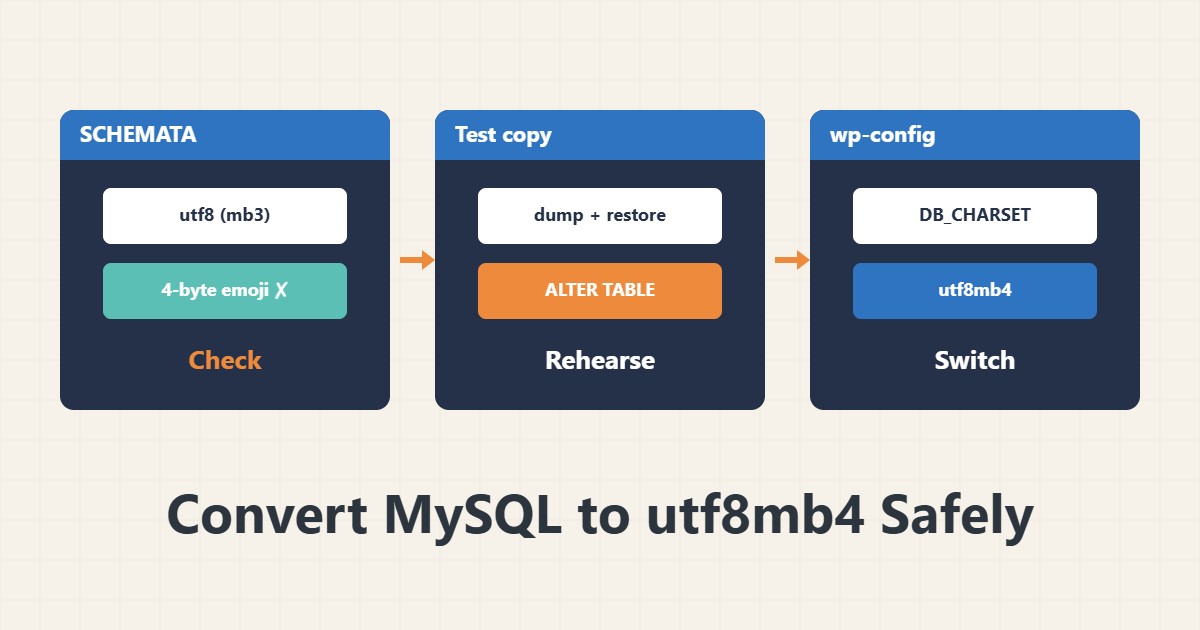
If emoji on your site turn into question marks, or saving some characters throws an error, your tables are probably still on three-byte utf8. Converting to utf8mb4 is simple, but done carelessly it can break indexes and data.
1. Read the current state
SELECT schema_name, default_character_set_name, default_collation_name
FROM information_schema.SCHEMATA WHERE schema_name = 'mydb';

SELECT table_name, table_collation
FROM information_schema.TABLES WHERE table_schema = 'mydb';
The name utf8 in MySQL really means utf8mb3, which supports only three bytes per character. Emoji need four.
2. Back up and rehearse on a copy
Take a full dump and restore it into a test database. Run the conversion there first. Converting large tables copies them, can take a long time and may lock, so plan for a quiet window. A backup whose restore you have not tested does not count as a backup.
3. Check long indexes
Each character can take up to four bytes, so an index on a long VARCHAR column may exceed the key length limit. InnoDB with the DYNAMIC row format (the default on newer versions) allows 3072 bytes, while older setups allowed 767. The error Specified key was too long means you must shorten the index or check the row format.
4. Convert
ALTER DATABASE mydb CHARACTER SET utf8mb4 COLLATE utf8mb4_unicode_520_ci;
ALTER TABLE mytable CONVERT TO CHARACTER SET utf8mb4 COLLATE utf8mb4_unicode_520_ci;
The first command only changes the default for future tables in that database, not existing tables. The second converts the data. On MySQL 8 the server default is utf8mb4_0900_ai_ci; keep the collation the same across all tables.
5. Connection and WordPress settings
The application side must request utf8mb4 too. In WordPress set DB_CHARSET in wp-config.php to utf8mb4, and after converting review the site’s health with WP-CLI. Changing only the connection without converting the tables does not solve the problem.
6. Illustrative example, not a measurement
Suppose a comments table was created with utf8 and saving one emoji threw an error. After converting on a test copy, the same text saved without error, and then the same steps were run on the live site. This scenario is an invented illustration, not a measurement.
7. Common mistakes
- Converting directly on a live site without a backup.
- Changing only ALTER DATABASE and assuming tables changed too.
- Different collations across related tables (Illegal mix of collations).
- Ignoring index lengths.
8. Frequently asked questions
What is the difference between utf8 and utf8mb4? MySQL utf8 is three bytes; utf8mb4 covers all of Unicode, including emoji.
Can conversion corrupt data? Usually not, but only a backup and a test on a copy can make you sure.
Will the database grow? Slightly, because indexed columns may reserve more space.
9. Quick checklist
- Current character set and collation read.
- Dump taken and restored on a copy.
- Conversion ran cleanly on the copy.
- Application connection uses utf8mb4.
- Conversion run in a quiet window with a way back.
If you need help reviewing performance or maintaining a server, see the server management services.
More server and WordPress guides are collected in the article archive.
Official references
MySQL: the utf8mb4 character set · MySQL: ALTER TABLE · WordPress: wp-config.php