
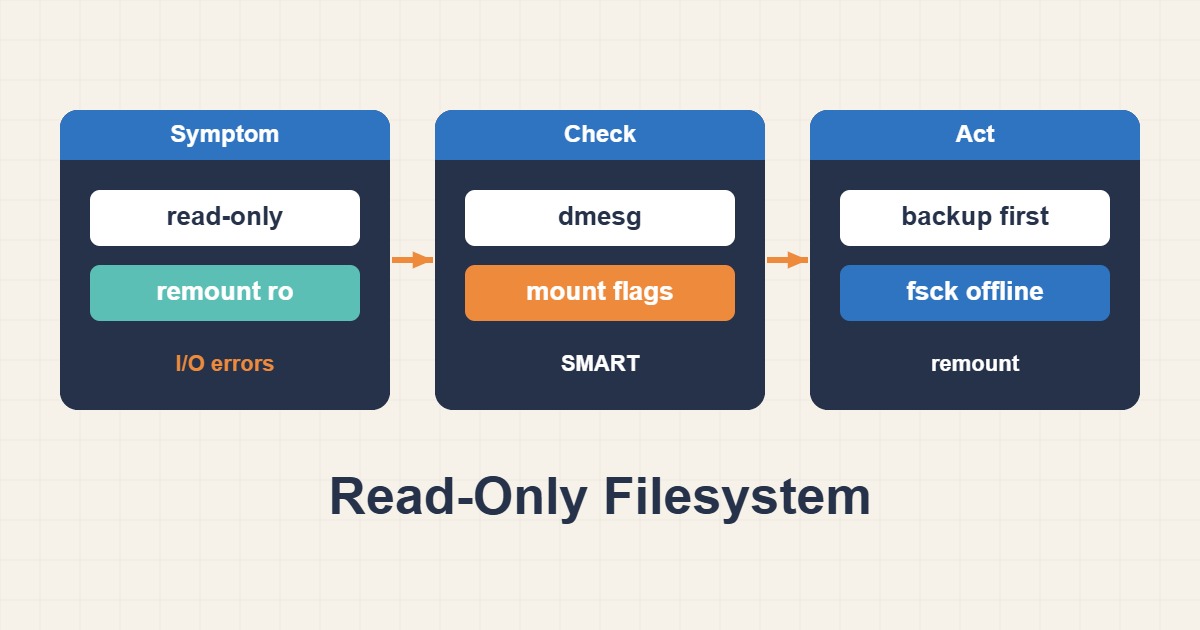
The kernel may remount storage read-only after I/O faults to protect data. chmod or a forced writable remount does not fix the cause. Identify mount type, storage errors and data value before planning offline repair.
Scope and prerequisites
Stop and involve a recovery specialist if critical data or physical-media failure is suspected. Diagnostics are for Linux, but repair tools depend on ext4, XFS or another filesystem. Inside containers, a read-only bind mount or security setting may be intentional rather than corruption.
1. Collect evidence
Use findmnt to inspect the affected path’s source, type and options. Check kernel logs for I/O errors, journal aborts and remount events. Distinguish EACCES and disk exhaustion. For cloud disks, inspect provider incidents and attachment state; a snapshot is not a substitute for diagnosis or a proven recovery copy.
findmnt -T /srv/app -o TARGET,SOURCE,FSTYPE,OPTIONS
lsblk -f
sudo journalctl -k -b --no-pager | tail -n 100
2. Make a controlled change
Quiesce application writes and save evidence to healthy storage. On failing media, heavy reads or repeated repair attempts can worsen damage; professional imaging may come first. Never run repair fsck on a mounted filesystem. Root repair requires rescue access and a filesystem-specific plan after a valid backup or image.
# Read-only diagnostics: no repair or forced remount here.
findmnt -T /srv/app
df -h /srv/app
df -i /srv/app
# Record kernel evidence on a separate healthy destination.
3. Verify the outcome
After the storage cause and authorized offline repair are addressed, inspect mount options and new logs. Perform only a small approved write test as the application user; it does not prove integrity. Databases also need their own recovery checks. New I/O or corruption messages should stop the cutover.
findmnt -T /srv/app -o TARGET,SOURCE,FSTYPE,OPTIONS
sudo journalctl -k --since "10 minutes ago" --no-pager
Rollback and prevention
For an accidental configuration change, restore only the relevant mount policy. With damaged data, rollback generally means a validated restore, not remount -o rw. ext4 can replay its journal even on a read-only mount, so evidence preservation needs an expert procedure. Monitor storage health and regularly prove recovery through drills.
Technical references
For related checks in this workflow, see MySQL Point-in-Time Recovery with Binary Logs and Persistent journald Logs and Safe Retention on Linux.