
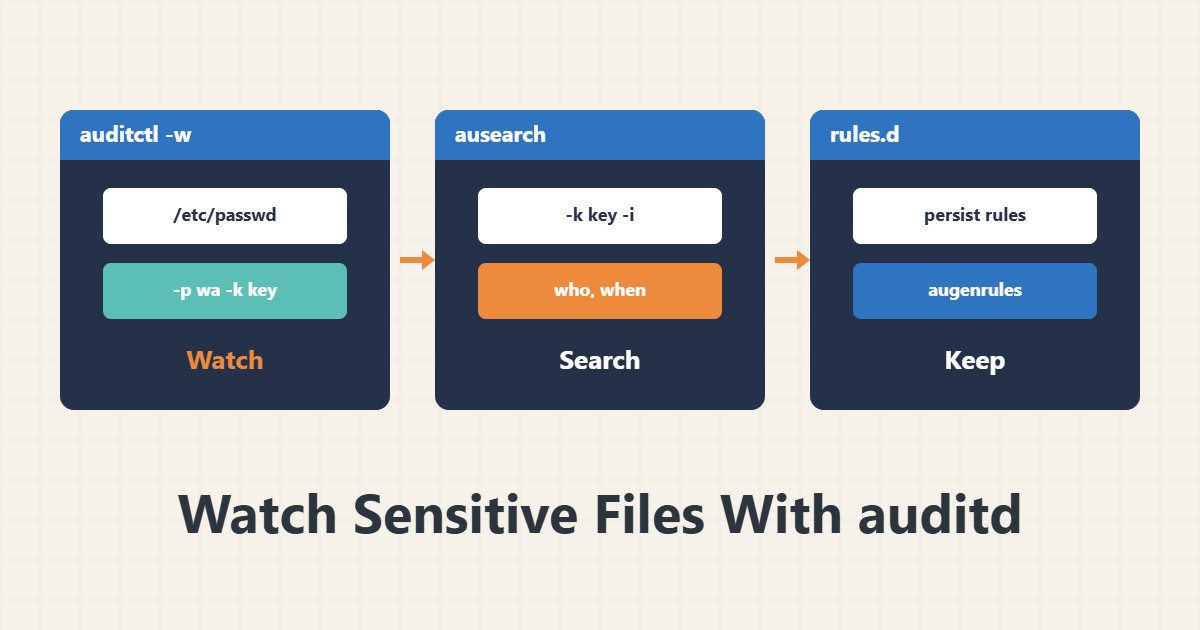
If you want to know who changed a sensitive file and when, ordinary logs are usually not enough. The Linux Audit system records changes at the kernel level. What matters is keeping the rules few and precise.
1. Install and check
sudo apt install auditd
sudo systemctl enable --now auditd
sudo auditctl -l
The last command shows the active rules. On Red Hat family systems the package is usually already installed. The log is written to /var/log/audit/audit.log.
2. Add a watch rule
sudo auditctl -w /etc/passwd -p wa -k passwd_changes
sudo auditctl -w /etc/ssh/sshd_config -p wa -k sshd_config
The -w option watches a path. In -p, w means write and a means attribute change. The -k key makes searching easy.
3. Search events
sudo ausearch -k passwd_changes -i
sudo aureport -f --summary
The -i option converts IDs to names. In the output you see the user, process and time of the change. aureport gives a summary.
4. Make rules persistent
echo '-w /etc/passwd -p wa -k passwd_changes' | sudo tee /etc/audit/rules.d/passwd.rules
sudo augenrules --load
A rule added with auditctl disappears after a restart. Write it in the rules.d directory to keep it. Watch only sensitive files instead of busy directories.
5. Log size and related guides
Many rules make a lot of log and can fill the disk. Check log rotation in auditd.conf and read the Lynis report for recommendations. Secure SSH logins with the SSH guide.
6. Illustrative example, not a measurement
Suppose you wanted to know who changed sshd_config. After adding the rule, ausearch showed an administrator user had edited the file at a specific time. This scenario is an invented illustration, not a measurement.
7. Common mistakes
- Watching very busy directories.
- Forgetting to make the rule persistent.
- Not checking the log size.
- Assuming auditd prevents intrusion.
8. Frequently asked questions
Does auditd stop attacks? No; it only records.
Why did my rule vanish after a restart? Because it was not saved in rules.d.
How large does the log get? It depends on the number of rules and activity.
9. Quick checklist
- auditd was enabled.
- A watch rule was added.
- ausearch was tested.
- The rule was made persistent.
- Log size was controlled.
If you need help reviewing performance or maintaining a server, see the server management services.
More server and WordPress guides are collected in the article archive.
Official references
auditctl manual page · ausearch manual page · auditd manual page