
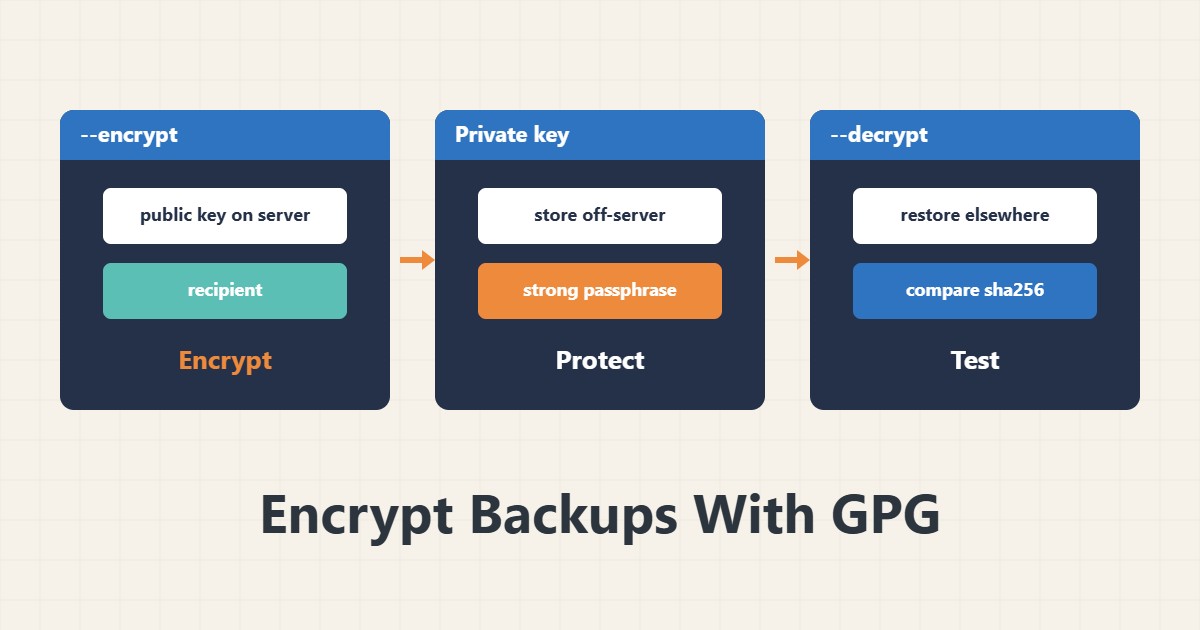
A backup stored on external storage or another server should be encrypted so that, if that storage leaks, the data cannot be read. GPG is a common tool for this. The key point is that the server should hold only the public key, so it cannot open the backup itself.
1. Encrypt with a passphrase
gpg --symmetric --cipher-algo AES256 site.tgzThis is simple and creates site.tgz.gpg. GPG asks you for the passphrase. In an automated script, do not write the passphrase in the script text or on the command line, because it stays in history and the process list.
2. Encrypt with a public key
gpg --import backup-public.asc
gpg --encrypt --recipient backup@example.com --output site.tgz.gpg site.tgz
This is better for a server. Only the public key stays on the server and decryption is possible only with the private key. The address backup@example.com is a sample. Before use, compare the key fingerprint with a trusted source.
3. Keep the private key safe
Do not keep the private key on the server. Store it with a strong passphrase in a separate secure place, such as a password manager or offline storage. If the private key is lost, all the backups become useless. A backup copy of the key itself is also needed.
4. Test decryption
gpg --output restored.tgz --decrypt site.tgz.gpg
sha256sum restored.tgz site.tgz
An encrypted backup cannot be trusted until you have tested restoring it. Decrypt on another machine and compare the hashes. For creating hashes see tar and sha256.
5. In a backup script
tar czf - /var/www/site | gpg --encrypt --recipient backup@example.com > /backup/site-$(date +%F).tgz.gpgThis line encrypts directly without writing a plain file to disk. Schedule it with cron and copy it off-site with rsync. After each run, check the file size so it is not empty.
6. Illustrative example, not a measurement
Suppose a nightly backup was copied to external cloud storage. With public-key encryption, even if the cloud storage leaked, the files could not be read without the private key. Decryption was tested monthly on another machine. This scenario is an invented illustration, not a measurement.
7. Common mistakes
- Keeping the private key on the same server.
- Writing the passphrase in a script.
- Never testing decryption.
- Losing the only copy of the private key.
8. Frequently asked questions
Is a passphrase or a public key better? For a server, a public key; the server cannot decrypt.
What if the private key is lost? Backups encrypted with it cannot be restored.
Does GPG compress the file too? A little; it is better to compress first with tar and gzip.
9. Quick checklist
- The public key was imported on the server.
- The private key is off the server.
- The backup was encrypted.
- Decryption was tested on another machine.
- The restored file hash was compared.
If you need help reviewing performance or maintaining a server, see the server management services.
More server and WordPress guides are collected in the article archive.
Official references
GnuPG manual: invoking gpg · GnuPG user manual · tar manual page