
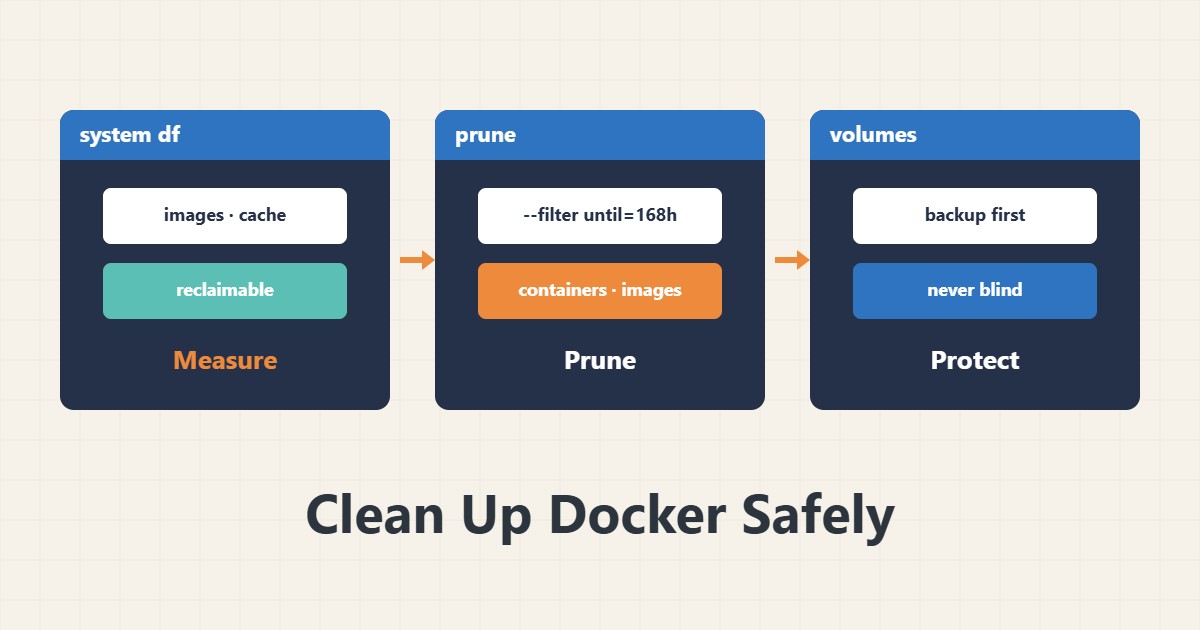
Docker servers fill their disks with old images, stopped containers and build cache. docker system prune is convenient, but one wrong option can delete volumes that hold real data. This guide gives the safe order.
1. Measure first
docker system df
docker system df -v | head -n 40
This shows how much space images, containers, volumes and build cache use and how much is reclaimable. Know what eats the space so you do not delete blindly.
2. Prune images and containers
docker container prune
docker image prune
docker image prune -a --filter "until=168h"
container prune removes stopped containers. image prune removes only dangling images, and with -a all images without a container; the filter until=168h takes only things older than seven days. An image you want later must be downloaded again.
3. Build cache
docker builder prune --filter "until=168h"Build cache is usually the safest part to delete, at the cost of a slower next build.
4. volume prune: the real danger
docker volume ls -f dangling=truevolume prune removes volumes not attached to any container, and that includes the volume of a database whose container was temporarily removed. Note that docker system prune does not remove volumes by default, but does with --volumes. Back up before deleting any volume; a tar archive with a checksum is a simple way. Keep watching disk use, as in logrotate.
5. A regular routine
Instead of emergency cleaning, create a weekly job with a time filter and without volumes, and record docker system df before and after.
6. Illustrative example, not a measurement
Suppose docker system df showed that much of the space belonged to images without containers and build cache. Pruning them with a seven-day filter freed space and touched no volume. This scenario is an invented illustration, not a measurement.
7. Common mistakes
- Running docker system prune –volumes without a backup.
- Removing all images on a server with no internet access.
- Forgetting that a stopped container may still be needed.
- Not recording usage before and after.
8. Frequently asked questions
Does docker system prune delete volumes? Not by default; with –volumes it does.
What is dangling? An image with no tag and no container.
Should I prune build cache? Yes, accepting a slower next build.
9. Quick checklist
- docker system df was run.
- Only unused containers and images were pruned with a filter.
- Volumes were not touched without a backup.
- Build cache was pruned.
- A weekly job without volumes is set.
If you need help reviewing performance or maintaining a server, see the server management services.
More server and WordPress guides are collected in the article archive.
Official references
Docker docs: prune unused objects · Docker CLI: docker system df