
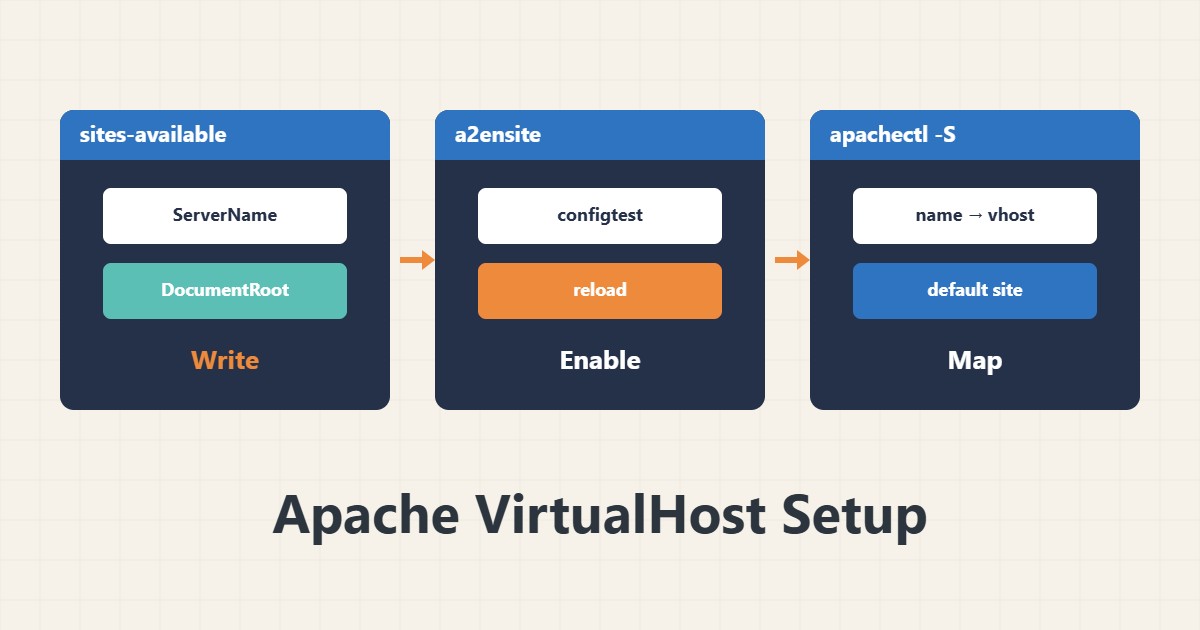
When several domains share one Apache, the usual problem is that all show the same site or the wrong site becomes the default. This guide covers the correct VirtualHost structure and the tools to check it.
1. One file per site
# /etc/apache2/sites-available/example.com.conf
<VirtualHost *:80>
    ServerName example.com
    ServerAlias www.example.com
    DocumentRoot /var/www/example.com/public_html
    <Directory /var/www/example.com/public_html>
        AllowOverride All
        Require all granted
    </Directory>
    ErrorLog ${APACHE_LOG_DIR}/example-error.log
    CustomLog ${APACHE_LOG_DIR}/example-access.log combined
</VirtualHost>
The paths are examples. Separate logs per site make troubleshooting easier.
2. Enable and modules
sudo a2ensite example.com.conf
sudo a2enmod rewrite
sudo apachectl configtest
sudo systemctl reload apache2
a2ensite creates the link in sites-enabled. configtest should say Syntax OK. AllowOverride All is needed for .htaccess rules to work.
3. Check the mapping
sudo apachectl -SThe output shows which file and VirtualHost each name maps to and which one is the default. If the requested name matches no ServerName, Apache serves the first VirtualHost for that port, so set a deliberate, neutral default site.
4. Test from outside
curl -I --resolve example.com:80:127.0.0.1 http://example.com/This simulates the Host header without changing DNS. For HTTPS you need a separate VirtualHost on port 443. See worker settings in MPM and KeepAlive.
5. Common mistakes
Directory ownership and permissions must be readable by the Apache user. Forgetting Require all granted on Apache 2.4 causes 403. Test every change with configtest and then reload (not restart).
6. Illustrative example, not a measurement
Suppose two domains both showed the first site. apachectl -S showed a typo in the second domain’s ServerName, so requests fell to the default VirtualHost. Fixing the name solved it. This scenario is an invented illustration, not a measurement.
7. Common mistakes
- A mistyped ServerName.
- Missing Require all granted.
- Changing without configtest.
- Restart instead of reload on a busy server.
8. Frequently asked questions
Why do all domains show one site? Probably no ServerName matches and the default is served.
What does a2ensite do? It creates a symlink from sites-available to sites-enabled.
What about HTTPS? Create a separate VirtualHost for 443 with a certificate.
9. Quick checklist
- A separate file and log exist per site.
- a2ensite and modules are enabled.
- configtest reported no errors.
- apachectl -S maps correctly.
- Tested with curl –resolve.
If you need help reviewing performance or maintaining a server, see the server management services.
More server and WordPress guides are collected in the article archive.