
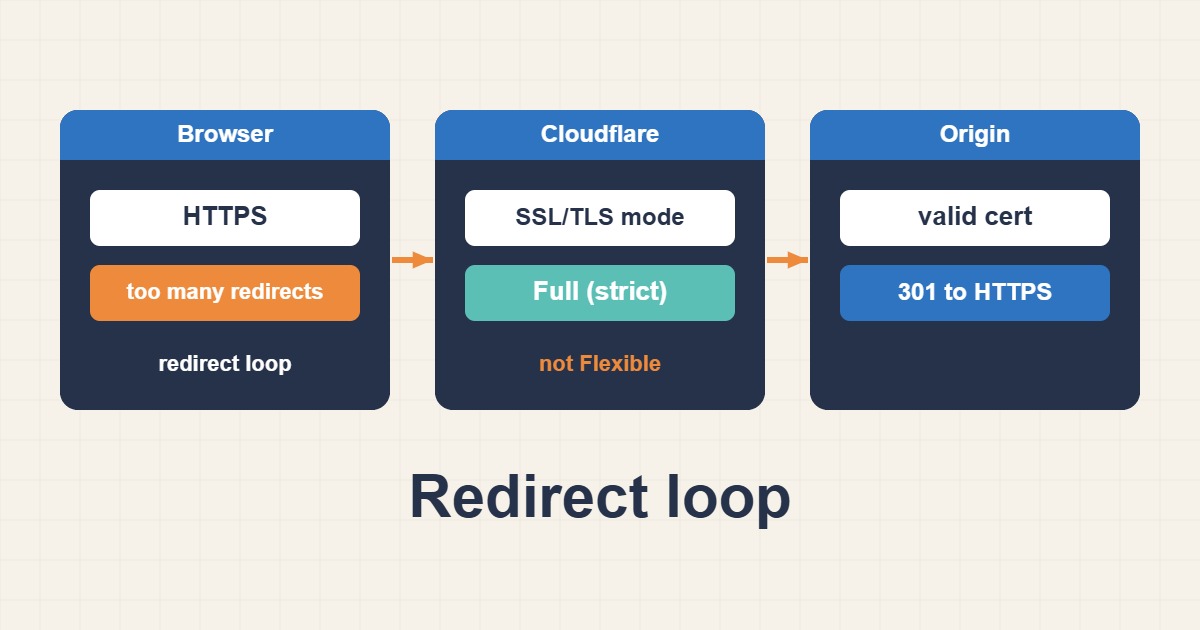
You put a site behind Cloudflare, or switch it to HTTPS, and the browser answers “This page isn’t working: too many redirects” (ERR_TOO_MANY_REDIRECTS). The cause is almost always a mismatch between what Cloudflare thinks the origin supports and what the origin actually does. Visitors and Cloudflare, or Cloudflare and the origin, keep sending each other to a different address forever. This guide explains the SSL/TLS modes, shows how to find which hop loops, and gives a safe fix for WordPress on Nginx or Apache.
1. Understand the two connections
With the proxy enabled (orange cloud), there are two separate connections: browser to Cloudflare, and Cloudflare to your origin server. Each has its own protocol and its own certificate. A redirect loop appears when the origin keeps redirecting a request that Cloudflare already made in a form the origin dislikes. The most common loop is the origin forcing HTTPS while Cloudflare connects to it over plain HTTP.
2. The SSL/TLS modes in plain words
Cloudflare offers several modes. Off uses HTTP everywhere. Flexible encrypts browser to Cloudflare but connects to the origin over HTTP. Full connects to the origin over HTTPS and accepts any certificate, even self-signed. Full (strict) connects over HTTPS and requires a valid certificate for the hostname, either from a public authority or a Cloudflare Origin CA certificate. Full (strict) is the correct target for a production site because it encrypts and verifies both hops.
3. Why Flexible causes loops
In Flexible mode Cloudflare requests the origin over HTTP. If WordPress or the web server is set to redirect all HTTP to HTTPS, the origin answers with a redirect, the visitor follows it back to Cloudflare, Cloudflare asks the origin over HTTP again, and the loop repeats. The cleanest fix is not to keep Flexible while forcing HTTPS at the origin, but to move to Full (strict) with a valid certificate on the origin.
4. Find which hop loops
Do not guess. Follow the redirect chain from the command line and look at the addresses:
curl -sIL --max-redirs 6 https://example.com/ | grep -iE '^(HTTP|location)'If the same two locations alternate, note which scheme and host they use. A loop between http and https points at the SSL mode and origin redirects. A loop between www and the bare domain points at two conflicting canonical redirects, one in WordPress and one at the server or a Cloudflare rule.
5. Test the origin directly
Bypass Cloudflare to see how the origin behaves by itself. Use the real origin IP, shown here as a documentation address:
curl -sI --resolve example.com:443:203.0.113.10 https://example.com/ | head -n 5
curl -sI http://203.0.113.10/ -H 'Host: example.com' | head -n 5
If the origin over HTTPS returns a certificate error, Full (strict) will fail with a 526 error, so fix the certificate first. If the origin answers HTTP with a redirect to HTTPS, that is normal for the origin, and it tells you Cloudflare must not use Flexible.
6. Put a valid certificate on the origin
You have two good options. A public certificate from Let’s Encrypt works with Full (strict) and also keeps working if you ever turn the proxy off:
sudo certbot certonly --nginx -d example.com -d www.example.com
sudo nginx -t && sudo systemctl reload nginx
Alternatively, create a Cloudflare Origin CA certificate. It is free and trusted by Cloudflare, but browsers do not trust it, so it only works while the proxy stays on. Whichever you choose, install the full chain and keep the private key readable only by root.
7. Choose Full (strict) and test
After the origin certificate is installed, switch the zone to Full (strict) in the SSL/TLS settings and repeat the curl test. The loop should disappear. If you see 525 or 526 instead, Cloudflare could not complete the handshake or did not trust the certificate, so check that the hostname matches and that the intermediate chain is served.
8. Keep one canonical redirect
Redirect HTTP to HTTPS and the www variant in one place only. If the web server, WordPress and a Cloudflare rule all redirect, they can disagree and loop. A clean server block that sends everything to one address looks like this:
server {
    listen 80;
    server_name example.com www.example.com;
    return 301 https://example.com$request_uri;
}
Then make sure the Cloudflare option “Always Use HTTPS” does not conflict with an origin rule that expects HTTP.
9. Tell WordPress it is behind HTTPS
If Cloudflare reaches the origin over HTTP and you cannot change that yet, WordPress may think the request is insecure and redirect forever. When the origin is only reachable through the proxy, you can trust the forwarded header in wp-config.php:
if ( isset( $_SERVER['HTTP_X_FORWARDED_PROTO'] ) && 'https' === $_SERVER['HTTP_X_FORWARDED_PROTO'] ) {
    $_SERVER['HTTPS'] = 'on';
}
This is only safe if visitors cannot reach the origin directly, since anyone could forge the header. Restore the real client address as well, which Restore Real Client IPs Behind a Trusted Proxy in Nginx explains for Nginx.
10. Check the home and site URLs
A WordPress address stored as http:// can make every page redirect to HTTPS and back. Read and fix both values:
wp option get home
wp option get siteurl
wp option update home 'https://example.com'
wp option update siteurl 'https://example.com'
If images and scripts still load over HTTP after the switch, see Fix WordPress Mixed Content After HTTPS for mixed content.
11. Beware of cached redirects
Browsers cache 301 redirects aggressively, and Cloudflare may cache pages. After a fix, test in a private window or with curl, and purge Cloudflare’s cache if the old behavior persists. Check the headers that matter:
curl -sI https://example.com/ | grep -iE '^(cf-cache-status|server|location)'If the error appears only on some paths, a Page Rule or Redirect Rule may be responsible, so review those rules in the dashboard.
12. Common mistakes
- Using Flexible while the origin forces HTTPS.
- Choosing Full (strict) before installing a valid origin certificate.
- Stacking redirects in WordPress, the server and Cloudflare.
- Trusting the forwarded header when the origin is publicly reachable.
- Leaving
homeandsiteurlon HTTP. - Testing with a browser that cached the old 301.
13. Related errors
A loop is only one of the errors you can see behind Cloudflare. If you see 522 or 524, the origin is slow or unreachable instead, and Fix Cloudflare 522 and 524 Errors at the Origin Server covers those. A 525 or 526 points at the certificate, not at redirects. Match the status code to the cause before changing settings.
14. A worked example
A WordPress site moves behind Cloudflare, and every page returns “too many redirects”. The curl chain keeps repeating the same redirect until curl gives up, and the zone is set to Flexible while Nginx redirects HTTP to HTTPS. A Let’s Encrypt certificate is installed on the origin, the mode is switched to Full (strict), and the chain returns a single 200. This is an illustration of the process, not a measurement from a specific site.
15. Quick checklist
- Follow the redirect chain with curl and note scheme and host.
- Test the origin directly, bypassing Cloudflare.
- Install a valid origin certificate and its full chain.
- Switch to Full (strict) and avoid Flexible.
- Keep one canonical redirect and correct WordPress URLs.
- Test in a private window and purge cache if needed.
More server guides are collected in the article archive.
Official references
Cloudflare: SSL/TLS encryption modes · Cloudflare: Too many redirects · Cloudflare: Origin CA certificates · WordPress: Using HTTPS