
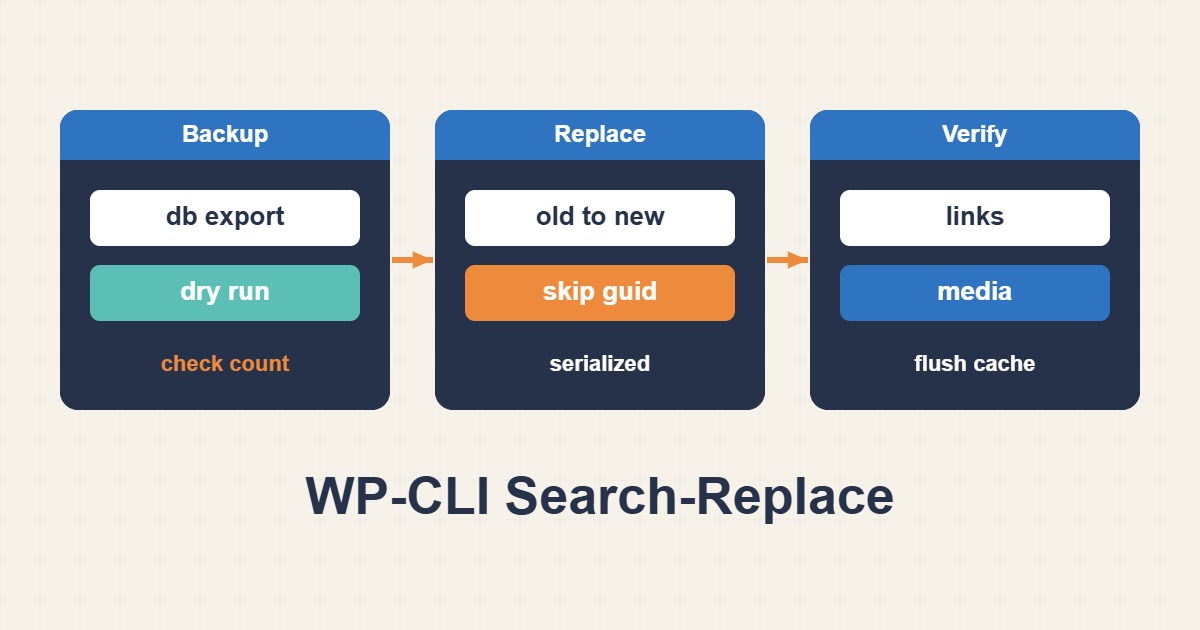
WP-CLI search-replace understands serialization and supports dry runs. Use a verified backup, explicit table scope and staging tests instead of blindly replacing strings across every database table.
Scope and prerequisites
Run from the installation directory as an authorized account; root is unnecessary. This example is single-site. Multisite network scope and domain mapping need a separate inventory. Include the exact schemes in old/new URLs. Database exports may contain credentials and personal data; store them outside the webroot with restrictive permissions.
1. Collect evidence
Inventory home, siteurl and plugin tables. Prepare a consistent database-and-files backup. Dry-run reports proposed changes; unexpected counts or zero matches require investigation. all-tables can modify unrelated applications and should not be the default. Include additional plugin tables only after confirming ownership and scope.
wp option get home
wp option get siteurl
wp db tables
# Save outside webroot; set restrictive directory permissions first.
wp db export /srv/private-backups/before-url-migration.sql
2. Make a controlled change
GUID generally identifies content rather than a display URL, so preserve skip-columns=guid. Execute the tested command with only dry-run removed. On a busy database, arrange a short write freeze or a deliberate cutover plan so replacement does not race with orders, submissions or other live writes.
wp search-replace 'https://old.example.test' 'https://new.example.test' --skip-columns=guid --dry-run
# Only after review, backup and write coordination:
wp search-replace 'https://old.example.test' 'https://new.example.test' --skip-columns=guid
3. Verify the outcome
Test administration login, forms, checkout, media and internal links. Rerun dry-run to locate leftovers within scope. Reverse proxies, CDN settings, page caches and hard-coded configuration may still reference the old URL. Treat DNS and 301 redirects as separate but coordinated migration steps.
wp search-replace 'https://old.example.test' 'https://new.example.test' --skip-columns=guid --dry-run
wp option get home
wp option get siteurl
Rollback and prevention
Rollback requires a consistent backup and a policy for preserving newer writes. Reversing the replacement is not always exact because the new URL may have existed before migration. Keep backups private and invalidate caches with awareness of their scope. Prove success through functioning workflows, not a replacement count alone.
Technical references
For related checks in this workflow, see Fix Stale PHP Code After Deployment with OPcache and Split-Horizon DNS with BIND: Internal and Public Answers.