
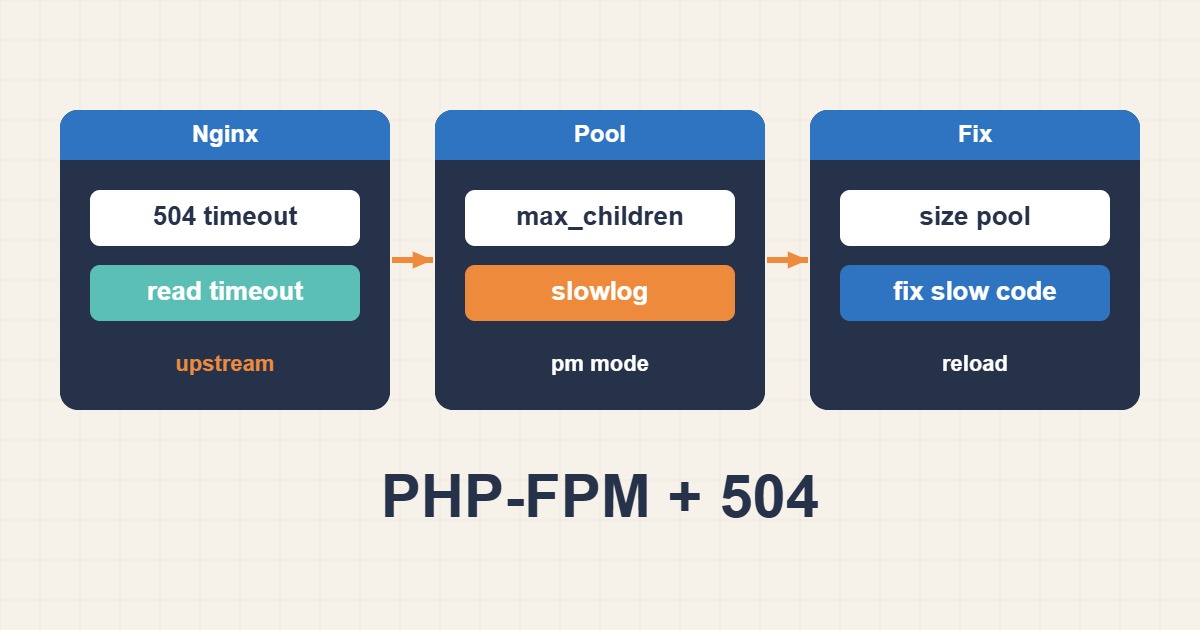
A 504 means the proxy waited for PHP-FPM but did not receive a response before its deadline. Raising a timeout may hide the symptom for a while, yet a saturated pool, blocked worker, slow query, or external API call will bring it back. The durable fix starts by locating where the request spends its time.
Identify which layer owns the timeout
In a common stack, Nginx passes PHP requests to a FastCGI socket. A 502 usually points to a broken connection or unavailable upstream; a 504 means the upstream did not answer in time. Correlate the request timestamp across Nginx access/error logs and the PHP-FPM journal.
sudo tail -f /var/log/nginx/error.log
sudo journalctl -u php8.3-fpm -f
sudo grep -R "upstream timed out" /var/log/nginx/
Prove pool saturation before tuning
The message server reached pm.max_children is direct evidence that all workers were busy. Do not respond by adding workers blindly: each process consumes memory, and an oversized pool can trigger swapping or the OOM Killer. Measure real worker RSS during representative traffic.
ps --no-headers -o rss,cmd -C php-fpm8.3 | awk '{sum+=$1;n++} END {print sum/n/1024 " MB per worker"}'
ss -xl | grep php
systemctl status php8.3-fpm
Size pm.max_children from a memory budget
Start with the memory reserved for the pool divided by average worker memory, then keep headroom for spikes. If PHP has 2 GB and workers average 80 MB, 25 is a theoretical ceiling, not a target. Leave capacity for Nginx, the database, cache, kernel, and monitoring.
[www]
pm = dynamic
pm.max_children = 20
pm.start_servers = 4
pm.min_spare_servers = 4
pm.max_spare_servers = 8
pm.max_requests = 500
request_terminate_timeout = 120s
Enable slowlog to expose slow execution
Slowlog records a PHP stack trace when a request exceeds a threshold. It often identifies a plugin hook, database call, filesystem operation, or remote HTTP dependency that should be fixed instead of merely given more time.
request_slowlog_timeout = 5s
slowlog = /var/log/php-fpm/www-slow.log

sudo php-fpm8.3 -tt
sudo systemctl reload php8.3-fpm
Align timeouts across the stack
Set fastcgi_read_timeout slightly above the legitimate maximum request duration. Review PHP max_execution_time, FPM request_terminate_timeout, and load-balancer limits together. Move exports, imports, image processing, and bulk jobs to a queue rather than keeping a web request open for minutes.
location ~ \.php$ {
    include fastcgi_params;
    fastcgi_pass unix:/run/php/php8.3-fpm.sock;
    fastcgi_connect_timeout 5s;
    fastcgi_send_timeout 60s;
    fastcgi_read_timeout 120s;
}
Validate with controlled load and metrics
Compare the 504 rate, p95 latency, active/idle workers, socket queue, CPU, and memory before and after each change. If more workers push CPU to 100%, the bottleneck is compute or application code. Apply one change at a time and keep a rollback copy.
504 troubleshooting checklist
- Correlate timestamps in Nginx and PHP-FPM logs.
- Check for pm.max_children warnings and OOM events.
- Measure worker RSS under realistic traffic.
- Enable slowlog and fix the slow endpoint.
- Align timeouts across proxy, FPM, PHP, and load balancer.
- Validate configurations with php-fpm -tt and nginx -t.
Frequently asked questions
Is increasing fastcgi_read_timeout enough?
No. It only makes Nginx wait longer. Pool saturation, slow SQL, locks, and external dependencies still need to be corrected.
Should I use dynamic or ondemand?
Dynamic usually gives steadier latency under continuous traffic. Ondemand saves memory on quiet sites but pays worker startup cost.
Why did the server slow down after increasing max_children?
Too many workers can exhaust RAM, create swap pressure, and compete for CPU. Size the pool from measured resource budgets.