
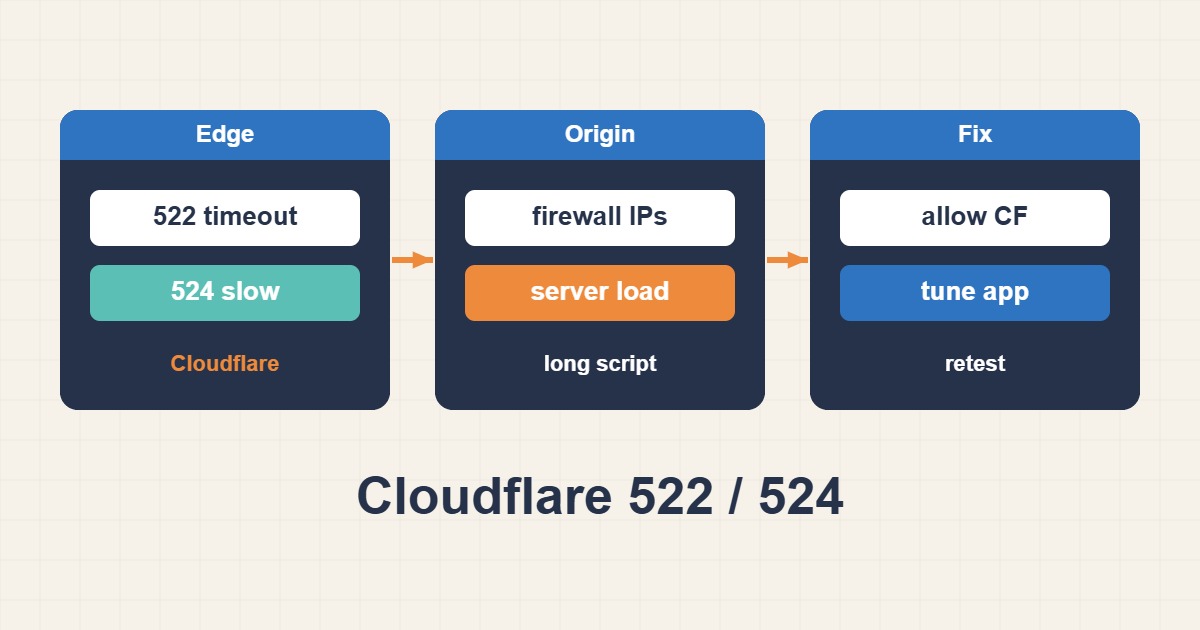
522 and 524 both describe trouble between Cloudflare and the origin, but they happen at different stages. A 522 usually means the TCP connection or its early acknowledgement did not complete in time. A 524 means Cloudflare connected successfully, but the origin did not return an HTTP response before the read timeout.
Classify the failure before changing timeouts
For 522, focus on reachability, firewalls, listening services, and overload. For 524, investigate a slow endpoint, exhausted PHP workers, a long database query, heavy export, or a dependency that never returned. Record the Ray ID, timestamp, URL, and method.
Test the origin without bypassing TLS validation
From an authorized host, use curl --resolve to send the correct Host header and SNI directly to the origin IP. Capture connection, TLS, time-to-first-byte, and total time.
curl --resolve example.com:443:ORIGIN_IP -sS -o /dev/null \
  -w 'connect=%{time_connect} tls=%{time_appconnect} ttfb=%{time_starttransfer} total=%{time_total}\n' \
  https://example.com/slow-page
For 522, inspect the network edge
Confirm Nginx or Apache listens on the expected ports. Check that the firewall, fail2ban, security group, and upstream ACLs allow legitimate Cloudflare address ranges. Also inspect SYN backlog, connection tracking, and file-descriptor limits.
ss -s
ss -lntp | grep -E ":80|:443"
nft list ruleset
journalctl -u nginx -n 100 --no-pager
For 524, break down backend time
Add request time and upstream response time to access logs. Correlate the slow path with PHP-FPM slowlog, MySQL slow query log, and APM traces. Increasing a timeout without removing the bottleneck can simply keep workers occupied for longer.
Move long work out of the request
Reports, imports, backups, and image processing should run in a queue. Return a job ID immediately, then deliver progress through polling or notification. Caching, pagination, and narrower queries also reduce origin response time.
Troubleshooting checklist
- Capture Ray ID, timestamp, method, and URL.
- Test the origin directly with the correct Host and SNI.
- For 522, inspect ports, firewalls, and connection limits.
- For 524, measure Nginx, PHP, database, and dependency time separately.
- Move long-running jobs to an asynchronous queue.
Frequently asked questions
Should I pause Cloudflare to fix the error?
Only use that as a short diagnostic step. Direct origin testing is safer and preserves CDN protection for normal traffic.
Is a larger timeout the best 524 fix?
Usually not. Fix the slow endpoint first. A longer timeout can hold scarce workers and make overload worse.
Is 522 always a Cloudflare fault?
It means Cloudflare could not complete timely communication with the origin. The origin network, firewall, and capacity are the first places to verify.
Related guides
Cloudflare documents 522 as an origin connection timeout and 524 as an origin response timeout after a connection was established.