
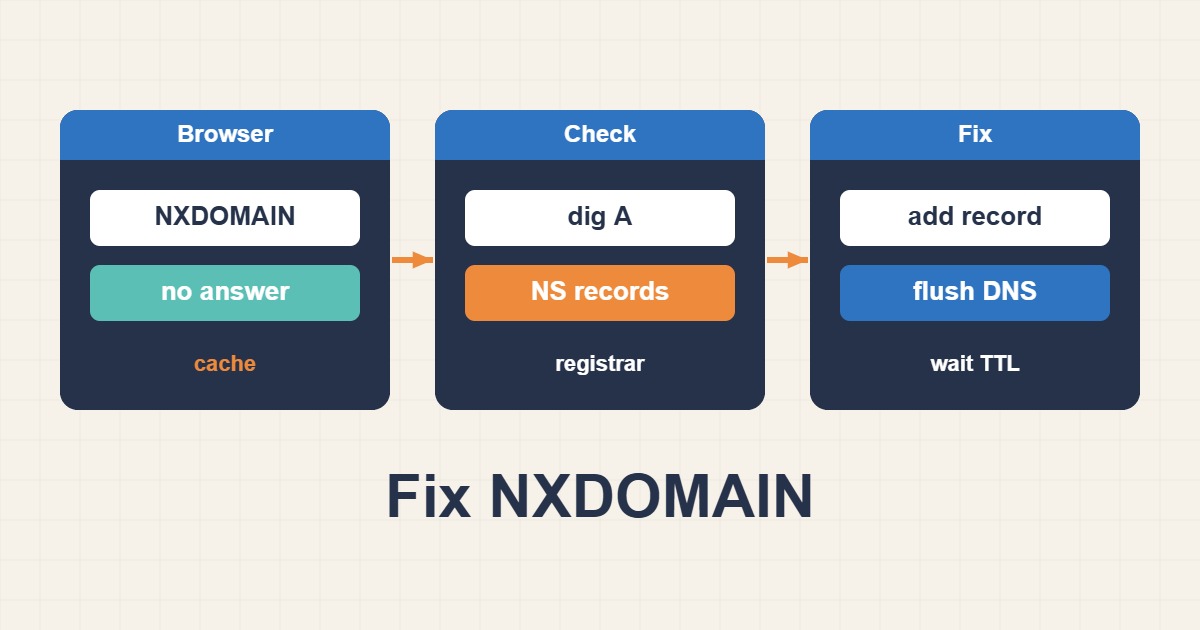
DNS_PROBE_FINISHED_NXDOMAIN means the resolver concluded that the requested name does not exist. The browser message is only the final symptom; the fault can be in the client cache, recursive resolver, registrar delegation, authoritative zone, DNSSEC chain, or the requested hostname itself.
Understand the resolution path
A client asks a recursive resolver. If the answer is not cached, the resolver follows the DNS hierarchy from the root to the top-level domain, then to the domain’s authoritative name servers. Those servers return the requested A, AAAA, CNAME, or another record—or an authenticated negative answer.
1. Confirm the exact failing hostname
Check spelling, the presence of www, and whether only one subdomain fails. Test the apex and expected hostnames separately. A working root domain does not prove that www, api, or mail exists.
dig example.com A
dig www.example.com A
dig example.com AAAA
dig example.com CNAME
2. Compare multiple resolvers
Query the local resolver and trusted public resolvers. Different results suggest caching, propagation, split DNS, or resolver-specific validation.
dig example.com
dig @1.1.1.1 example.com
dig @8.8.8.8 example.com
nslookup example.com 1.1.1.1
Do not treat “propagation” as a universal explanation. Record the TTL, answer, authority section, and whether the response is NXDOMAIN, SERVFAIL, REFUSED, or a timeout.
3. Flush only the relevant client cache
If authoritative and public answers are correct but one device fails, clear the browser DNS cache, operating-system resolver cache, and then retry. Check VPNs, security software, DNS-over-HTTPS settings, and the local hosts file. Restarting a router may clear a stale forwarding cache, but it cannot fix an incorrect authoritative zone.
4. Verify registrar delegation
At the registrar, confirm that the configured NS records match the provider hosting the active zone. Then trace the chain:
dig +trace example.com
dig NS example.com
whois example.com
If the parent zone delegates to old or misspelled name servers, editing records in the new DNS panel has no effect. For in-domain name servers such as ns1.example.com, verify required glue records.
5. Query authoritative servers directly
Ask each authoritative server for the same record:
dig @ns1.provider.net example.com A
dig @ns2.provider.net example.com A
dig @ns1.provider.net www.example.com A
All authoritative servers should serve a consistent zone and return an authoritative answer. Differences can indicate an incomplete zone transfer, stale secondary, hidden-primary problem, or configuration drift.
6. Inspect A, AAAA, and CNAME records
Ensure the apex has the intended A or AAAA record and aliases point to valid targets. A CNAME chain that ends in a nonexistent name also fails. Avoid conflicting record types at the same owner name. If IPv6 is published, confirm the server actually handles IPv6 traffic; however, an incorrect AAAA normally causes connection failures rather than NXDOMAIN.
7. Check DNSSEC
A broken DNSSEC chain often appears as SERVFAIL, but browser errors can hide the distinction. Compare validating and non-validating tools, inspect DS records at the registrar, and verify DNSKEY and signatures in the active zone.
dig example.com +dnssec
dig DS example.com
dig DNSKEY example.com
If DNSSEC was disabled or keys were rotated at the DNS provider, update or remove the parent DS record in a coordinated way. Never disable DNSSEC blindly without understanding the chain.
8. Consider negative caching and TTL
Resolvers can cache NXDOMAIN responses according to the zone’s SOA negative-caching values. After creating a missing record, some users may continue seeing NXDOMAIN until that cache expires. Verify the authoritative answer first, then monitor public resolvers over time.
9. Check split-horizon DNS
Corporate networks may return different answers internally and externally. Compare queries on and off the VPN, inspect search domains, and query the intended internal and public resolvers directly. Ensure private records are not accidentally expected from public DNS.
NXDOMAIN versus other failures
- NXDOMAIN: the queried name does not exist.
- NOERROR with no answer: the name exists but not for the requested record type.
- SERVFAIL: the resolver could not validate or complete resolution, often due to DNSSEC or authoritative failure.
- REFUSED: the server declined the query.
- Timeout: network or server reachability problem.
Final verification
Confirm the registrar delegation, query every authoritative server, compare at least two independent recursive resolvers, verify DNSSEC, test all required hostnames and record types, and finally load the site from multiple networks. Save the before-and-after dig output so the actual correction is documented.