
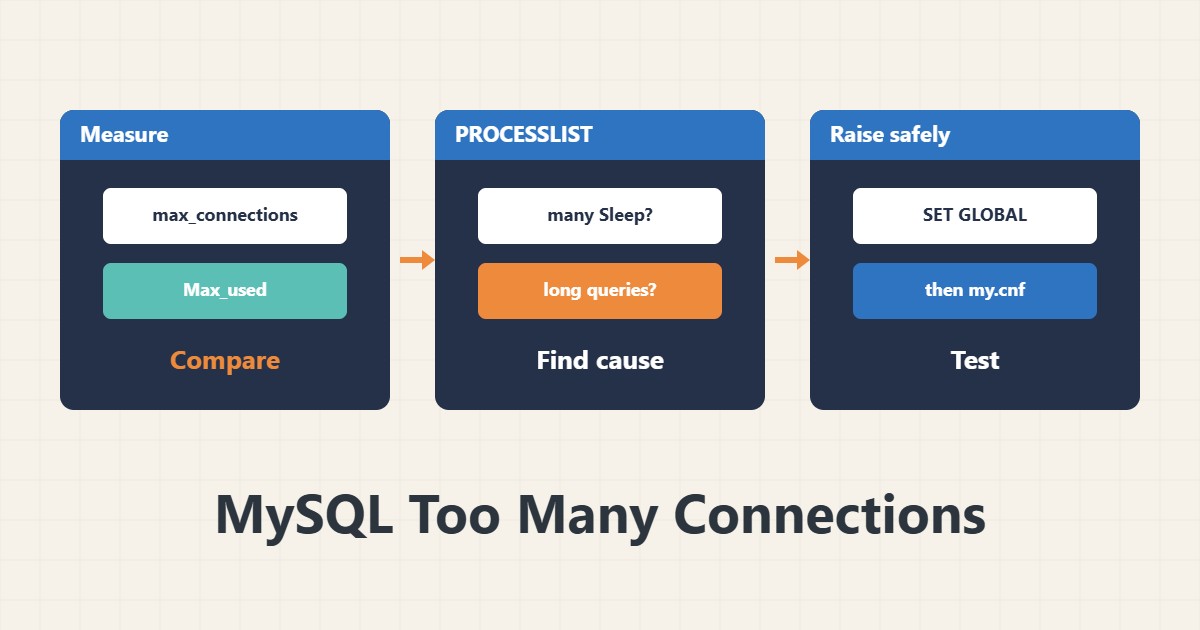
The Too many connections error means concurrent connections to MySQL have reached the limit. Raising the limit is easy, but it often only hides the symptom. This guide measures first and then finds the cause.
1. Measure the state
SHOW VARIABLES LIKE 'max_connections';
SHOW STATUS LIKE 'Threads_connected';
SHOW STATUS LIKE 'Max_used_connections';
The default max_connections in MySQL is usually 151. Max_used_connections is the highest number of simultaneous connections seen since startup. If it has reached the limit, the problem is real.
2. See the connections
SHOW FULL PROCESSLIST;Look at the state of the connections. Many Sleep entries mean the application keeps connections open. Many long queries mean the database is slow and connections pile up. Note the dominant user or host.
3. Raise the limit temporarily
SET GLOBAL max_connections = 300;This lasts until restart. Each connection uses memory, so do not raise the number blindly. To make it permanent, put the same value under [mysqld] in the configuration file and test afterwards.
4. Find the root cause
On WordPress, common causes are PHP-FPM with many processes, slow plugins or heavy queries. Measure FPM workers with the PHP-FPM status page. Find slow queries with the slow query log and set a reasonable wait_timeout for Sleep connections.
5. Emergency connection
MySQL keeps one extra connection for a user with administrative privilege. If the server fills up, log in with that user and inspect idle connections. Do not use the application user for administration. For character set work see the utf8mb4 guide.
6. Illustrative example, not a measurement
Suppose a site showed error 1040 every noon. Max_used_connections had reached the limit of 151 and the processlist was full of Sleep entries. Lowering wait_timeout and limiting FPM workers fixed it. This scenario is an invented illustration, not a measurement.
7. Common mistakes
- Raising max_connections without checking memory.
- Ignoring Sleep connections.
- Setting PHP-FPM higher than the database limit.
- Using the application user for administration.
8. Frequently asked questions
What is a good max_connections value? It depends on memory and load; start from measurement.
Is SET GLOBAL permanent? No; it resets after a restart.
The error appears only sometimes? Probably peak load or one slow query.
9. Quick checklist
- Max_used_connections was read.
- The processlist was reviewed.
- The cause (Sleep or slow query) was found.
- A permanent setting was written.
- FPM workers were aligned.
If you need help reviewing performance or maintaining a server, see the server management services.
More server and WordPress guides are collected in the article archive.
Official references
MySQL: Too many connections · MySQL: max_connections · MySQL: SHOW PROCESSLIST