
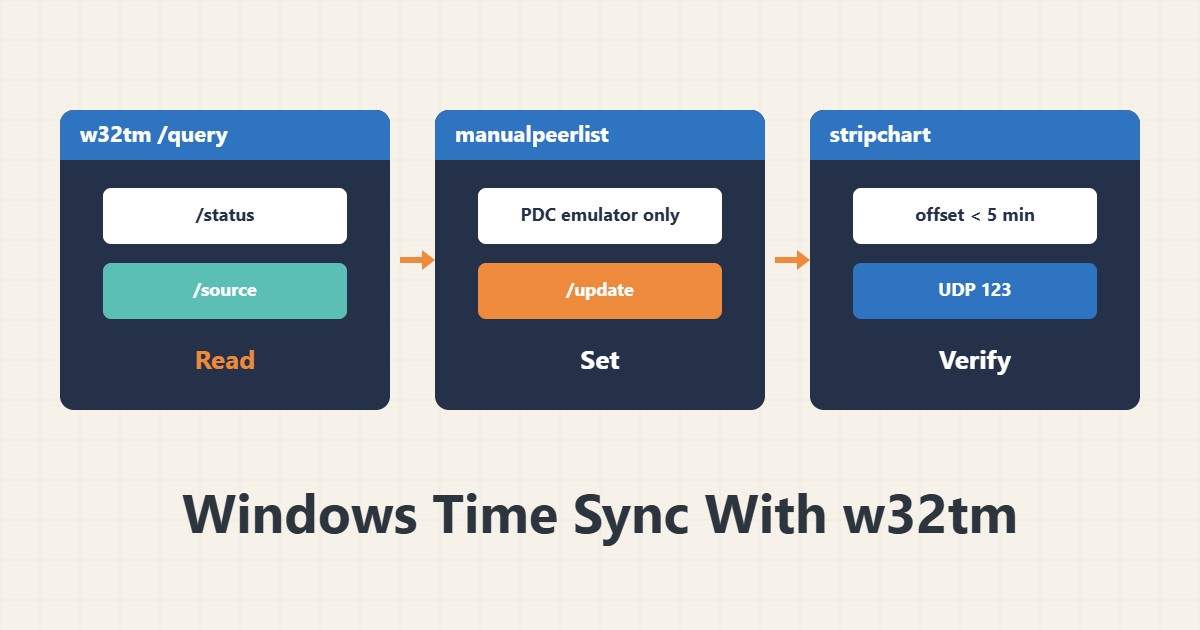
A clock difference of a few minutes in a domain causes Kerberos errors and failed logons and makes logs impossible to compare. Windows syncs the clock with the W32Time service. This guide covers checking and configuring it.
1. Current state
w32tm /query /status
w32tm /query /source
The output shows the time source, the last successful sync and the stratum. If the source is Local CMOS Clock, the server syncs with no external source.
2. A domain member
In a domain, clients and member servers take time from the domain controller, and the main controller (PDC emulator) must be tied to a trusted external source. On a member server manual configuration is usually unnecessary; only w32tm /resync for testing.
3. A standalone server or the PDC emulator
w32tm /config /manualpeerlist:"0.pool.ntp.org 1.pool.ntp.org" /syncfromflags:manual /reliable:yes /update
net stop w32time && net start w32time
w32tm /resync
These addresses are examples; use your own trusted source. This command suits only the PDC emulator; do not run it on a domain member server.
4. Clock skew
w32tm /monitor
w32tm /stripchart /computer:dc01 /samples:5 /dataonly
stripchart shows the offset against a specific server. If the offset is more than a few minutes, Kerberos (default tolerance 5 minutes) fails. For virtual machines also check host-to-guest time sync so two sources do not fight.
5. Network and logs
NTP uses UDP port 123; make sure the firewall does not block it. Look at W32Time events in the System log. For a Linux comparison read timedatectl and hostnamectl, and recheck after Windows Server updates.
6. Illustrative example, not a measurement
Suppose logon to a domain member server was rejected with a time or Kerberos error. w32tm /stripchart showed a multi-minute offset because the source was Local CMOS Clock. A resync from the domain controller fixed it. This scenario is an invented illustration, not a measurement.
7. Common mistakes
- Setting manualpeerlist by hand on a domain member.
- Blocking UDP 123 in the firewall.
- Two time sources at once in a virtual machine.
- Changing the clock by hand instead of using NTP.
8. Frequently asked questions
What is the Kerberos tolerance? 5 minutes by default.
What does stratum mean? The server’s distance from the reference time source; lower is closer.
Is resync safe? Yes; it only syncs the clock.
9. Quick checklist
- w32tm /query /status was read.
- The time source is correct.
- stripchart showed the offset.
- UDP 123 is not blocked.
- The virtual machine has one time source.
If you need help reviewing performance or maintaining a server, see the server management services.
More server and WordPress guides are collected in the article archive.
Official references
Microsoft Learn: Windows Time service tools and settings · Microsoft Learn: how Windows Time works