
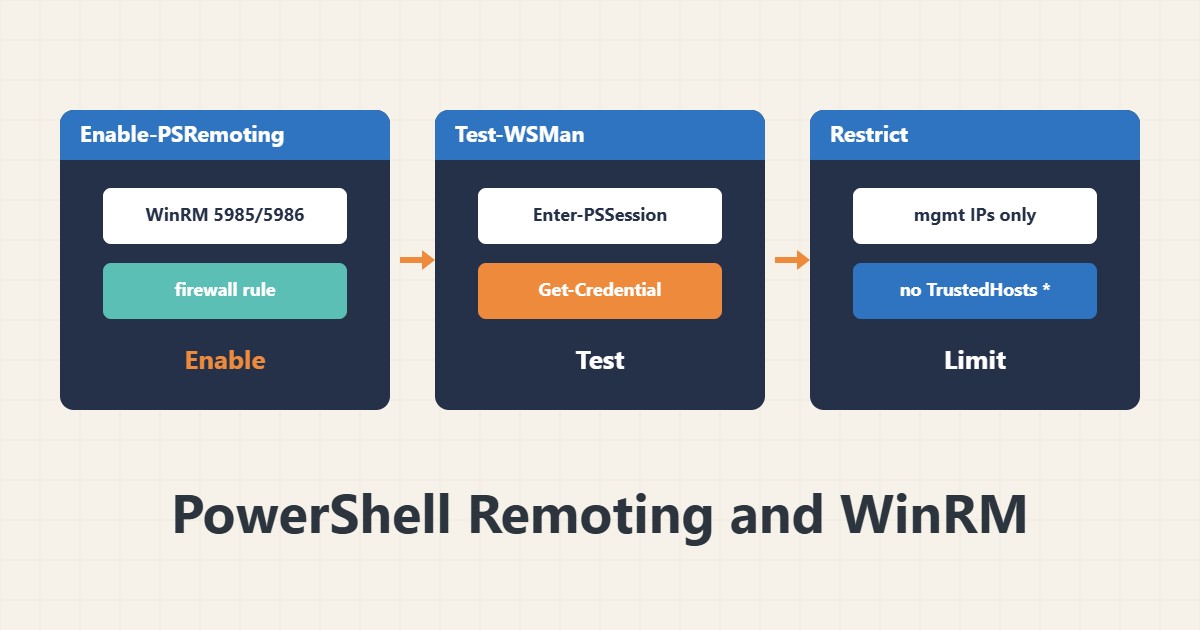
PowerShell Remoting lets you run commands on several servers without RDP. But WinRM is also an attack surface. This guide covers enabling, testing and restricting it.
1. Enable it
Enable-PSRemoting -ForceThis starts the WinRM service, creates a listener and adds a firewall exception. The default ports are 5985 (HTTP) and 5986 (HTTPS). On Windows Server it is usually already enabled. It may refuse on Public networks; check the network profile.
2. Test the connection
Test-WSMan -ComputerName server01
Enter-PSSession -ComputerName server01 -Credential (Get-Credential)
Get-Credential shows its own prompt, so do not write credentials in a script. In a domain with Kerberos you usually need nothing extra.
3. Run a command on several servers
Invoke-Command -ComputerName server01,server02 -ScriptBlock { Get-Service W32Time }This is ideal for checking several servers the same way. For scheduled work also look at Task Scheduler.
4. Outside a domain
In a workgroup there is no Kerberos. The options: an HTTPS listener with a valid certificate (preferred) or adding the target to the client’s TrustedHosts:
Set-Item WSMan:\localhost\Client\TrustedHosts -Value "server01"TrustedHosts removes server identity verification, so use it only for a named target on an internal network. Never set it to * for everyone.
5. Restrict it
Do not expose WinRM directly to the internet. Limit 5985/5986 to management addresses with Windows Firewall rules and keep the Remote Management Users group small.
6. Illustrative example, not a measurement
Suppose you must check a service on ten servers. With Invoke-Command you run the command once and see all results in one table, without RDP to each server. This scenario is an invented illustration, not a measurement.
7. Common mistakes
- TrustedHosts set to an asterisk.
- Leaving 5985 open to the whole internet.
- Writing credentials inside a script.
- Granting admin membership to everyone for remoting convenience.
8. Frequently asked questions
How do WinRM and SSH remoting differ? Modern PowerShell supports both; WinRM is native to Windows.
Why does Enter-PSSession say Access denied? Group membership or privilege level is insufficient.
Is HTTP unsafe? Messages are encrypted in a domain, but outside a domain HTTPS is better.
9. Quick checklist
- Enable-PSRemoting was done.
- Test-WSMan succeeded.
- Access is allowed only from management addresses.
- TrustedHosts is limited or HTTPS is set.
- No credentials are in the script.
If you need help reviewing performance or maintaining a server, see the server management services.
More server and WordPress guides are collected in the article archive.
Official references
Microsoft Learn: running remote commands · Microsoft Learn: Enable-PSRemoting · Microsoft Learn: Test-WSMan