
A container without limits can eat all of the server’s memory, and one without a restart policy does not return after a reboot or crash. This guide shows two simple settings with a way to verify them.
1. Restart policies
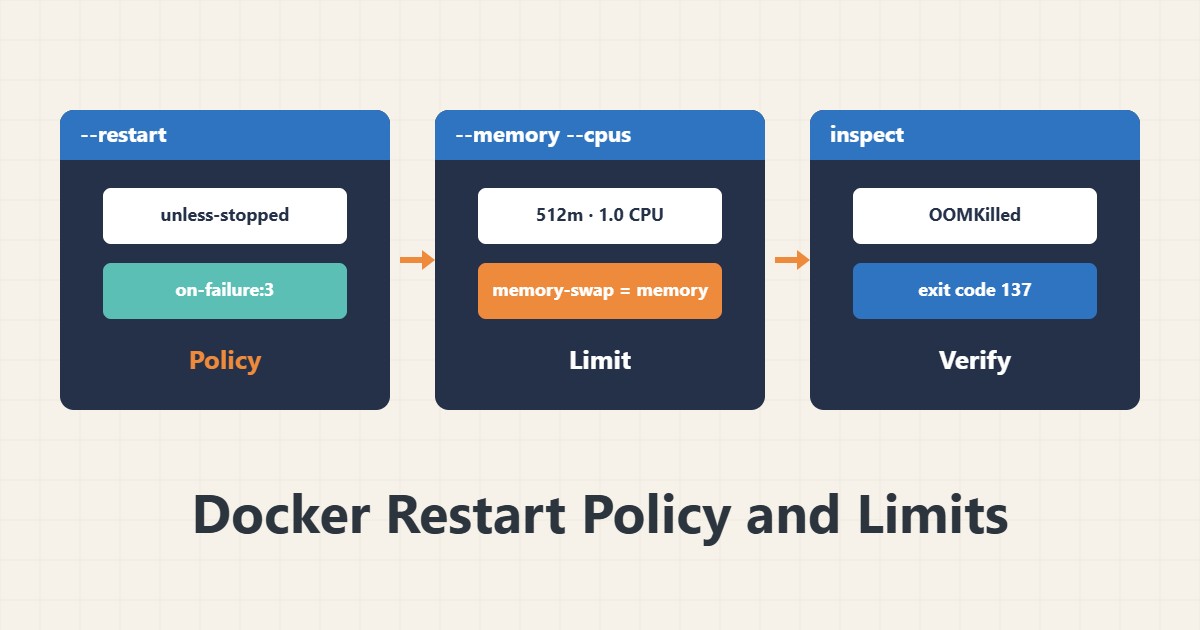
no: never restarts automatically (default).on-failure[:N]: only on a non-zero exit code, at most N times.always: always, even if manually stopped, after the daemon restarts.unless-stopped: like always, but a container you stopped by hand does not come back.
For long-running services unless-stopped is usually a good choice.
2. Run with limits
docker run -d --name app --restart unless-stopped \
  --memory 512m --memory-swap 512m --cpus 1.0 myimage:1.0
--memory is the memory ceiling and --cpus the CPU ceiling. Setting memory-swap equal to memory stops the container using the server’s swap. Derive the numbers from the application’s real usage.
3. Change a running container
docker update --restart unless-stopped --memory 512m --memory-swap 512m app
docker inspect -f '{{.HostConfig.RestartPolicy.Name}}' app
docker update works on an existing container. In Compose, the keys restart: unless-stopped, mem_limit and cpus, or the deploy.resources section, are usable depending on your Compose version.
4. Recognise OOM
docker inspect -f '{{.State.OOMKilled}} {{.State.ExitCode}}' app
docker stats --no-stream
OOMKilled true with exit code 137 means the container was killed because of its memory ceiling. In that case do not raise the ceiling without understanding why; the application may leak memory. For the OOM concept on the server itself see memory, swap and the OOM killer.
5. Further notes
A restart policy does not replace a healthcheck: a container can be up yet broken. And endless restarts on a permanent error only fill the log; on-failure with a sensible cap is better. For disk hygiene see cleaning up Docker safely.
6. Illustrative example, not a measurement
Suppose a processing container reached a lot of memory every few hours and the server’s OOM killer killed another service. With a memory ceiling on that container, only it restarted and the other services were spared. This scenario is an invented illustration, not a measurement.
7. Common mistakes
- Using always when you want a manual stop respected.
- No memory ceiling for heavy containers.
- Raising the ceiling instead of finding the leak.
- Assuming a restart guarantees application health.
8. Frequently asked questions
always or unless-stopped? For most services, unless-stopped.
What does exit code 137 mean? The container was killed with SIGKILL, often by OOM.
What does memory-swap do? It sets the total of memory plus swap allowed.
9. Quick checklist
- A restart policy was chosen.
- memory and cpus were set from real usage.
- OOMKilled was checked.
- docker stats was reviewed.
- A separate healthcheck was considered.
If you need help reviewing performance or maintaining a server, see the server management services.
More server and WordPress guides are collected in the article archive.
Official references
Docker docs: start containers automatically · Docker docs: resource constraints