
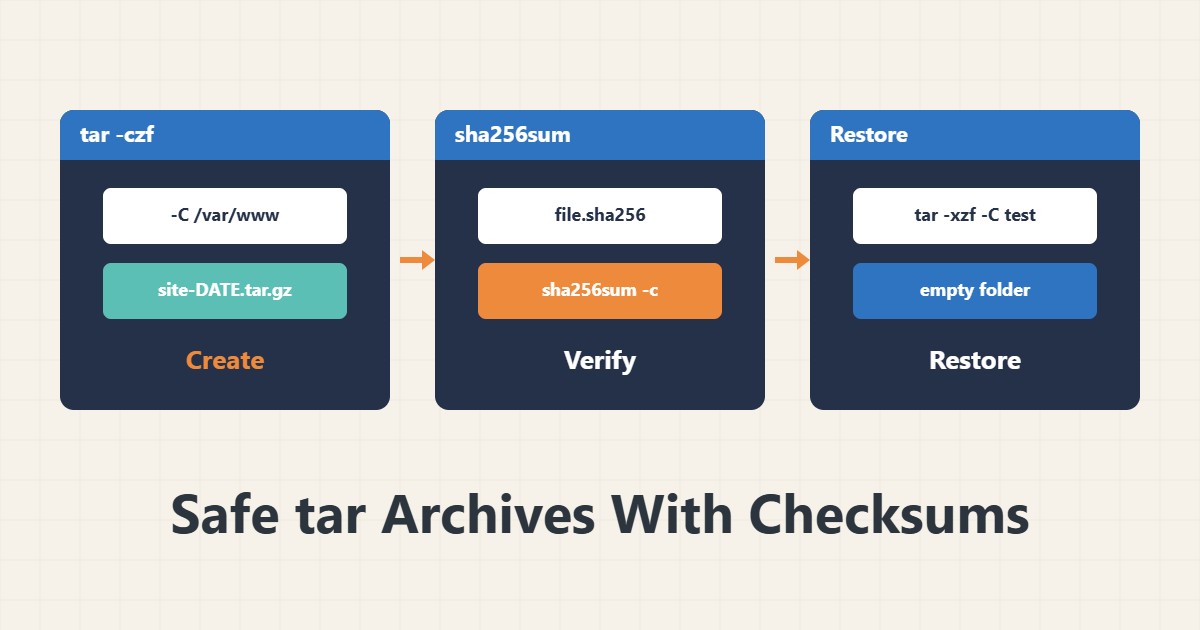
tar is simple, but small mistakes such as absolute paths or extracting over the original location can overwrite live files. This guide shows a way to create, verify and restore an archive without risk.
1. Create the archive
tar -czf site-$(date +%F).tar.gz -C /var/www example.com --exclude='*/cache/*'-C sets the base directory so the archive holds no absolute paths. --exclude skips the cache folder. The filename carries a date so it is not overwritten.
2. Look inside without extracting
tar -tzf site-2026-11-07.tar.gz | headThis only reads the listing. If the output does not match what you expect, stop before any extraction.
3. A checksum for confidence
sha256sum site-2026-11-07.tar.gz > site-2026-11-07.tar.gz.sha256
sha256sum -c site-2026-11-07.tar.gz.sha256
OK means the file is what was created. Keep the checksum file apart from the archive, for example at another destination, so both are not damaged together.
4. Restore into a test path
mkdir /tmp/restore-test
tar -xzf site-2026-11-07.tar.gz -C /tmp/restore-test
Always extract into an empty folder first and move afterwards. When extracting as root, -p preserves ownership and permissions. To transfer to another server you can also use rsync with a dry run.
5. Choosing the files to archive
To pick old or large files before archiving, find and xargs safely is useful. An archive without a restore test has no final value.
6. Illustrative example, not a measurement
Suppose an archive was damaged during transfer between two servers. sha256sum -c at the destination reported FAILED, so the file was sent again instead of being discovered late on a crisis day. This scenario is an invented illustration, not a measurement.
7. Common mistakes
- Extracting directly over the live site path.
- Keeping the checksum next to the archive on the same disk.
- Creating archives with absolute paths.
- Never testing a restore.
8. Frequently asked questions
tar.gz or tar.xz? gzip is faster and xz compresses more; gzip is usually enough for daily backups.
Where do I get sha256sum? It is part of coreutils and normally already installed.
Does a checksum stop tampering? It reveals damage and change only; digital signatures are a separate topic.
9. Quick checklist
- The archive was made with -C and no absolute paths.
- The listing was checked with tar -t.
- A checksum was made and stored separately.
- It was extracted and tested in an empty folder.
- Temporary files were removed.
If you need help reviewing performance or maintaining a server, see the server management services.
More server and WordPress guides are collected in the article archive.