
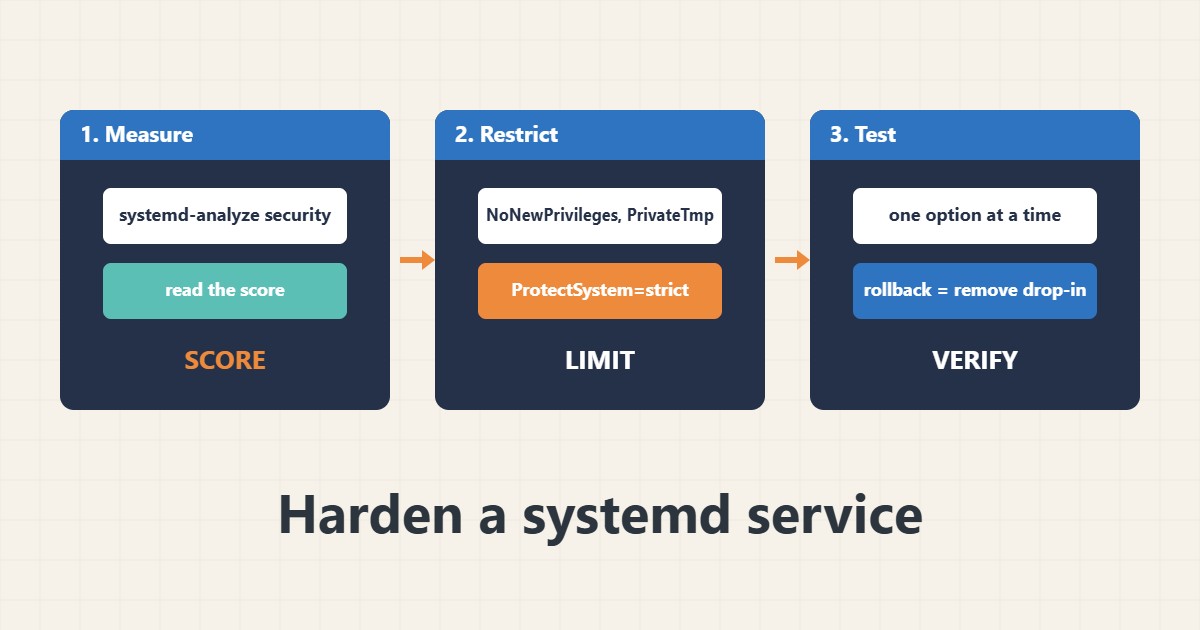
If a web application or script is compromised, what it can do depends on how its process is allowed to run. systemd can restrict a service with simple options: no new privileges, a read-only system, a private temporary folder and a limited set of writable paths. These options do not replace updates, but they limit damage. Commands follow the systemd documentation; I did not run them on your server, so test on a non-production copy.
1. Measure the current exposure
The analysis tool scores how exposed each service is and lists missing restrictions:
systemd-analyze security                      # exposure score for every service
systemd-analyze security myapp.service   # details for one service
Treat the score as a guide, not a goal: a service that works correctly matters more than a perfect number.
2. Add a drop-in with core options
Use an override file so package updates do not overwrite your changes. Run the service as its own user, and give it only the writable paths it needs:
sudo systemctl edit myapp.service    # creates a drop-in override

[Service]
User=myapp
NoNewPrivileges=true
PrivateTmp=true
ProtectSystem=strict
ProtectHome=true
ReadWritePaths=/var/lib/myapp /var/log/myapp
For basic units see the systemd unit guide. For user and privilege basics see the users and groups guide and the sudoers guide.
3. Add stricter options gradually
After the basics work, add further restrictions one or two at a time:
[Service]
ProtectKernelTunables=true
ProtectControlGroups=true
RestrictAddressFamilies=AF_INET AF_INET6 AF_UNIX
CapabilityBoundingSet=
SystemCallFilter=@system-service
Some applications need specific address families or system calls, so test after each change.
4. Apply, test and read the logs
Reload, restart and confirm the service works and the score improved:
sudo systemctl daemon-reload
sudo systemctl restart myapp.service
systemctl status myapp.service --no-pager
journalctl -u myapp.service -n 30 --no-pager
systemd-analyze security myapp.service | tail -n 5
If it fails, read the journal; see the journalctl guide. Keep an easy rollback: remove the drop-in and restart.
5. Mistakes to avoid
These mistakes cause outages:
Adding every option at once                # impossible to know which one broke the app
ProtectSystem=strict without ReadWritePaths # the app cannot write its data
Testing only on production                  # no safe rollback
Editing the file in /lib/systemd/system     # package updates overwrite it
Change one thing, restart, test, then continue.
6. Illustrative example, not a measurement
Imagine a small internal API (made-up) running as root with the whole filesystem writable. After moving it to its own user, adding NoNewPrivileges, PrivateTmp and ProtectSystem=strict with one writable data folder, a bug that lets an attacker write files can no longer change system files or other users’ data.
7. Common mistakes
- Enabling every option at once.
- Forgetting ReadWritePaths for the app data.
- Editing vendor unit files directly.
- Testing only in production.
- Treating the score as proof of safety.
- Running services as root.
8. Frequently asked questions
Does this replace updates? No; it limits damage but does not fix vulnerabilities.
What does NoNewPrivileges do? It stops the process and its children gaining extra privileges.
Can an option break my app? Yes, so add them gradually and test.
Where do drop-ins live? In /etc/systemd/system/
9. Quick checklist
- Run systemd-analyze security.
- Use a dedicated user.
- Create a drop-in.
- Add NoNewPrivileges and PrivateTmp.
- Set ProtectSystem and ReadWritePaths.
- Test after each option.
- Keep a rollback.
If you need help reviewing performance or maintaining a server, see the server management services.
More server and WordPress guides are collected in the article archive.
Official references
systemd.exec(5) · systemd-analyze(1) · systemd.service(5) · systemd.unit(5)