
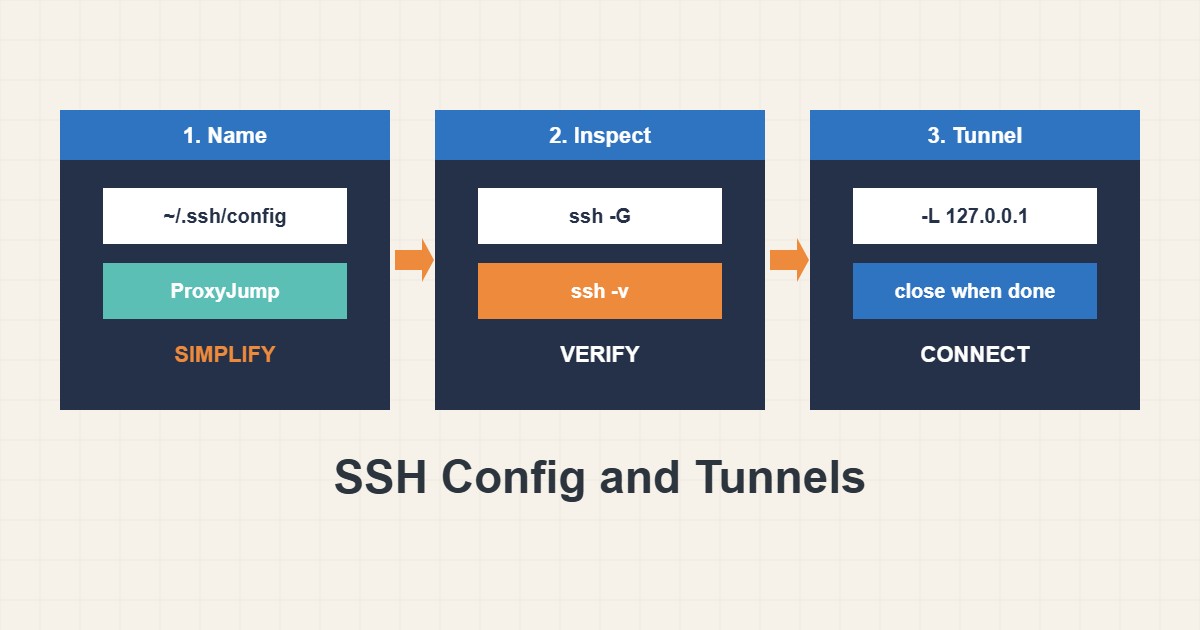
Servers behind a bastion host or a private network are safer than servers open to the internet, but reaching them with long commands gets tiring and error-prone. OpenSSH solves this with a config file, ProxyJump for hopping through a bastion, and port forwarding for reaching a private service from your own computer. This guide shows a tidy setup and the safe habits that go with it: keys instead of passwords, forwards bound to localhost, and a way to see what SSH will really do before you connect.
1. Put hosts in ~/.ssh/config
Instead of typing user, address and key every time, name your hosts once:
# ~/.ssh/config
Host bastion
    HostName bastion.example.com
    User deploy
    IdentityFile ~/.ssh/id_ed25519

Host web1
    HostName 10.0.0.12
    User deploy
    ProxyJump bastion
    IdentityFile ~/.ssh/id_ed25519
Now ssh web1 connects through the bastion automatically. ProxyJump opens an encrypted connection to the bastion and forwards your session through it, so the private server never needs a public address and your keys stay on your own computer. Keep the file private: chmod 600 ~/.ssh/config.
2. See what SSH will do
When something behaves strangely, ask SSH to print the effective settings, and use verbose mode to see which step fails:
ssh -G web1 | grep -E '^(hostname|user|proxyjump|identityfile) '
ssh -v web1 true 2>&1 | grep -E 'Authenticated|Connecting|Executing'
The first command shows the final host, user, jump host and key after all matching blocks are merged. The second shows connection and authentication lines. This is faster than editing the file blindly.
3. Forward a private port to your computer
A local forward makes a remote service available on your own machine through the encrypted connection. It is a safe way to use a database client without opening the database to the internet:
# Reach a database that listens only on the private network
ssh -N -L 127.0.0.1:3307:127.0.0.1:3306 web1

# In another terminal, connect to your local end
mysql -h 127.0.0.1 -P 3307 -u appuser -p
Notice 127.0.0.1 on the local side: the forward listens only on your computer, not on your network. -N means no remote command, only the tunnel. Close the tunnel with Ctrl+C when you finish.
4. Be careful with remote forwards and wide binds
A remote forward (-R) exposes something on the server side and, with a wide bind, may expose it to others. A local forward bound to 0.0.0.0 shares your tunnel with everyone on your network. Use these only when you understand who can reach the port. If you change firewall rules on the way, read the safe firewall changes guide first so you do not lock yourself out.
5. Keep keys and the server side sane
Use a modern key type, protect the private key with a passphrase and load it into an agent. Do not copy private keys to servers; the jump host does not need your key when you use ProxyJump. On the servers keep password login off and review who can log in. Never share private keys or paste them into chats or tickets.
6. Illustrative example, not a measurement
Imagine you need to inspect a database at 10.0.0.12 that listens only on the private network (made-up address). Without a config you would run a long command with the jump host and ports. With the config above you run one short forward, connect your local client to port 3307, do the check and close the tunnel. The database never gets a public port, and the whole setup is a few lines you can read later.
7. Common mistakes
- Opening the database to the internet instead of using a tunnel.
- Binding a forward to 0.0.0.0 by accident.
- Copying private keys to the bastion.
- Disabling host key checking just to silence a warning.
- Leaving tunnels open for days.
- Editing config without checking with ssh -G.
8. Frequently asked questions
What is the difference between ProxyJump and agent forwarding? ProxyJump forwards the connection, so keys stay on your computer. Agent forwarding exposes your agent on the remote machine and is riskier.
Why does the forward fail with address already in use? Another program uses the local port. Choose another or find the owner; see the ss and lsof guide.
Can I forward several ports? Yes, add several -L options or LocalForward lines in the config.
Is this allowed on every server? Admins can disable forwarding in sshd settings. Ask if it is blocked.
9. Quick checklist
- Name hosts in ~/.ssh/config.
- Use ProxyJump for private servers.
- Check settings with ssh -G.
- Bind local forwards to 127.0.0.1.
- Close tunnels when done.
- Use keys with a passphrase and avoid agent forwarding.
- Review who can log in to each server.
If you need help reviewing performance or maintaining a server, see the server management services.
More server and WordPress guides are collected in the article archive.
Official references
OpenBSD manual: ssh_config(5) · OpenBSD manual: ssh(1) · OpenSSH: Manual pages · OpenBSD manual: sshd_config(5)