
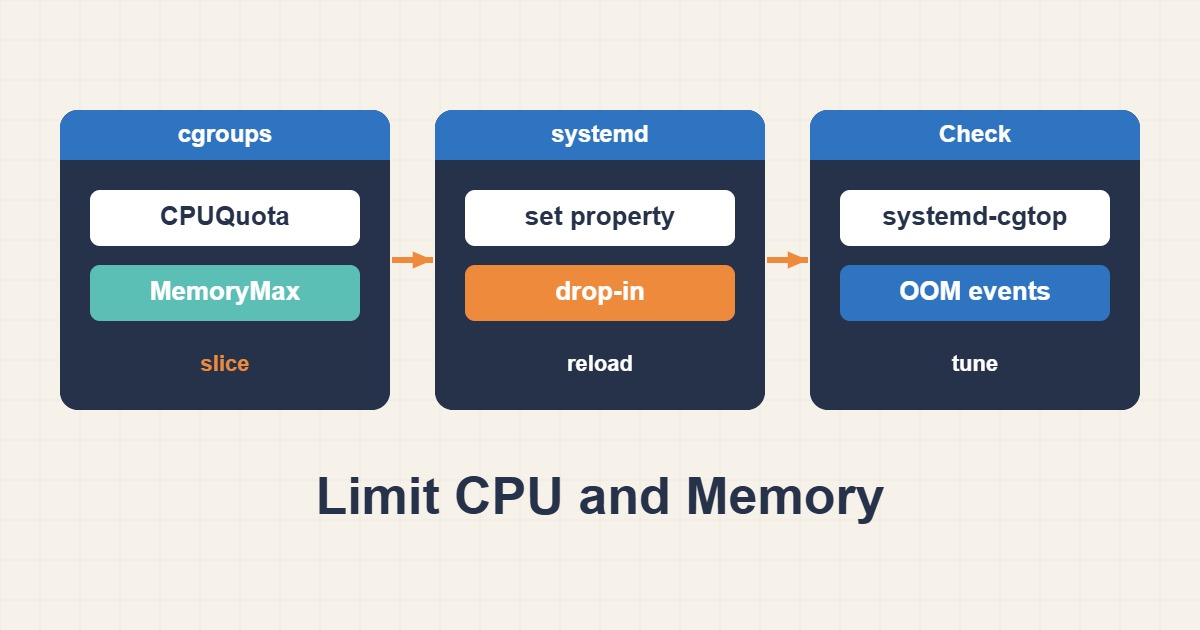
Resource limits create isolation but do not replace capacity planning. Configure MemoryHigh, MemoryMax and CPUQuota through a reversible drop-in, using actual peak demand instead of arbitrary universal limits.
Scope and prerequisites
The example assumes systemd with cgroup v2; verify controller availability on your distribution. app-worker.service is a placeholder. Do not blindly apply it to production PHP-FPM or MySQL: a small hard limit can trigger cgroup OOM and reduce availability rather than improve it.
1. Collect evidence
Measure MemoryCurrent and peak demand over a representative load window. cgroup.controllers indicates v2. CPUQuota=150% allows the equivalent of 1.5 CPUs, not 150% of an entire multicore server. Track worker concurrency, queue depth and latency alongside resource usage.
test -f /sys/fs/cgroup/cgroup.controllers && cat /sys/fs/cgroup/cgroup.controllers
systemctl show app-worker.service -p MemoryCurrent -p ControlGroup
systemd-cgtop
2. Make a controlled change
MemoryHigh applies reclaim pressure and throttling; MemoryMax is a hard ceiling that can lead to OOM if reclaim cannot satisfy it. Size the gap and host headroom deliberately. These numbers are illustrative for a worker. Apply during a maintenance window and validate under representative load.
# /etc/systemd/system/app-worker.service.d/resources.conf
[Service]
MemoryHigh=768M
MemoryMax=1G
CPUQuota=150%
3. Verify the outcome
After a controlled restart, inspect effective values with systemctl show. Compare memory.events high and oom_kill counters across two timestamps; they are cumulative. Rising latency or backlog means the setting failed operationally even without OOM. Compare throughput and response time with the baseline.
sudo systemctl daemon-reload
sudo systemctl restart app-worker.service
systemctl show app-worker.service -p MemoryHigh -p MemoryMax -p CPUQuotaPerSecUSec
cg=$(systemctl show app-worker.service -p ControlGroup --value)
cat "/sys/fs/cgroup${cg}/memory.events"
Rollback and prevention
Rollback only this drop-in, then reload units and perform a planned restart. systemctl revert may remove unrelated overrides. Monitor memory pressure and CPU throttling. A CPU cap cannot fix a memory leak, and a hard memory limit cannot substitute for correcting the application.
Technical references
For related checks in this workflow, see Persistent journald Logs and Safe Retention on Linux and Reliable Linux Job Scheduling with systemd Timers.