
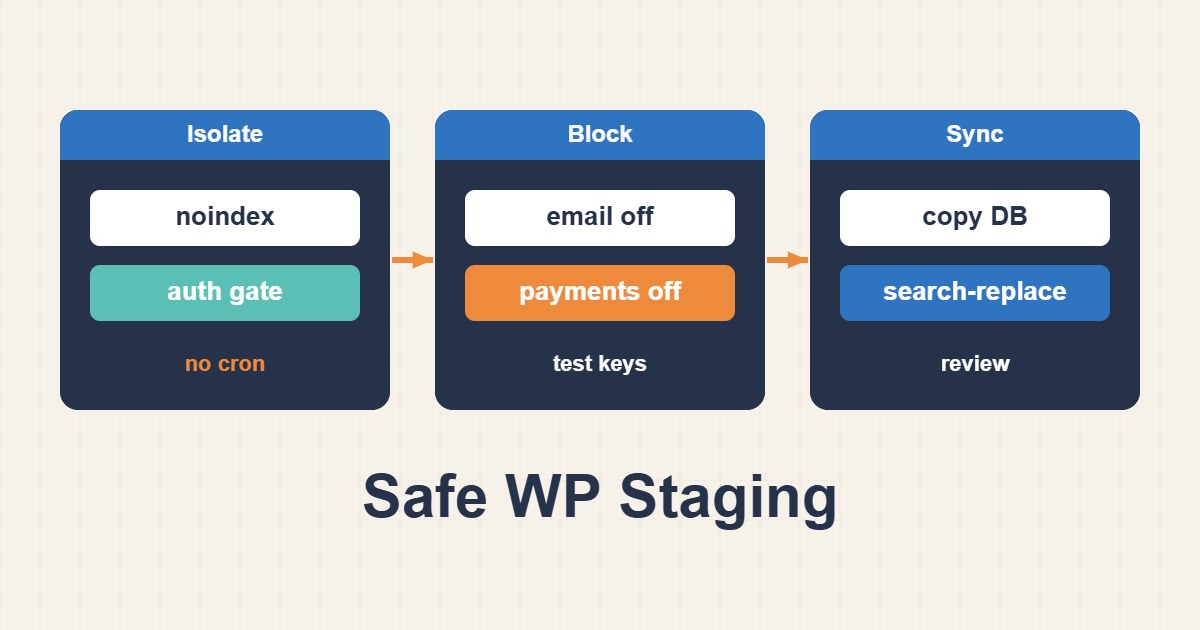
Copying WordPress onto a subdomain does not automatically create safe staging. The clone may still write to the live database, email real customers or trigger payments. Search-engine discouragement is not access control either. A useful staging environment resembles production while keeping data, credentials and external side effects isolated and testable.
1. Isolate resources before the first request
Use a separate database and account, file root, service credentials and Redis/object-cache configuration. Reusing the production cache prefix can cause collisions, and a staging flush must not clear live data. Remove or anonymize customer information before exposing the clone. Confirm its database identity with an environment-specific restricted account and keep an independent backup rather than treating the clone as your backup.
2. Require authentication across all routes
Enforce authentication or network restrictions at the web server or reverse proxy. Protecting only wp-admin leaves pages, REST endpoints and uploads exposed. Media served by a separate CDN or object store needs its own access restriction. Use HTTPS; Basic authentication without TLS does not protect credentials in transit. Test as an unauthenticated visitor without existing cookies, not merely as an administrator.
curl -I https://staging.example.com/
curl -I https://staging.example.com/wp-json/
# Also test the URL of a known, non-sensitive staging upload.
3. Add noindex as a separate layer
Run these commands only against the confirmed staging path, never the live installation. blog_public=0 requests search-engine exclusion, but does not block malicious crawlers or visitors. WP_ENVIRONMENT_TYPE identifies the environment to compatible code; it does not itself disable email or payments. Inspect the generated robots metadata inside an authenticated page, because a stored option alone does not prove the theme emits the intended output.
wp --path=/srv/www/staging option update blog_public 0
wp --path=/srv/www/staging config set WP_ENVIRONMENT_TYPE staging
wp --path=/srv/www/staging option get blog_public
wp --path=/srv/www/staging option get home
wp --path=/srv/www/staging option get siteurl
4. Contain email, payments and jobs
Replace real SMTP and payment credentials with independent sandbox access before testing. Route mail into a test sink: blocking SMTP alone does not stop an email API. Inventory webhooks, SMS, CRM, shipping integrations and scheduled jobs as well. Use a controlled recipient and sandbox order, then verify that no live customer message or financial transaction occurred. Disable only the jobs you understand, so staging tests remain meaningful.
5. Validate URLs and promote deliberately
Change clone URLs with a serialization-aware tool and a dry run, not raw database replacement. Check links, canonicals and assets for unintended cross-environment references. When promoting a release, do not copy staging noindex settings or test credentials into production. Never overwrite new live orders with an old cloned database. Acceptance requires restricted anonymous access, generated noindex, independent data and cache, and sandbox-only side effects. Keep the previous deploy and a validated backup as your recovery route.