
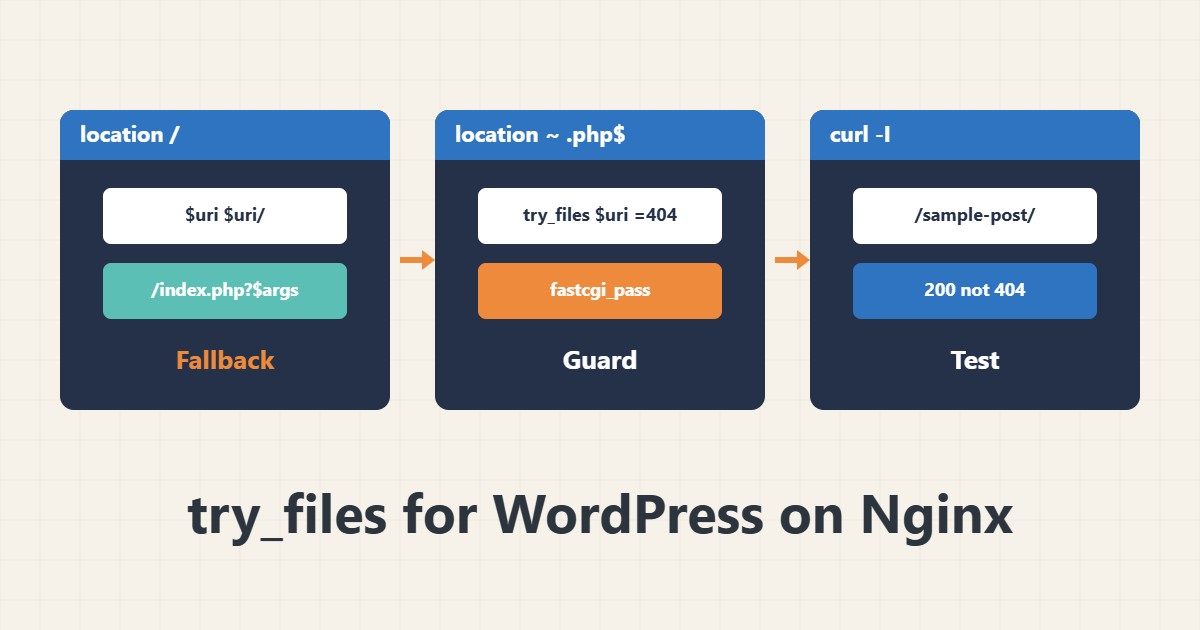
When WordPress permalinks return 404 on Nginx, try_files is almost always written wrong. This directive decides what Nginx tries, in order. This guide shows the correct pattern and common mistakes.
1. The standard WordPress pattern
location / {
    try_files $uri $uri/ /index.php?$args;
}
Nginx tries the real file ($uri), then the directory ($uri/) and finally WordPress’s index.php with the same query string. Without ?$args parameters such as search or preview are lost.
2. A safe PHP block
location ~ \.php$ {
    try_files $uri =404;
    include fastcgi_params;
    fastcgi_pass unix:/run/php/php-fpm.sock;
}
The line try_files $uri =404 stops paths without a real PHP file being passed on, which is an important safety precaution. Change the socket path to match your server.
3. A single-page app (SPA)
location / {
    try_files $uri /index.html;
}
For React or Vue, client-side routes must fall back to index.html. Static files with real names are still served directly.
4. Troubleshooting
sudo nginx -t && sudo systemctl reload nginx
curl -I https://example.com/sample-post/
tail -n 20 /var/log/nginx/error.log
If the 404 comes from Nginx itself, check try_files or root. If it comes from WordPress, re-save permalinks. Check block order with location matching and file permissions if you see 403.
5. Subtle mistakes
Putting root inside a location instead of the server block, or a regex location appearing before it, changes behaviour. Add caching and compression after the paths work, for example with PHP-FPM tuning.
6. Illustrative example, not a measurement
Suppose the home page opened but /sample-post/ gave 404. try_files was only $uri $uri/ =404. Changing the last value to /index.php?$args made permalinks work. This scenario is an invented illustration, not a measurement.
7. Common mistakes
- Leaving out ?$args.
- No try_files in the PHP block.
- Defining two locations that hide each other.
- Testing only the home page and not deep paths.
8. Frequently asked questions
Why does only the home page work? There is probably no fallback to index.php.
What does =404 do in try_files? It returns 404 if nothing was found.
Is it the same on Apache? No; Apache uses mod_rewrite and .htaccess.
9. Quick checklist
- try_files was written with ?$args.
- The PHP block has try_files $uri =404.
- nginx -t and reload ran.
- A deep path was tested with curl.
- The error log shows no new errors.
If you need help reviewing performance or maintaining a server, see the server management services.
More server and WordPress guides are collected in the article archive.