
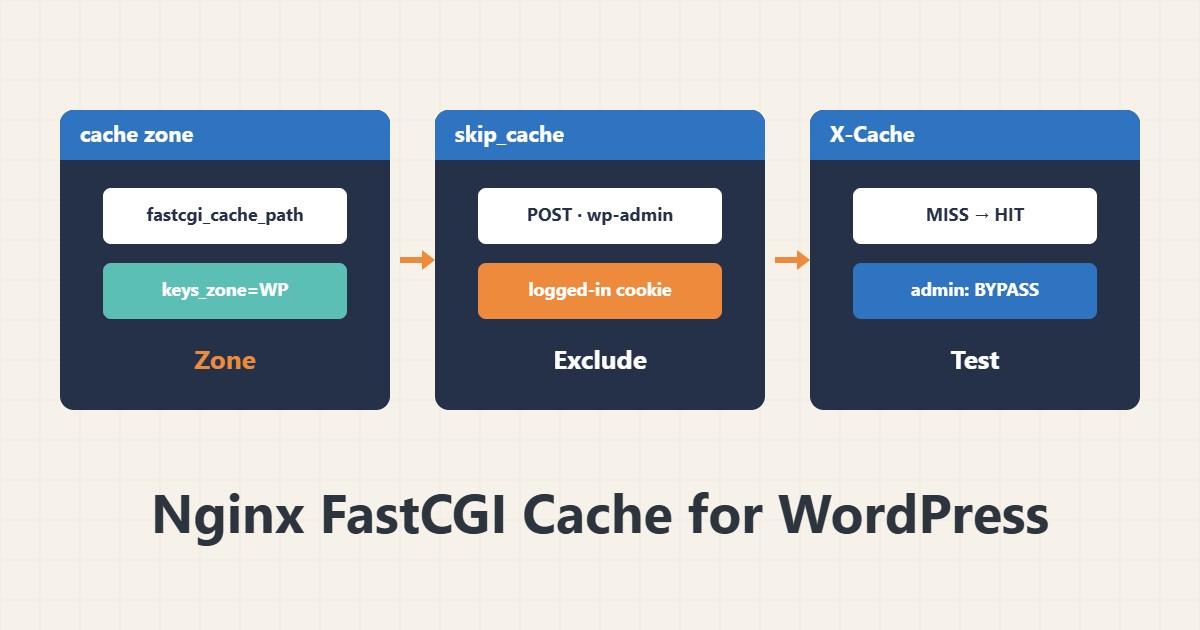
WordPress runs PHP and the database for every visit. The Nginx FastCGI cache serves anonymous pages from disk and reduces PHP-FPM load. The main risk is one user’s personal page being cached for another, so the exceptions are the most important part.
1. Cache path and zone
# in the http block
fastcgi_cache_path /var/cache/nginx/wp levels=1:2 keys_zone=WP:50m inactive=60m max_size=1g;
fastcgi_cache_key "$scheme$request_method$host$request_uri";
The path must be writable by the Nginx user. Set max_size to suit your disk.
2. Bypass conditions
set $skip_cache 0;
if ($request_method = POST) { set $skip_cache 1; }
if ($query_string != "") { set $skip_cache 1; }
if ($request_uri ~* "/wp-admin/|/wp-login.php|/wp-json/") { set $skip_cache 1; }
if ($http_cookie ~* "comment_author|wordpress_logged_in|wp-postpass") { set $skip_cache 1; }
These keep forms, admin, API and logged-in users out of the cache. If you run WooCommerce, also explicitly exclude the cart, checkout and account pages.
3. Enable it in the PHP block
location ~ \.php$ {
    include fastcgi_params;
    fastcgi_pass unix:/run/php/php-fpm.sock;
    fastcgi_cache WP;
    fastcgi_cache_valid 200 301 10m;
    fastcgi_cache_bypass $skip_cache;
    fastcgi_no_cache $skip_cache;
    add_header X-Cache $upstream_cache_status always;
}
Set the socket path and PHP version to match your server. See pool tuning for PHP-FPM settings.
4. Test
curl -sI https://example.com/ | grep -i x-cache
curl -sI https://example.com/ | grep -i x-cache
The first request should show MISS and the second HIT. For wp-admin you should see BYPASS or no cache value. Also simulate a logged-in cookie to be sure a personal page is not cached.
5. Purging
After publishing important content you need to purge: either with a FastCGI-compatible purge plugin or by deleting files in the cache path. For compression and static-file headers also see gzip and static cache headers.
6. Illustrative example, not a measurement
Suppose the home page used to run PHP on every visit. After enabling the cache, the second visit was a HIT and anonymous requests no longer reached PHP-FPM. This scenario is an invented illustration, not a measurement; measure real speed on your own site.
7. Common mistakes
- Caching logged-in users’ pages.
- Forgetting to exclude cart and checkout.
- Caching responses with dynamic query strings.
- Not purging after content updates.
8. Frequently asked questions
Should I also use a cache plugin? Prefer one page-cache layer so behaviours do not mix.
What does X-Cache BYPASS mean? A bypass condition matched and the page did not come from the cache.
How long should the cache last? Depends on how often content changes; minutes to an hour is common.
9. Quick checklist
- The cache path exists and is writable.
- Bypass conditions are written.
- The X-Cache header was added.
- MISS and HIT were tested.
- Logged-in cookie and wp-admin are not cached.
If you need help reviewing performance or maintaining a server, see the server management services.
More server and WordPress guides are collected in the article archive.